DOC-00500 Rev. F 5–27
Eden500V/350V/350 User Guide
Exporting and
Importing
Objet Build
Trays
WhenyousavebuildtraysinObjetStudio,theyaresavedasotffiles.These
filescontaininstructionstoObjetStudioandtoEden3‐Dprintersfor
displayingandproducingthestlfilesusedonthetray.Tosaveallofthe
filesthatcomprisethebuildtray,forstorage
ortransfertoanotherlocation,
ObjetStudiocompressesthemintooneozffile.ToopenanozffileinObjet
Studio,thefilemustfirstbeexpandedanditscomponentfilessaved.
To create an ozf file:
1. FromtheFilemenu,selectExport Packed Job…
TheSaveAsdialogboxopens.
2. Selecttheappropriatefolderandchangethefilename(ifnecessary).
3. Click
Save.
To open an ozf file:
1. FromtheFilemenu,selectImport Packed Job…
2. IntheOpendialogbox,displaytheappropriatefolderandselectthe
file.
3. IntheBrowseforFolderdialogbox,displaythefolderinwhichyou
wantObjetStudiotoexpandthecompressedfile,andclick
OK.
Theotffileandassociatedstlfilesareexpandedandplacedinthe
selectedfolder,andthetrayisdisplayedinObjetStudio.
Advanced-Mode Features
TheObjetStudiofeaturesdescribedinthissectionareonlyaccessibleifthe
applicationissettoAdvancedmode.
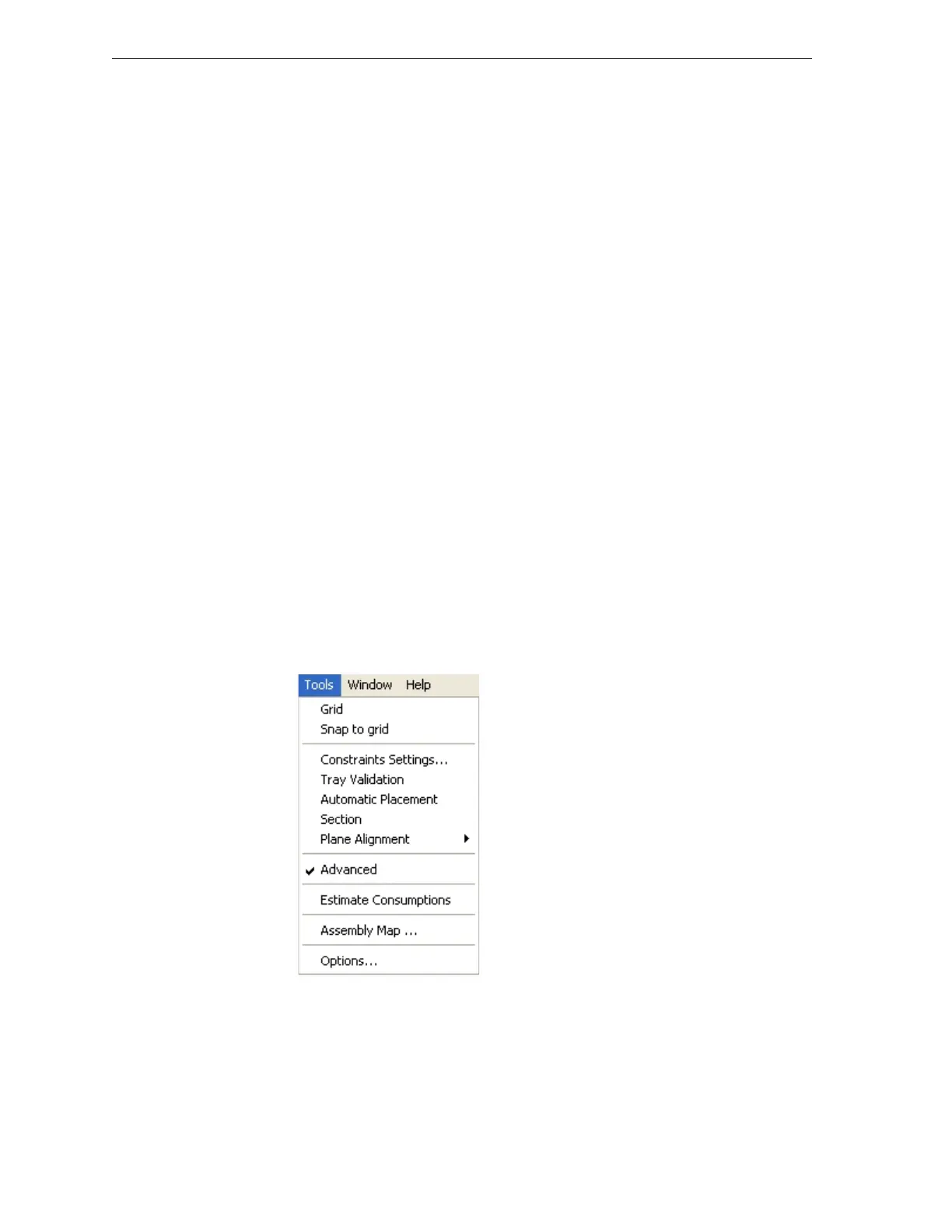
To see the current Objet Studio setting:
¾
OpentheToolsmenu.
Figure 5-36: Tools menu, showing Advanced mode selected
IfAdvancedischecked,theadvancedfeaturesareenabled.



 To Next Page