DOC-00500 Rev. F 7–47
Eden500V/350V/350 User Guide
Replacing the
Waste
Container
Thewastecontainercontainspartiallycuredpolymericmaterialproduced
duringnormaloperationandmaintenanceoftheEdenprinter.Forsafety
andenvironmentalreasons,thismaterialiskeptinaspecialleak‐proof,
disposablecontainer.
Thecontainerhasacapacityof10kilogramsofwastematerial—usually
enoughforseveralmonthsofprinter
use.Theprintersoftwaredisplaysa
warningmessagewhenthecontainerweighs9kilograms, andstopsthe
printerwhenitweighs9.5kilograms.Above9kilograms,thesoftwaredoes
notallowyoutostartaprintjobuntilyoureplacethewastecontainer.You
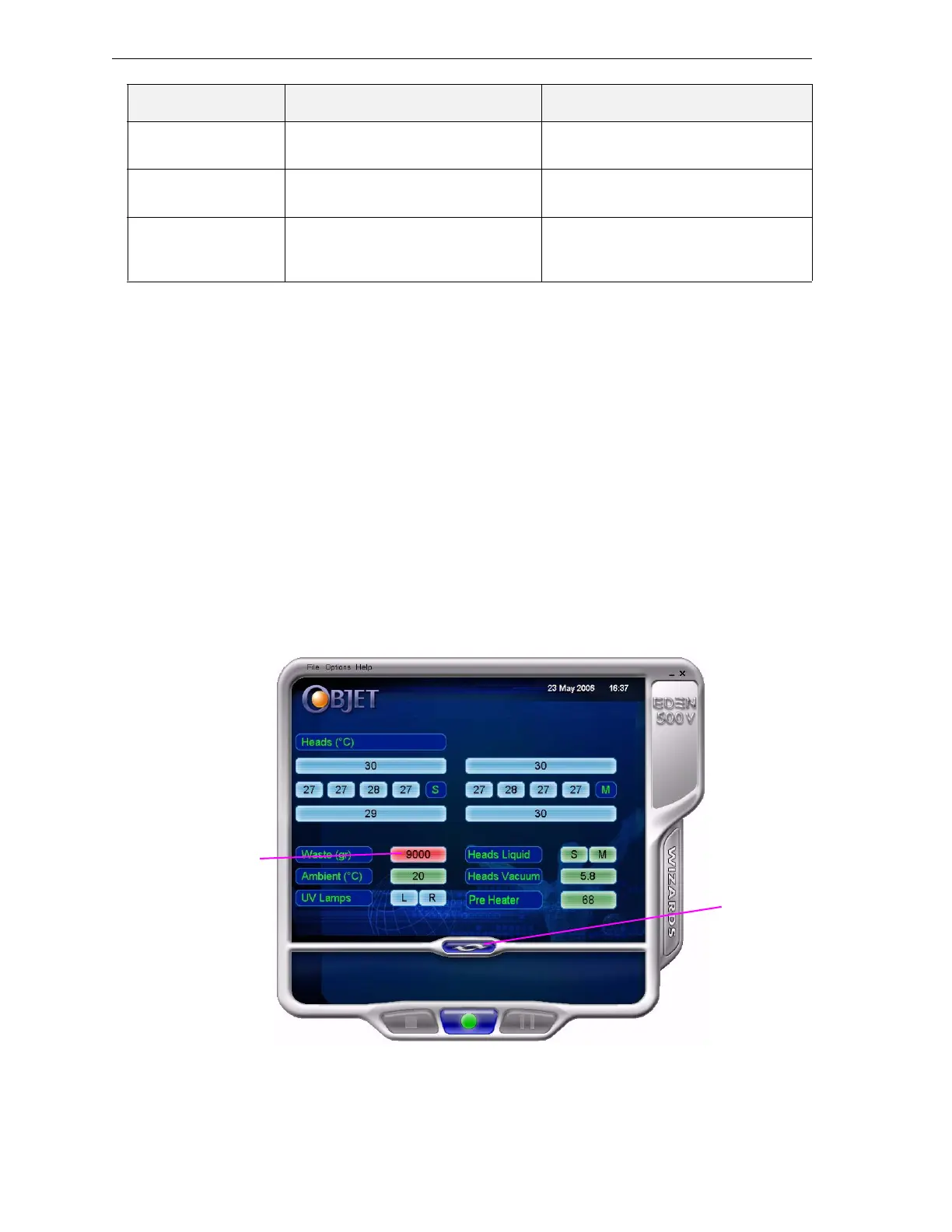
canmonitortheweightofthe
wastecontainerintheMaintenancescreenof
theprinterinterface.Youcanalsovisuallyinspectthelevelofwasteinthe
container.(Toaccessit,seepage 48.)
To monitor the waste weight (and other indicators) in the Eden printer:
¾
Inthemainprinterinterfacescreen,clickthedisplaytoggletoviewthe
Edenprinterindicators.
Figure 7-3: Eden printer interface, showing waste weight (red background indicates
operator alert)
Head/BlockHeaters Teststheheatersintheprintheads
andintheprint‐blockbody.
Faultyheatersorthermistors.
AxesLimit Teststhehardwareandsoftware
limitsofallaxes.
Faultyhardwaresensors.
WrongMaxPositionparameter.
Vacuum Teststhevacuumlevelintheprint
block.
Faultyvacuumsensor.
Vacuumleakage.
Wrongparameters.
Test Name Description Possible Reason for Failure
Waste weight
Display
toggle button



 To Next Page