Using Objet Studio
5–28
DOC-00500 Rev. F
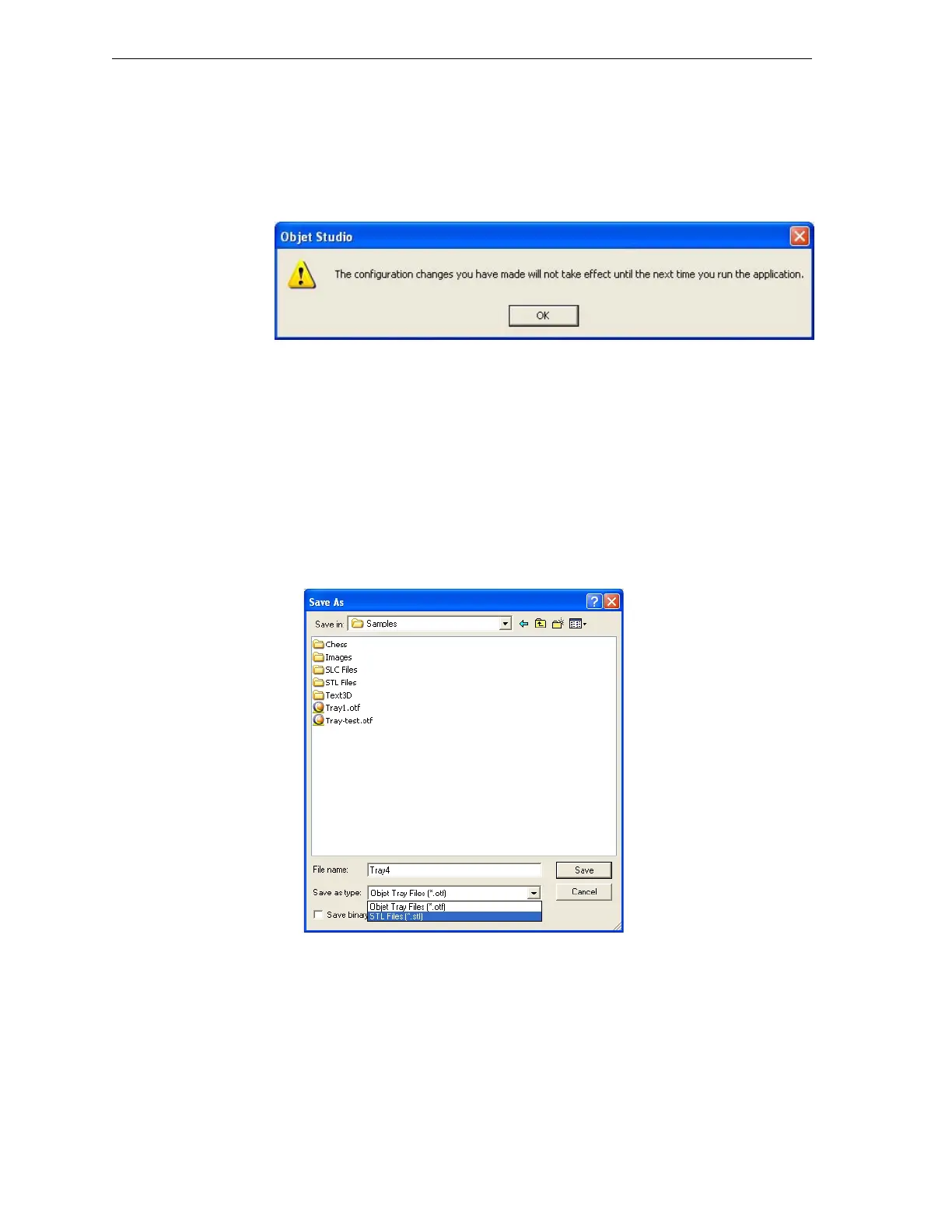
To change the Advanced setting:
1. ClickAdvancedintheToolsmenu.
Thefollowingmessageisdisplayed,remindingyouthatthechange
willonlytakeeffectthenexttimeyouopenObjetStudio—eventhough
thecheckmarkintheToolsmenuappears/disappearsafteryoumake
thechange.
Figure 5-37: Configuration-change message
2. Closeandre‐openObjetStudiotoaccesstheAdvancedmodefeatures.
Save Tray As…
Inadditiontosavingthetrayasanotffile,forproducingitwithanEden3‐
Dprinter,youcansaveagroupofobjectspositionedonthetrayasanstl
file.Youcanthenusethisfileasanyotherstlfile,bothinObjetStudioand
in
otherapplications.Youcanalsodisplaythisandotherstlfilesas
“floating”objects,withoutthebuildtray.Thisisusefulforinspecting
objectsfromeveryangle.
To save the build tray as an stl object:
1. FromtheFilemenu,selectSave Tray As…
Figure 5-38:Save As dialog box
2. Atthetopofthedialogbox,selecttheappropriatefolder.
3. Atthebottomofthedialogbox,enterafilename.
4. OpentheSaveastypepull‐downmenu,andselect
STL Files (*.stl).
5. Click
Save.



 To Next Page