DOC-00500 Rev. F 6–11
Eden500V/350V/350 User Guide
User Alerts
JobManagercanalertyouandotherstothestatusofthejobssenttothe
serverforprinting.Thisisespeciallyusefulduringlongprintingjobs,when
theoperatorisawayfromtheEden3‐Dprinter.Thefollowingeventscanbe
reported:
• Thelevelofmodelorsupportmaterialislow.
• Thejobwasinterrupted.
• Thejobwascompletedsuccessfully.
Fordetailsonhowtoconfigurealertmessages,see“ConfiguringUser
Alerts”onpage 5.
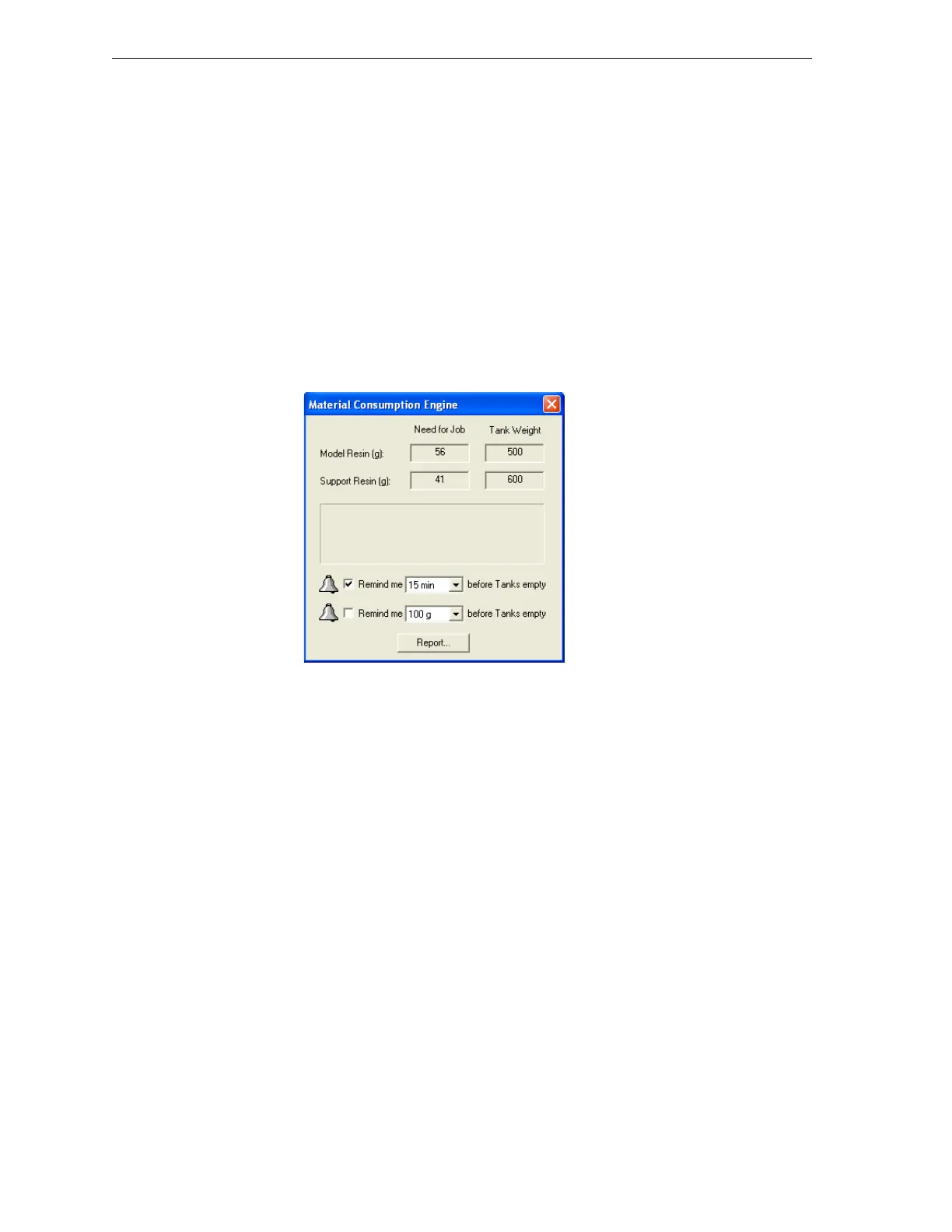
To set parameters for “Low level of material” alerts:
1. Fromthe3‐DPrintermenu,selectMaterial Consumption….
2. Inthedialogboxthatopens,setthetimeorthematerialweight
remainingthattriggersthealertmessage.
Figure 6-8: Material alert message dialog box
ThedialogboxshownabovealsopopsupovertheJobManagerscreento
alerttheoperatorthatthereisnotenoughmaterialloadedintheprinterto
completethecurrentjob.Aslongasthisconditionexists,awarningicon
appearsinthelower‐rightcorneroftheJobManager
screen(whenthe
statusbarisvisible).
Note: If the status bar is not visible, select it from the View menu.)



 To Next Page