Using Objet Studio
5–8
DOC-00500 Rev. F
Positioning Objects on the Build Tray
Toproducemodelsefficientlyandwiththerequiredfinish,itisimportant
tocarefullypositionobjectsonthebuildtray.ObjetStudiofeaturesthe
automaticpositioningofobjects.However,youshouldchecktomakesure
thattheobjectsareorientatedlogicallyforyourneeds,accordingthe
considerationsexplainedin“ModelOrientation”
onpage 10.
Automatic
Positioning
TherearetwowaystohaveObjetStudiopositiontheitemsonthebuild
tray.
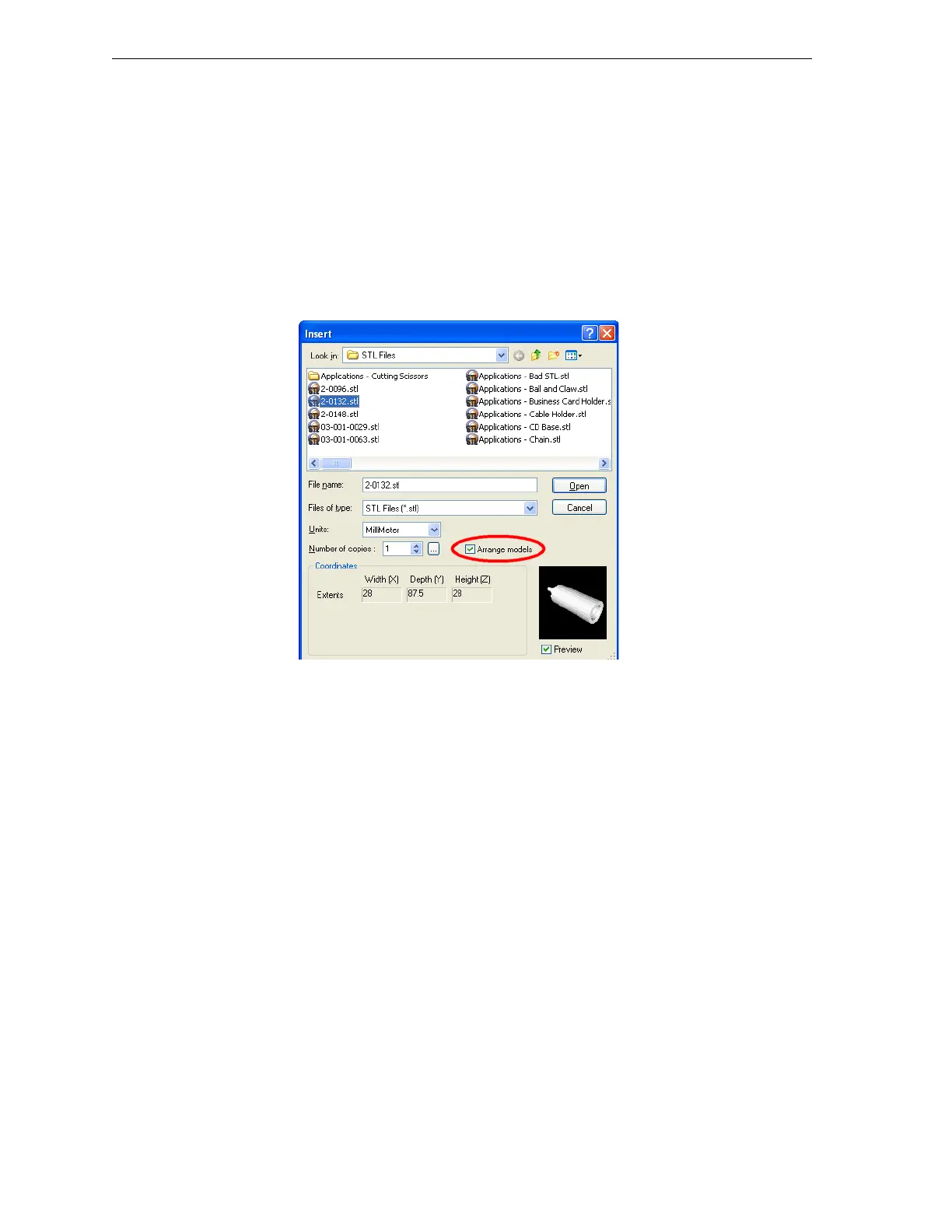
• Anytimeyouinsertanobjectontothebuildtray,selectArrange models
intheInsertdialogbox.
Figure 5-12: Arrange models option in the Insert dialog box
WhenyouclickOpen,ObjetStudioinsertsthenewobjectandarranges
alloftheobjectsonthebuildtray.
• Afterplacingseveralobjectsonthebuildtray,selectTools > Automatic
Placement
.
Theeffectsofautomaticplacementareshowninfigures5‐13and5‐14.



 To Next Page