DOC-00500 Rev. F 5–11
Eden500V/350V/350 User Guide
Avoid Support-Material Rule
Thisruleconsidersmodelsthathavelargeholesorhollows,openonat
leastoneside(likeapipeoracontainer).
¾ Itmaybeadvantageoustoprintamodelstandingup,sosupport
materialdoesnotfillthehollow,eventhoughprintingthemodellying
downwouldbemuchfaster.
Manipulating Objects on the Build Tray
Object Position
on the Z-Axis
Whenyouuseautomaticpositioningtoarrangeobjectsonthebuildtray
(see“A u t o m a t i c Positioning”onpage 8),theobjectsarepositioneddirectly
onthetray.Ifyoudonotinsertobjectswithautomaticpositioning,they
oftenappeareitheraboveorbelowthetray.
To position objects directly on the tray:
1. Selecttheobject.
2. ClicktheLayOnicon .
or—
FromtheObjectmenu,select
Lay On.
To ensure that objects are always directly positioned on the tray:
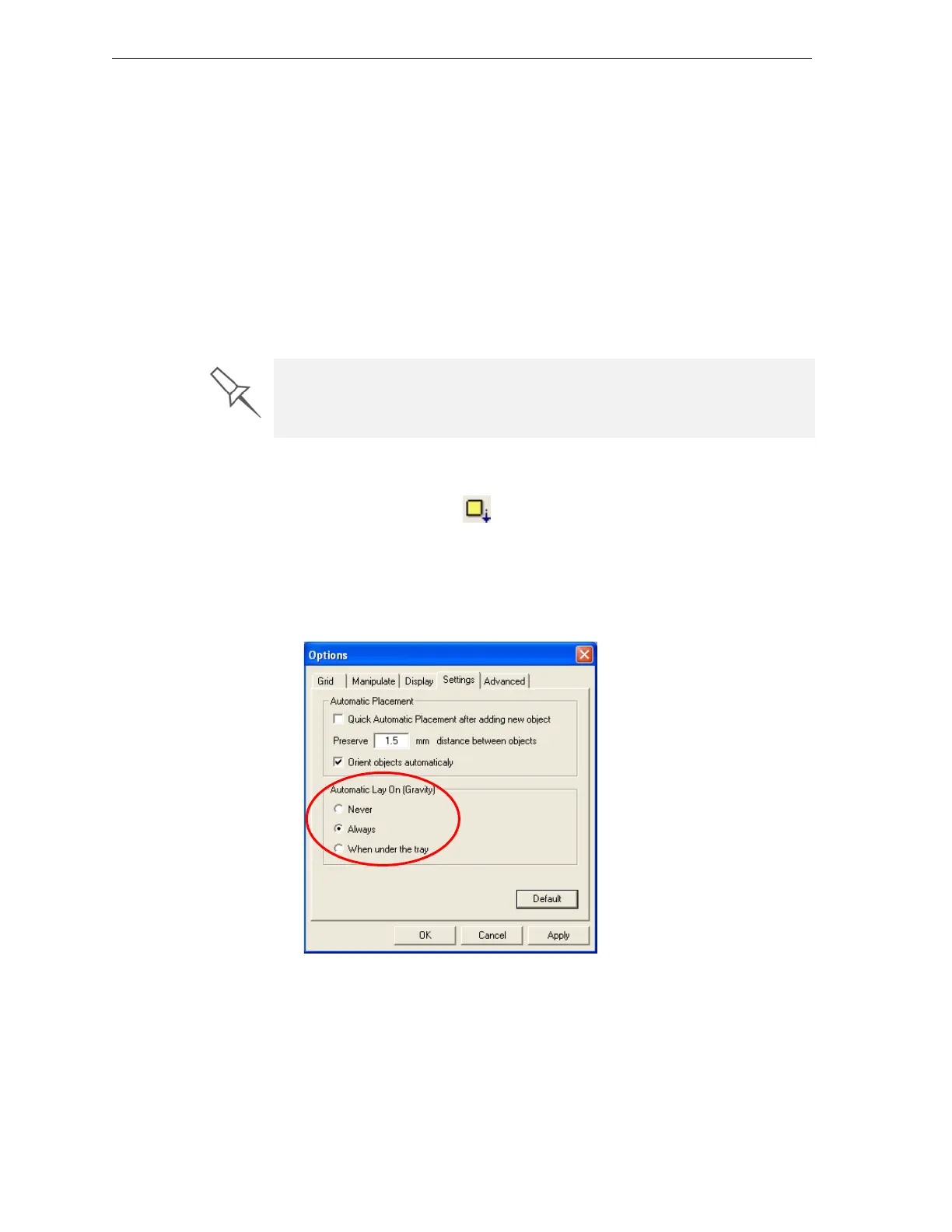
1. FromtheToolsmenu,selectOptions,anddisplaytheSettingstab.
Figure 5-15:Options dialog box, Settings tab
2. IntheAutomaticLayOn(Gravity)section,selectAlways.(Thisisthe
defaultsetting.)
In practice, the Eden system prints all models on the build tray on a one-
millimeter bed of support material. The importance of positioning objects
directly on the build tray with Objet Studio is to correctly display the objects
on the screen.



 To Next Page