Operating & Maintaining the Eden 3-D Printer
7–8
DOC-00500 Rev. F
Changing the Model Material
Beforeproducingmodelsusingadifferenttypeofmodelmaterial(resin)
thaniscurrentlyinstalled,youmustflushtheprintblockandfeedtubesby
runningtheResinReplacementwizard.
To replace the model material:
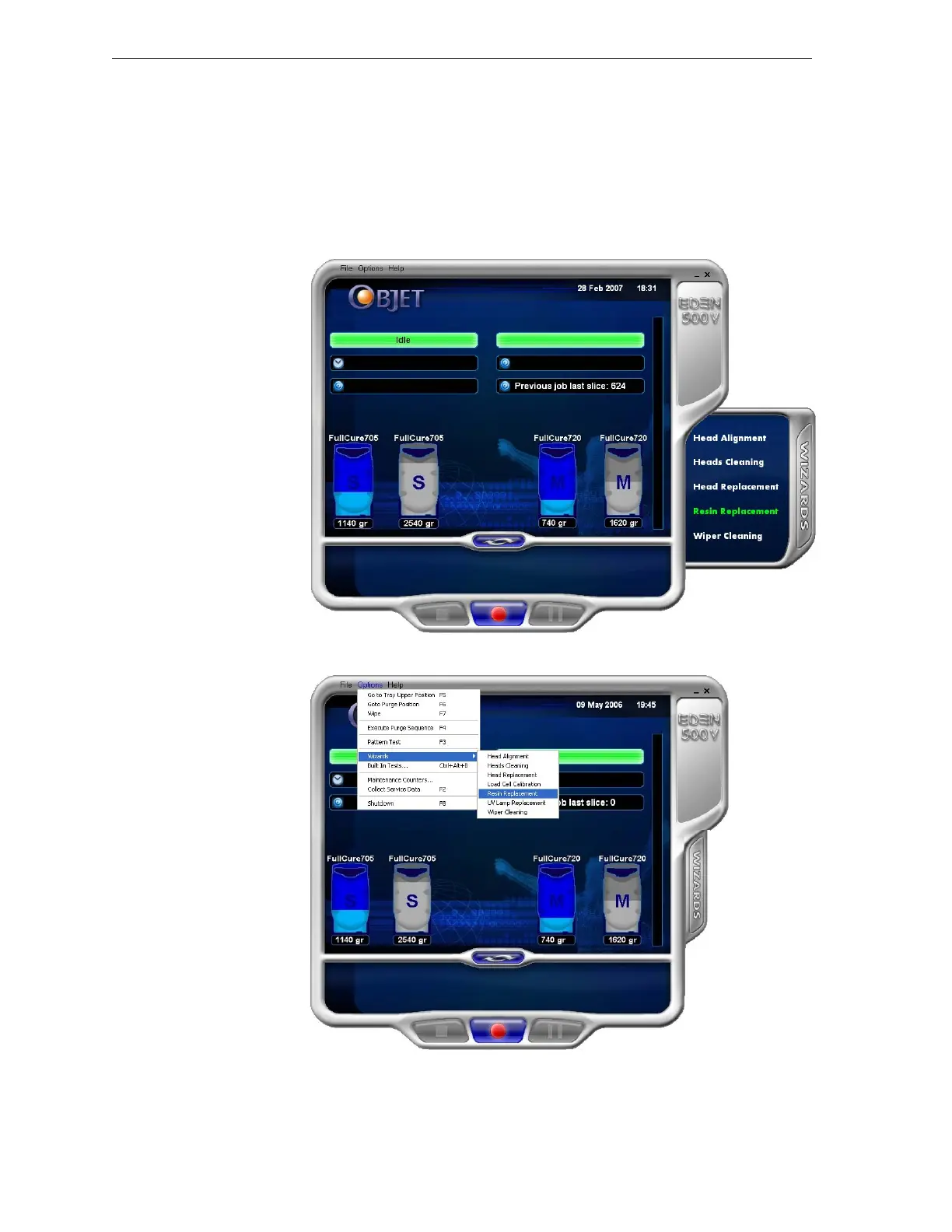
1. StarttheResinReplacementwizard,eitherfromtheWizardstab(onthe
rightsideoftheEdeninterface)orfromtheOptionsmenu.
Figure 7-8: Starting the Resin Replacement wizard from the Wizards tab
Figure 7-9: Starting the Resin Replacement wizard from the Options menu
2. Fromtheopeningscreen,clickNexttodisplaytheResinSelection
screen.



 To Next Page