DOC-00500 Rev. F 7–7
Eden500V/350V/350 User Guide
2. MakesurethatthecomputernetworkconnectingtheprinterandJob
Managerserverisactive.
3. IntheJobManagerinterface,clicktheResumeicon .
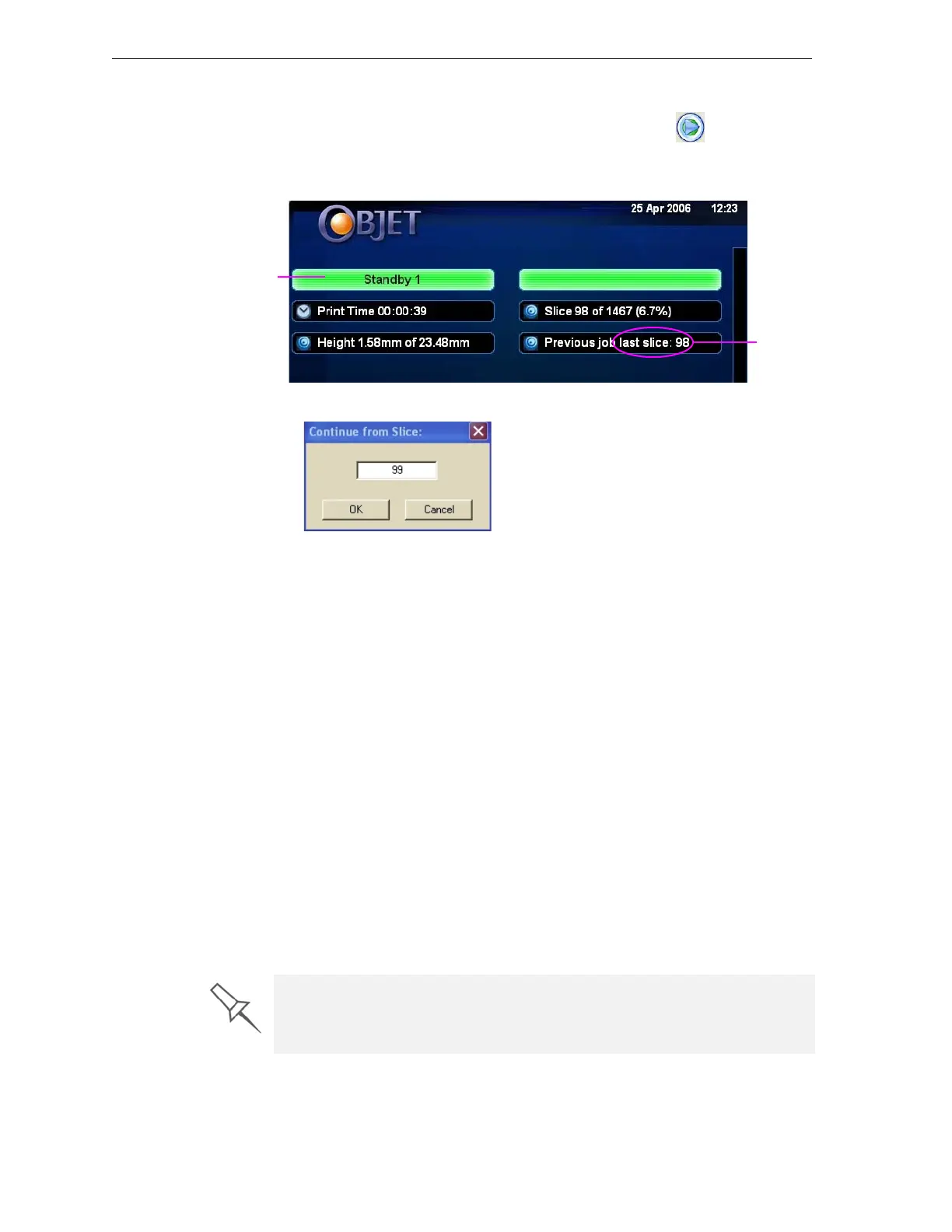
4. IntheContinuefromSlicedialogboxthatappears,confirmtheslice
number,aftercheckingtheEdenprinterinterface.
Figure 7-6: Eden printer interface after interrupted printing
Figure 7-7: Continue from Slice confirmation dialog box in server
(Job Manager) interface
5. If,foranyreason,thecorrectnumberdoesnotappearinthedialog
box,enterthenumberandclick
OK.
Youcannotcontinueprintingthemodelif:
• ThenumberofthelastsliceprinteddoesnotappearintheEdenprinter
interface,eveniftheservercomputerdisplaystheContinuefromSlice
confirmationdialogbox.
• Therewasarelativelylonginterruptioninprinting,evenifthe“last
slice”and“continuefromslice”indicatorsarecorrect.Thepartofthe
modelalreadyprintedmaydeformorshrink,andtheremightbea
visibledifferencebetweenitandthenewlyprintedpart.Theeffectsofa
printingstoppage
onamodeldependonthemodelsizeandstructure,
modelmaterialused,ambienttemperatureandthelengthofthe
stoppage.
If you cannot continue printing:
1. CanceltheprintjobinJobManager.
2. Removethepartiallyprintedmodelfromthebuildtray.
3. SendthejobtotheEdenprinteragain.
Printer mode
Last slice
printed
You can stop and later resume printing from either the Eden printer interface
or the Job Manager interface, since both applications are updated when you
use these commands. However, after clicking the Pause button in the
printer interface, you can only resume printing from the printer interface.



 To Next Page