Using Objet Studio
5–22
DOC-00500 Rev. F
Object Color
Codes
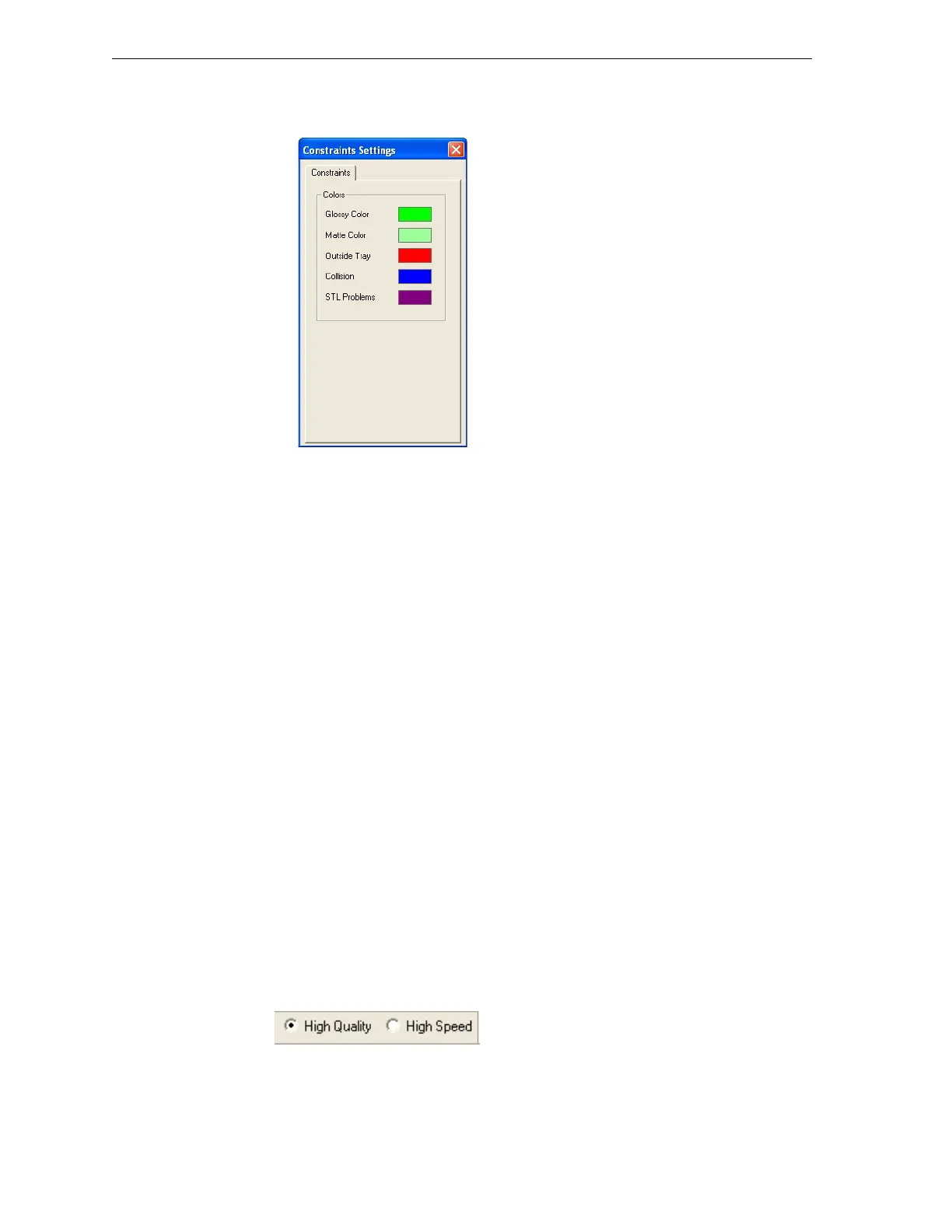
To view the color code for objects displayed:
¾
FromtheToolsmenu,selectConstraints Settings.
Figure 5-27: Constraints Settings dialog box, showing object color codes
To change the color settings:
1. ClickthecurrentcolordisplayedintheConstraintsSettingsdialogbox.
2. Fromthecolorpalettethatopens,selectacolorandclick
OK.
Note: The color of objects already displayed does not change
automatically. The color change tales effect the next time an object’s
state is changed.
Quality/Speed
Setting
WhenproducingmodelsonEden500VandEden350Vprinters,Objet
Studioallowsyoutochoosethequality/speedsettingmostsuitablefor
yourproject.(Eden350printersoperateinHighQualitymodeonly.)
High Quality—
• Printsmodelsin16‐micronlayers,suitableforproducingfinedetails
anddelicateitems.
• Requiresmuchmoretimetoprintmosttrays,comparedtoHighSpeed
setting.
High Speed—
• Printsmodelsin29‐micronlayers,suitableforproducinglarger
models.
• Requiresmuchlesstimetoprintmosttrays,comparedtoHighQuality
setting.
Ifhighspeedprintingissupportedbytheprinter,theQuality/Speed
selectionbuttonsareavailableonthemaintoolbar.Changethesetting,if
necessary,beforesendingthetraytothe3‐Dprinter.
Figure 5-28: Quality/Speed setting



 To Next Page