DOC-00500 Rev. F 5–15
Eden500V/350V/350 User Guide
Using a Grid to
Position
Objects
Displayingagridontheimageofthebuildtraycanbeusefulwhen
positioningobjects.Youcanmakeuseofthisfeaturebyclickingthegrid
toolbariconsorbyselectingmenuoptions.
Youcanreviewandconfiguregridsettings—andapplythem—fromthe
Optionsdialogbox.
To use the Options dialog box:
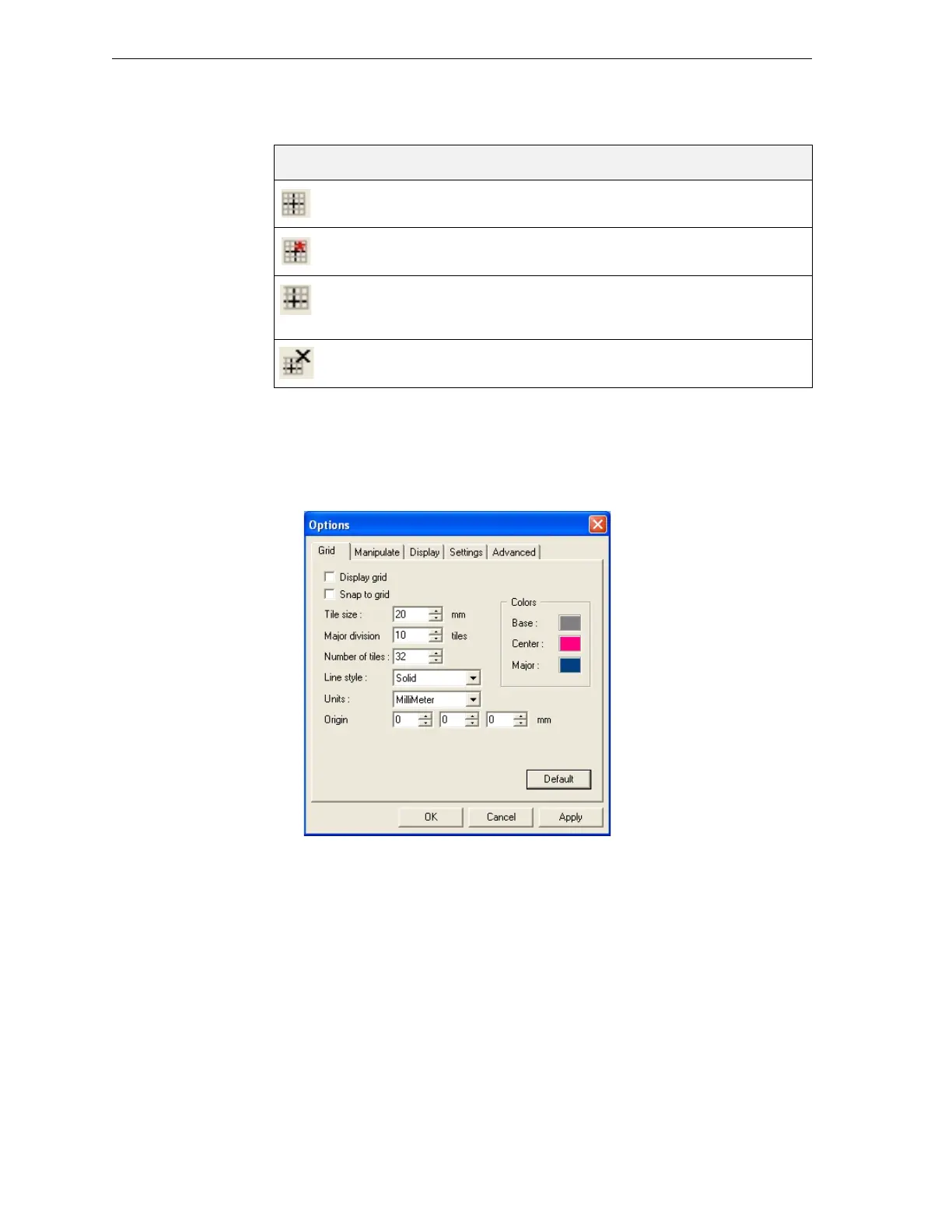
1. FromtheToolsmenu,selectOptions,anddisplaytheGridtab.
Figure 5-20:Options dialog box, Grid tab, showing the default settings
Thedialogboxdisplaysthecurrentgridsettings.
2. Asrequired,makechangestothesettings,andselectorclearthecheck
boxes.
3. Click
ApplyorOK.
Changing an
Object’s
Orientation
Thereareseveralmethodsforchangingtheorientationofobjectsonthe
buildtray.
To rotate an object:
¾
SelecttheobjectandusetheRotateiconorObjectmenuoptions(see
“RepositioningObjects”onpage 12).
Icon Menu Option Result
Tools>Grid Displaysagridoverallbuildtrayviews.
Tools>Snaptogri d Whenmovingtheobject,italigns withthe
nearestgridline.
Enablesyoutochangethegridorigin
(X‐andY‐axismeetingpoint)byclicking
onthebuildtray.
Cancelsthechangesmadetothegrid
origin
andrestoresthedefaultgrid.



 To Next Page