Using Objet Studio
5–20
DOC-00500 Rev. F
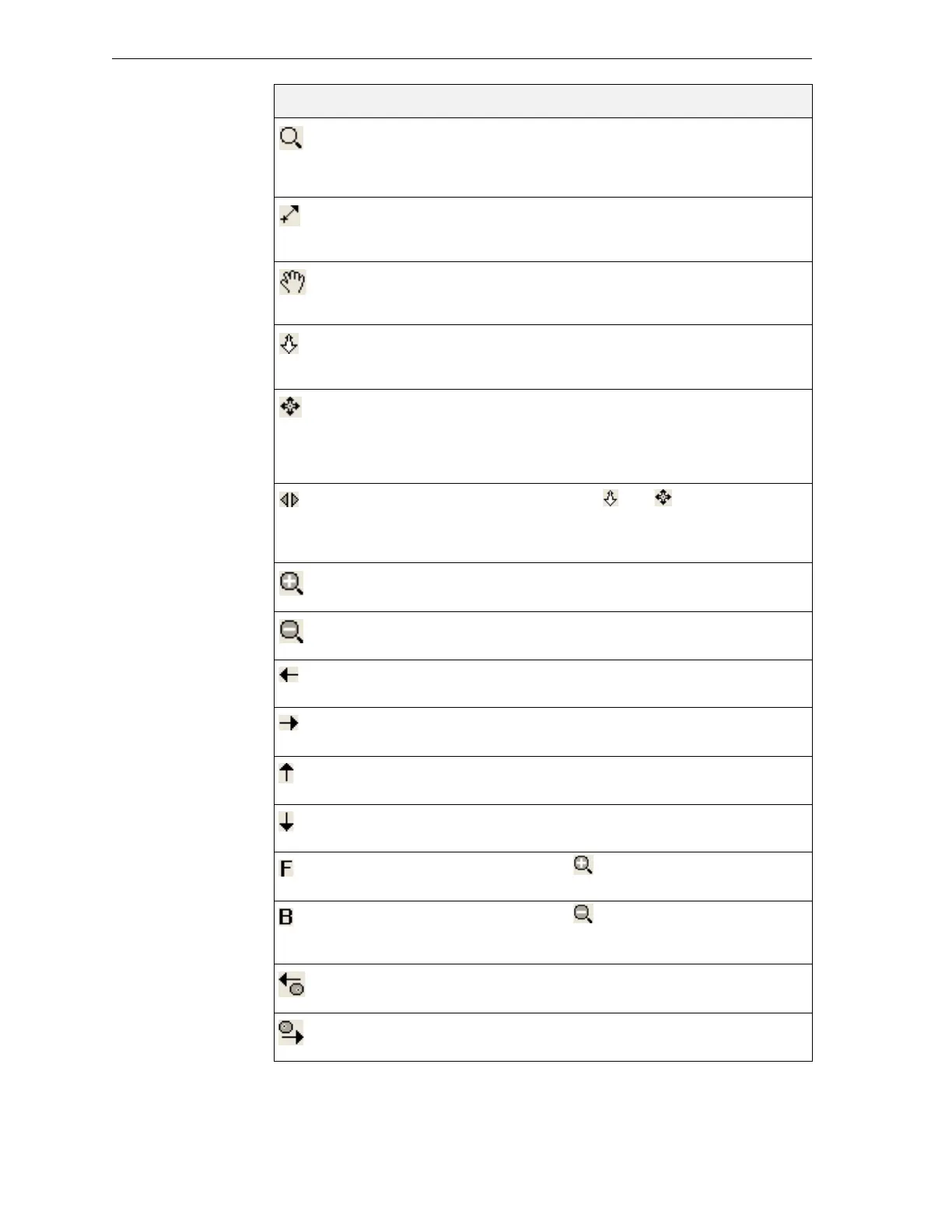
ZoomDynamic Continuouslyzoomsin/outofthepointat
whichyouclickandholddowntheleftmouse
button,whenyoumovethecursorupand
down.
PanByLine Movesthebuildtrayinthe viewingpane
accordingtothelineyouextendonthescreen
withtheleftmousebutton.
PanDynamic Moves
thebuildtrayintheviewingpaneas
youmovethecursoronthescreenwhile
holdingdowntheleftmousebutton.
WalkDynamic Zoomsandmovesthebuildtrayasyouhold
downtheleftmousebuttonandmovethe
cursoronthescreen.
StudyDynamic Enablesyoutoinspectthebuild
trayfrom
everyangleandperspective.Asyouhold
downtheleftmousebuttonandmovethe
cursoronthescreen,theviewofthebuildtray
changes.
SpinMode Whenusedwithand ,themovementof
thebuildtraycontinuesafteryoureleasethe
mousebutton.Tostopthemovement,
clickin
theactiveviewpaneorclickoneoftheseicons.
ZoomIn Eachmouseclickzoomsonesteptothecenter
oftheactiveviewingpane.
ZoomOut Eachmouseclickzooms‐outonestepfromthe
centeroftheactiveviewingpane.
PanLeft Eachmouseclickmovesthebuildtrayto
the
leftintheviewingpanebyonestep.
PanRight Eachmouseclickmovesthebuildtraytothe
rightintheactiveviewingpanebyonestep.
PanUp Eachmouseclickmovesthebuildtrayupin
theactiveviewingpanebyonestep.
PanDown Eachmouseclickmovesthebuild
traydownin
theactiveviewingpanebyonestep.
AdvanceForward Thesameas .Eachmouseclickzoomsinto
thetraydisplayedintheactiveviewingpane.
AdvanceBackward Thesameas .Eachmouseclickzoomsout
ofthetraydisplayedintheactiveviewing
pane.
RotateLeft Eachmouseclick
rotatesthebuildtraytothe
leftintheactiveviewingpanebyonestep.
RotateRight Eachmouseclickrotatesthebuildtraytothe
rightintheactiveviewingpanebyonestep.
Icon Tool Tip Name Purpose



 To Next Page