Special copy and scan jobs 97
▼
▼▼
▼
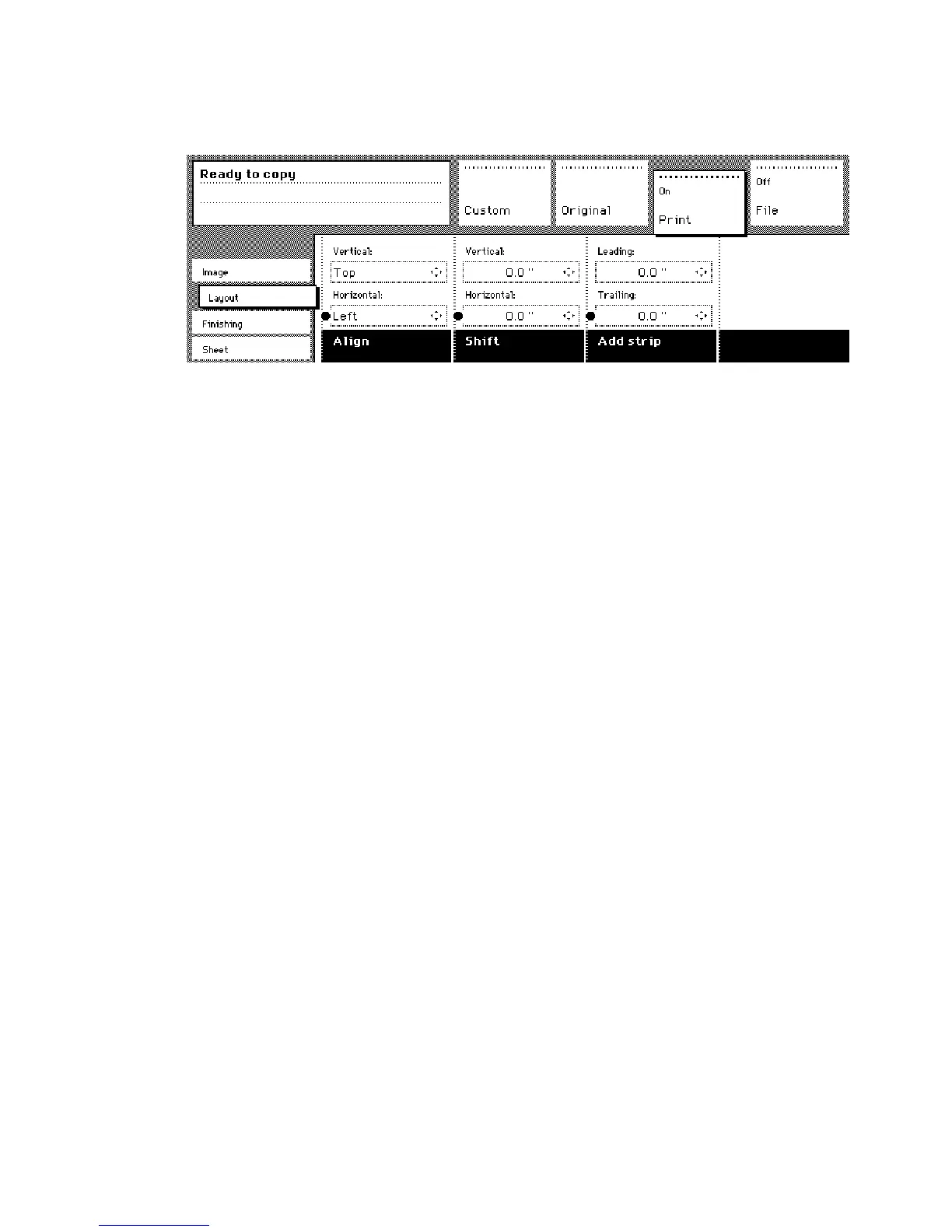
Copy with added filing strips along the leading and trailing edge
1
Open the ‘Layout’ card in the ‘Copy’ section.
2
Press the function button ‘Add strip’ function button.
[60] Adding strip
3
Adjust the values in mm for the trailing edge using the numeric or arrow
buttons.
4
Press the function button ‘Add strip’ again.
5
Adjust the values in mm for the leading edge using the numeric or arrow
buttons.
6
Make other settings as required.
7
Feed the original.



 To Next Page