8 Putting Back Into Operation
26 / 106 Instruction Manual Keratograph 5M (G/77000/XXXX/EN – Rev05)
8.3 Using the wireless joystick
If your device is equipped with a wireless joystick, you can use the joy-
stick to trigger different images.
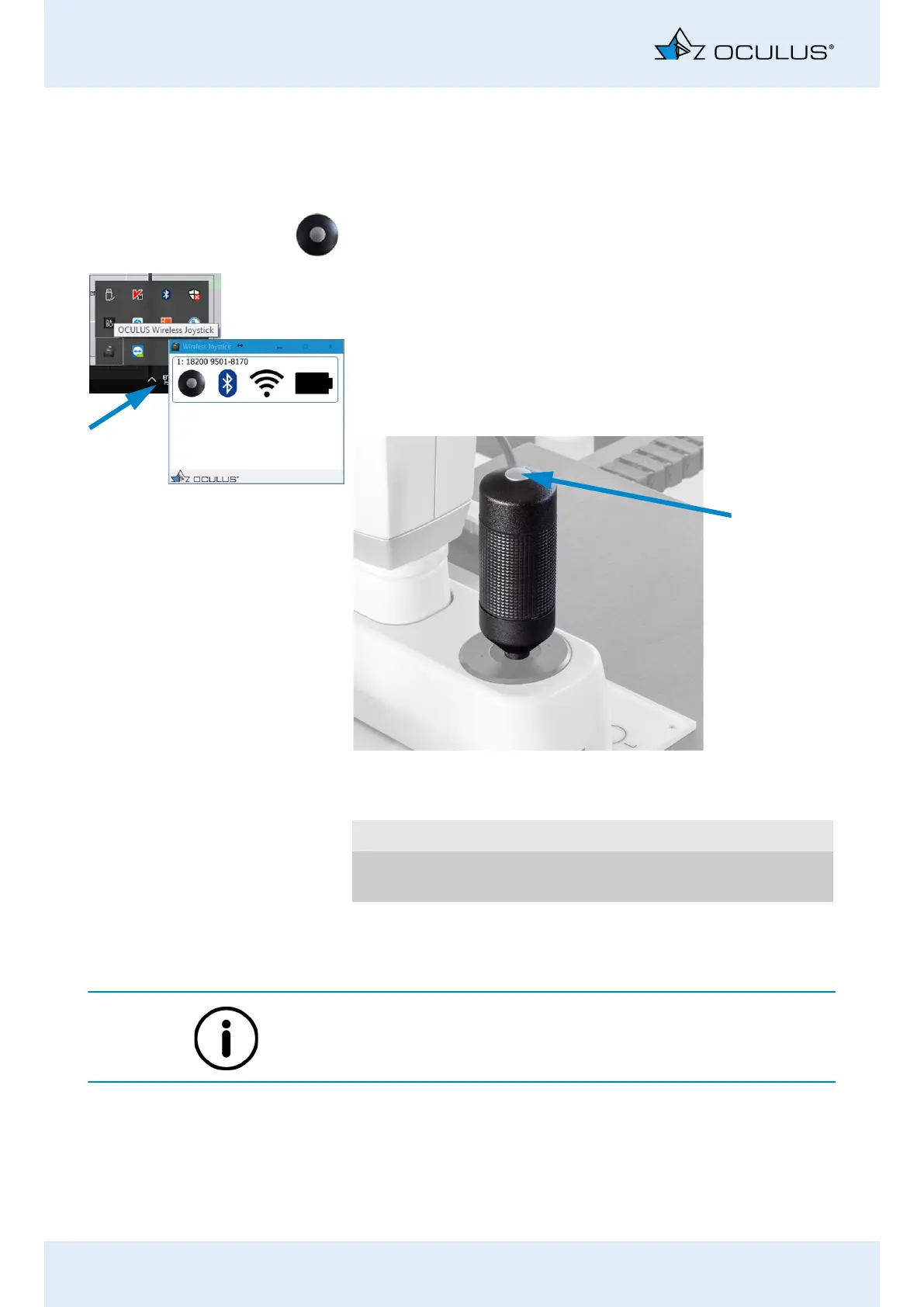
This is the joystick icon that appears on the screen.
Make sure that the wireless joystick has been selected.
To do so, open the hidden icons in the task bar.
In the system tray, you should see the icon for the OCULUS wireless
joystick. Click it to see the joystick status, e.g. battery charge level.
Touch the joystick to activate it.
Within 2 seconds, it will establish communication with the comput-
er and the examination software. The LED on the Bluetooth USB
adapter will be red.
If the joystick is left idle for 90 seconds, the connection to the Bluetooth
USB adapter will be dropped in order to conserve battery power. The
red LED on the Bluetooth USB adapter will then turn off.
The battery lasts approx. one year on average. Once the battery has
been used up, a battery change notification is displayed in the examina-
tion software.
Fig. 8-2: Joystick with trigger button (arrow)
Initiate a measurement Press the capture button on the joystick
Record a video Keep the capture button on the joystick
pressed.



 To Next Page