9 Preparing for Measurements
Instruction Manual Keratograph 5M (G/77000/XXXX/EN – Rev05) 27 / 106
9 Preparing for Measurements
9.1 Starting Patient Data Management
You must enter patient data in the patient data management and then
use it.
After you have switched on the computer, it first loads the operating
system.
If necessary, click on the Keratograph 5M icon .
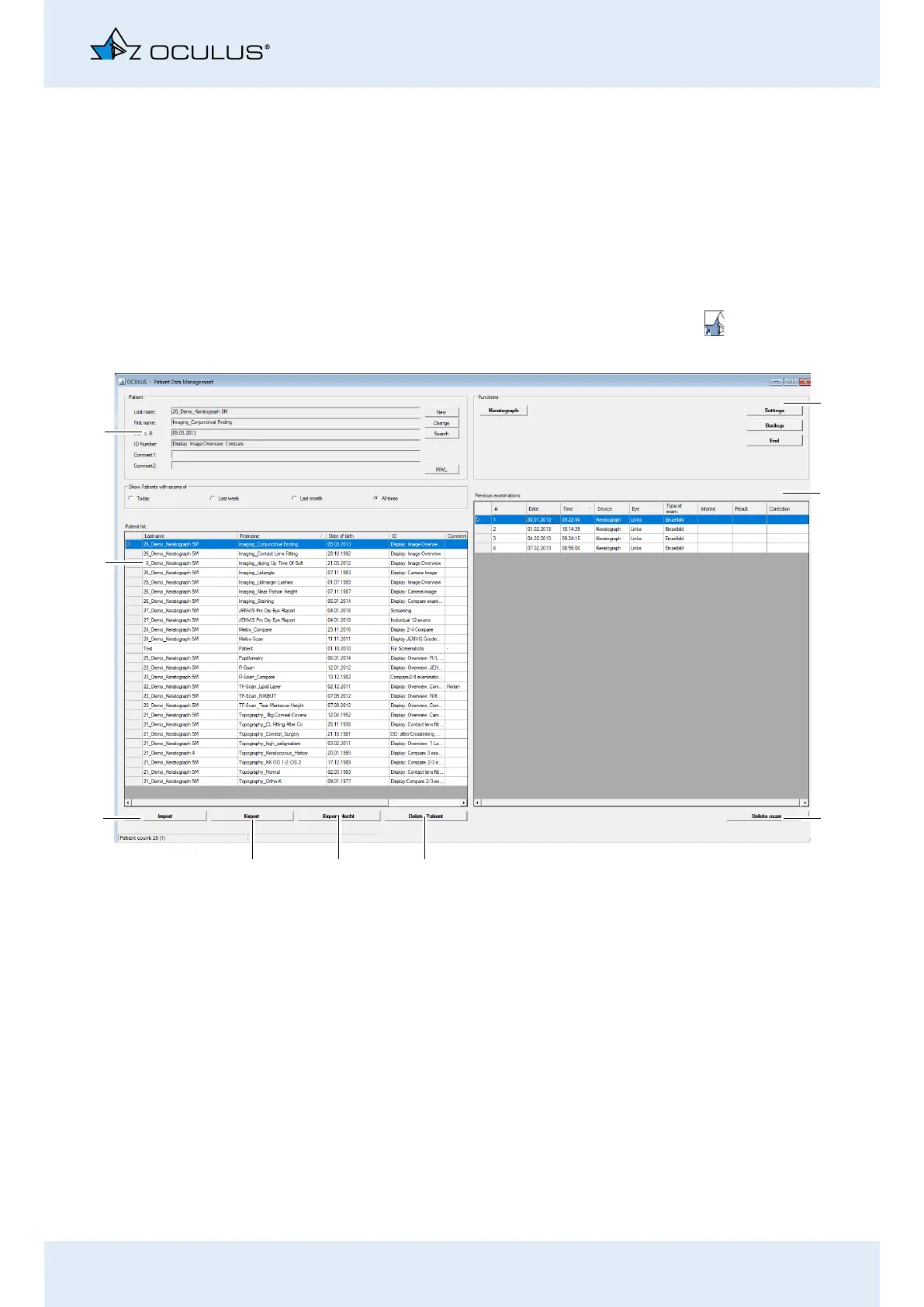
The user interface for the Patient Data Management appears.
Fig. 9-1: User interface for Patient Data Management
3
7
8
9
4
5
6
1
2
1 “Functions” box
2 Examination list
3 [Delete exam.] button
4 [Delete Patient] button
5 [Export Hecht] button (optional)
6 [Export] button
7 [Import] button
8 Patient list
9 “Patient” group box



 To Next Page