9 Preparing for Measurements
Instruction Manual Keratograph 5M (G/77000/XXXX/EN – Rev05) 29 / 106
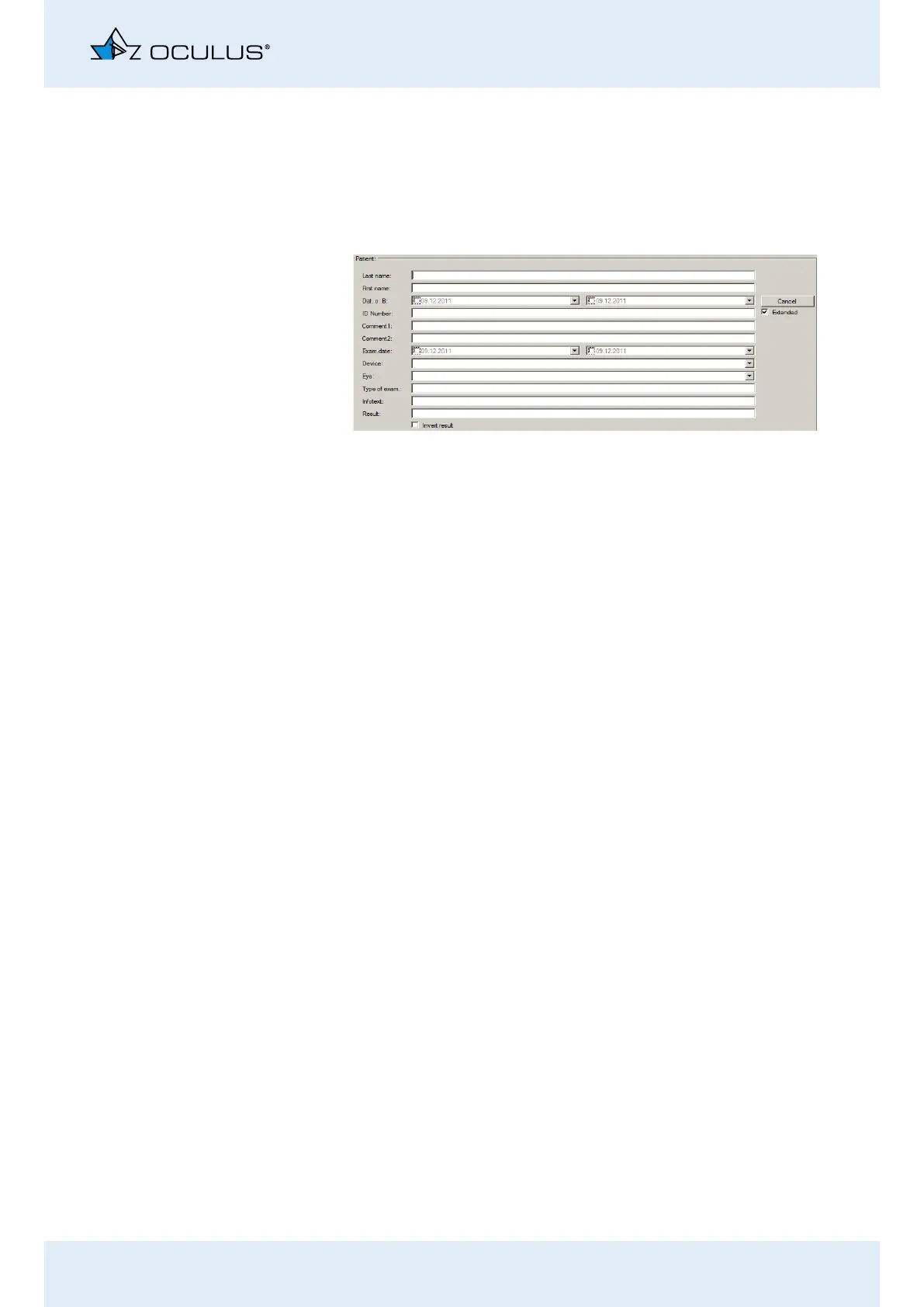
9.4 Extended Patient Search: [Extended] check box
Click on the [Extended] checkbox.
The screen displays additional search parameters which reference pre-
vious examinations, for example. Proceed as for the input of a patient
name.
9.5 Use Hecht E-Mail Function
If you have enabled it in the Patient Data Management system prefer-
ences, you can use the [Hecht] button. Please also refer to the User
Guide.
Select the desired patient or examination in the patient data man-
agement.
Click the button [Export Hecht].
You can optionally enter your own message in the text field.
Confirm the message with the [OK] button.
After you have selected your Hecht supplier (which only needs to
be done once) and you have decided on a consultation method,
the data, including your personal message, is sent to the “Hecht
MailCenter”.
Fig. 9-4: Extended search



 To Next Page