20 Patient Data Management
76 / 106 Instruction Manual Keratograph 5M (G/77000/XXXX/EN – Rev05)
20 Patient Data Management
Once you have completed an examination you can do the following
with the patient data:
Rename it, Chap. 20.1, page 76
Export it, Chap. 20.2, page 76
Import it, Chap. 20.3, page 77
Save it, Chap. 20.4, page 79
For more information on Patient Data Management, refer to the User
Guide.
20.1 Rename Patient Data
After creation of the patient data you can edit it.
Press the [Change] button.
The input boxes for patient data are now enabled, and the cursor
jumps to the “Last name” field.
Change the entries in the individual boxes.
Press the [Save] button.
20.2 Exporting Patient Data
Patient and examination data can be exported, for example, for forward-
ing to another clinic.
Select the patient and also one of the examinations in the respec-
tive list as required.
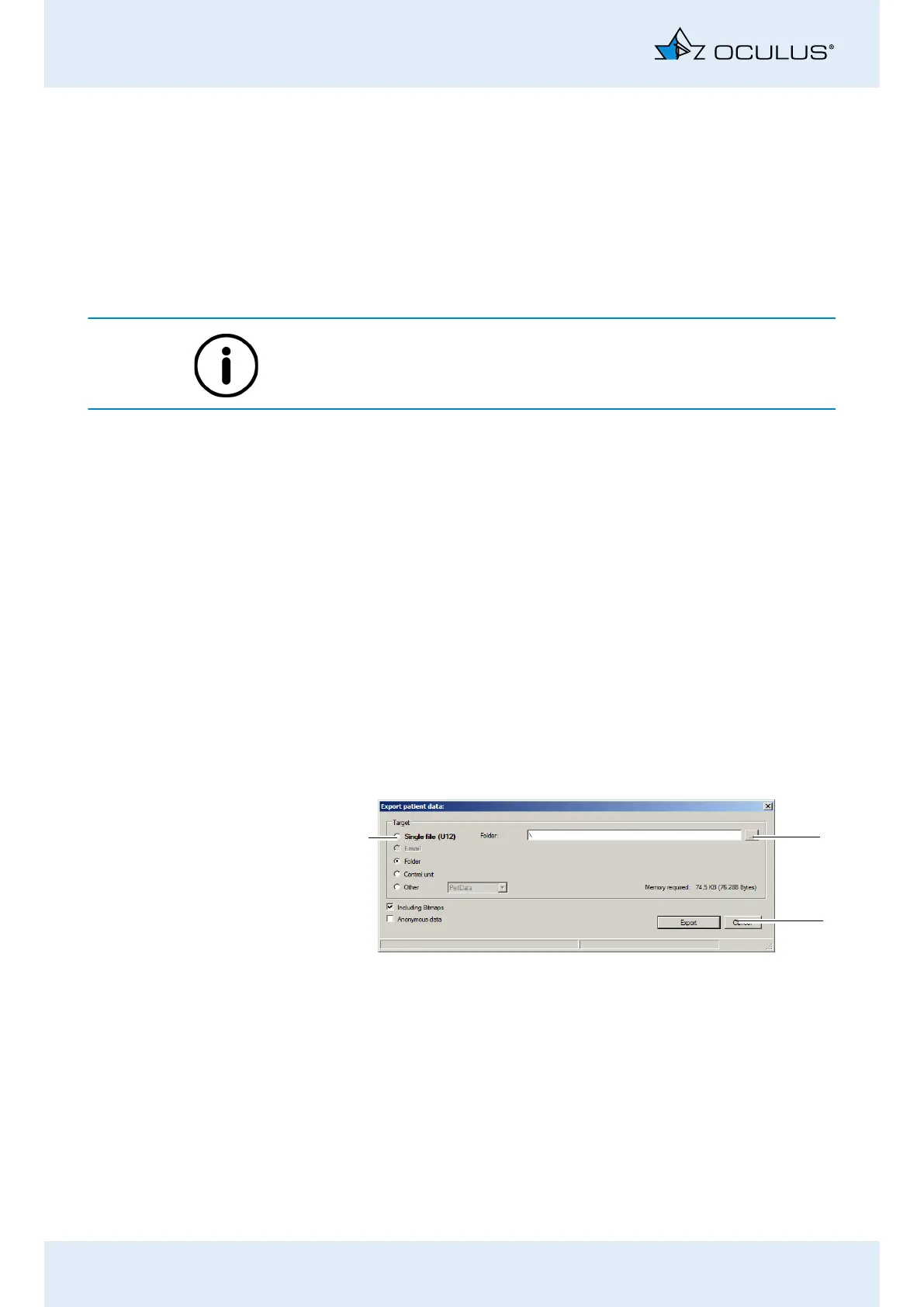
Press the [Export] button below the patient list. The following dia-
log is displayed:
Fig. 20-1: “Export patient data” dialog
1
2
3
1 Saving destination selection
2 [...] button
3 [Cancel] and [Export] buttons



 To Next Page