19 Performing extended examinations: JENVIS Pro Dry Eye Report (optional)
Instruction Manual Keratograph 5M (G/77000/XXXX/EN – Rev05) 69 / 106
For the next three exams you are advised to do all captures of the right
eye and switch then to the left eye. If vital dyes like fluorecine have to
be instilled contribute all capture items first for one eye and then for the
other eye.
19.2 Additional supporting information
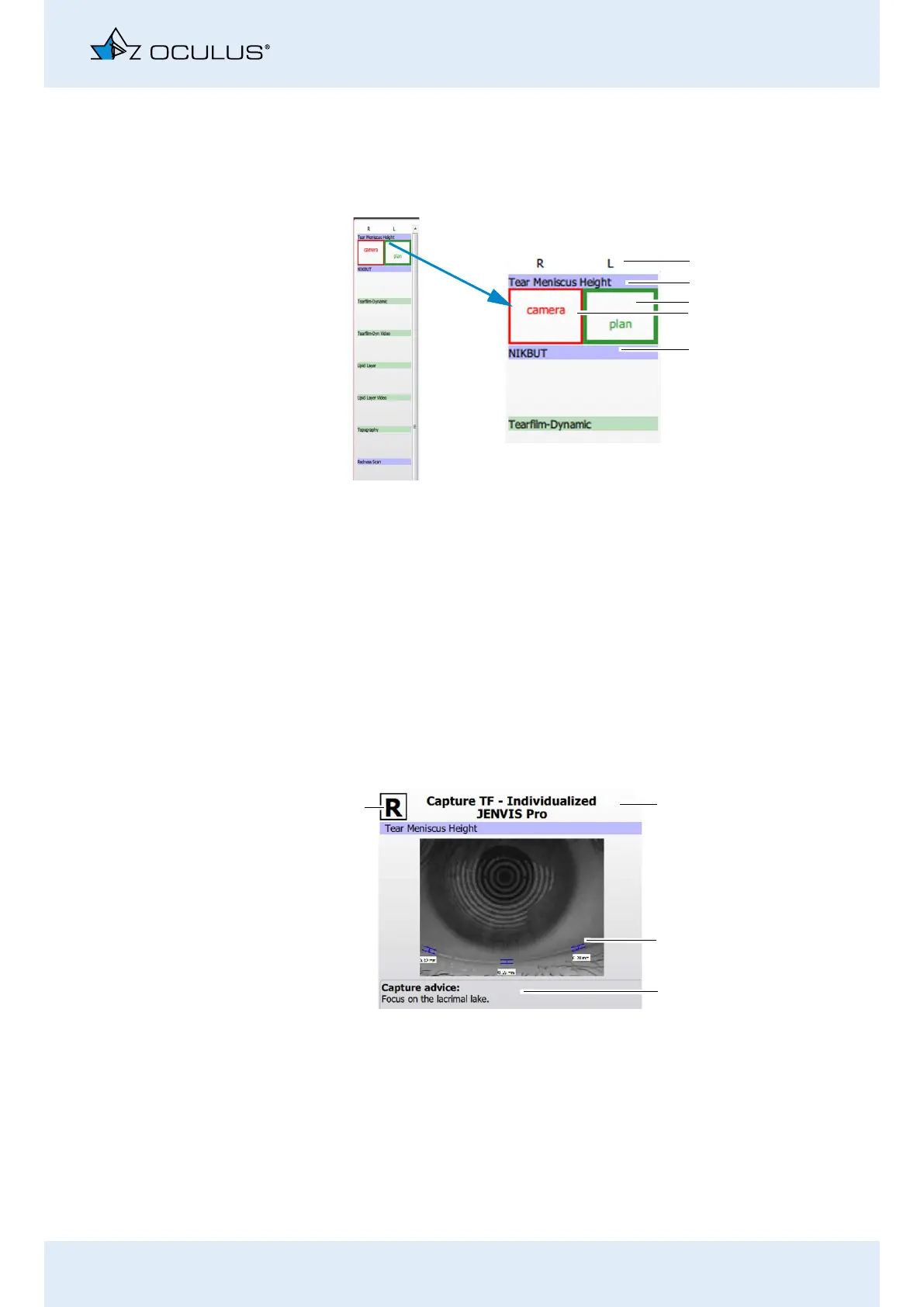
This part of the screen supports you in getting the best images for your
assessment. The preview picture shows the area of interest for the re-
spective examination. In the field below some capture advices are given
for example where to focus the camera, if to use vital dyes or not, how
to position the eyelid etc .
Fig. 19-3: Software recommendations
1
2
3
4
5
1 Right eye/left eye
2 Examination
3 Current camera position
4 Next camera position
5 Following examination
Fig. 19-4: Additional supporting information
1
2
3
4
1 Capture element of the examina-
tion (area of interest)
2 Preview
3 Capture advices
4 Right eye/left eye



 To Next Page