18 Performing Dry Eye Examinations: JENVIS Dry Eye Report
Instruction Manual Keratograph 5M (G/77000/XXXX/EN – Rev05) 63 / 106
18.1 Selecting the Exam Type
You can choose from six standard exam types for the right and left eye
respectively. Load the required examination or enter a value.
Select the desired exam type by clicking on the [New] button or
choosing a value from the drop down menu.
You can select further exam types. For more information, refer to the
User Guide.
18.2 Performing the selected examination
Perform the selected examination. The respective examination is
performed similar to the examinations already described.
Tear meniscus height, Chap. 13.3, page 46
NIKBUT, Chap. 13.4, page 47
Redness, Chap. 14, page 49
DEQ OSDI, Chap. 18.5, page 65
Meibo-Scan, Chap. 15, page 50
LIPCOF, Chap. 18.6, page 66
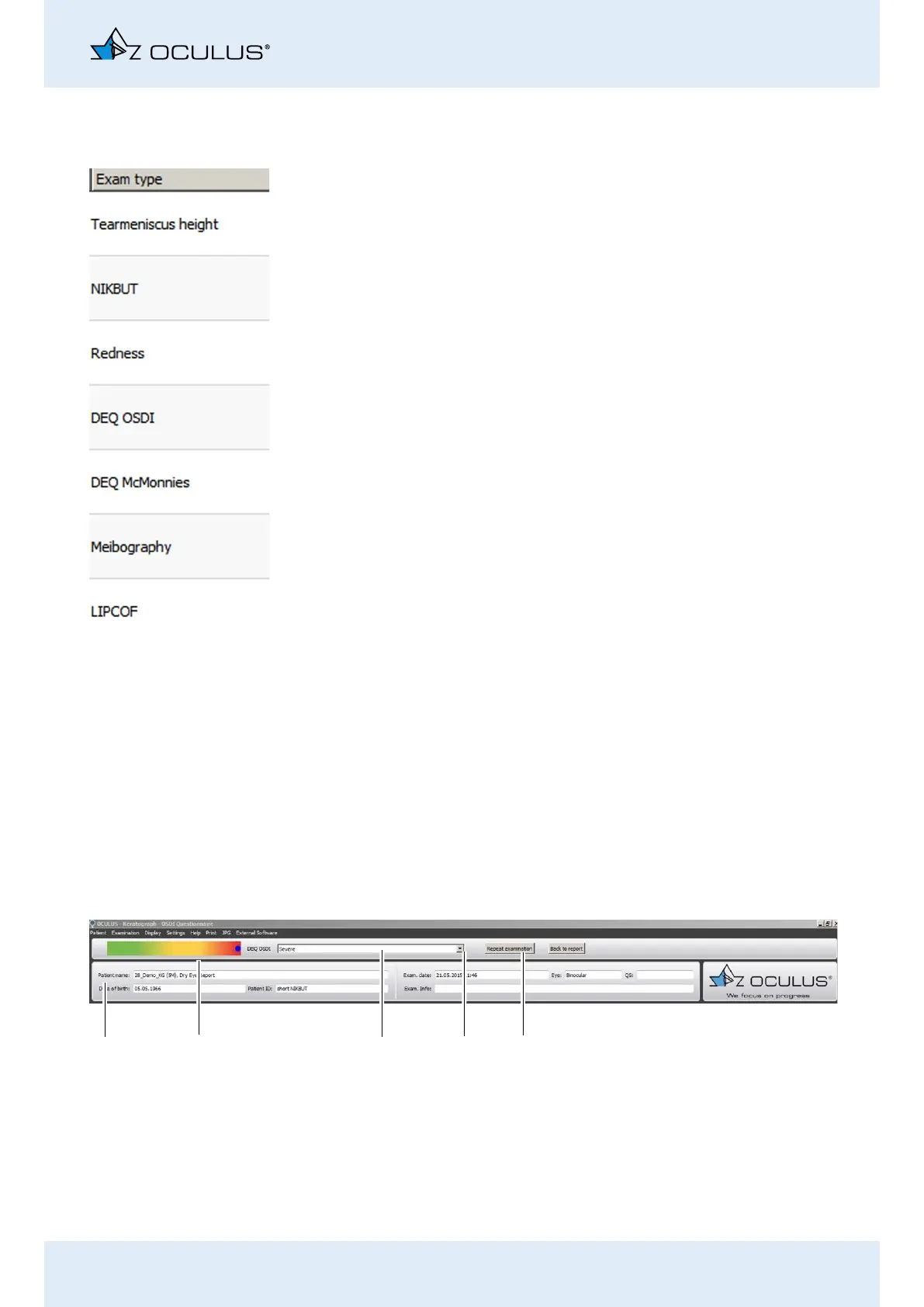
The latest measurement result is shown as a blue dot in the menu
bar.
Fig. 18-2: JENVIS Dry Eye Report menu bar
2
1
4
5
3
1 Patient and Examination Data
2 Color bar for measurement result
3 Drop down list for measurement result
4 [Repeat examination] button
5 [Back to report] button



 To Next Page