20 Patient Data Management
Instruction Manual Keratograph 5M (G/77000/XXXX/EN – Rev05) 79 / 106
20.4 Data Backup
You should make a backup copy of patient and examination data at reg-
ular intervals. In case of loss of data, you can reconstruct the data from
a previously created backup with the help of this function. Since data
backup takes several minutes, depending on the scope of the database
and the data to be backed up, a backup should be carried out when the
computer and the device are not in use.
Note
Risk of loss of data due to computer viruses
Computer viruses can cause loss of data.
Run a virus check before making a backup to a USB flash drive.
The general rules for security backups apply to the creation of backup
copies created with the help of the Patient Data Management system.
Storage of backup files should always be done on a separate system
(e.g. on a USB flash drive with adequate capacity).
20.4.1 Backup Data
In the upper right part of the patient data management user inter-
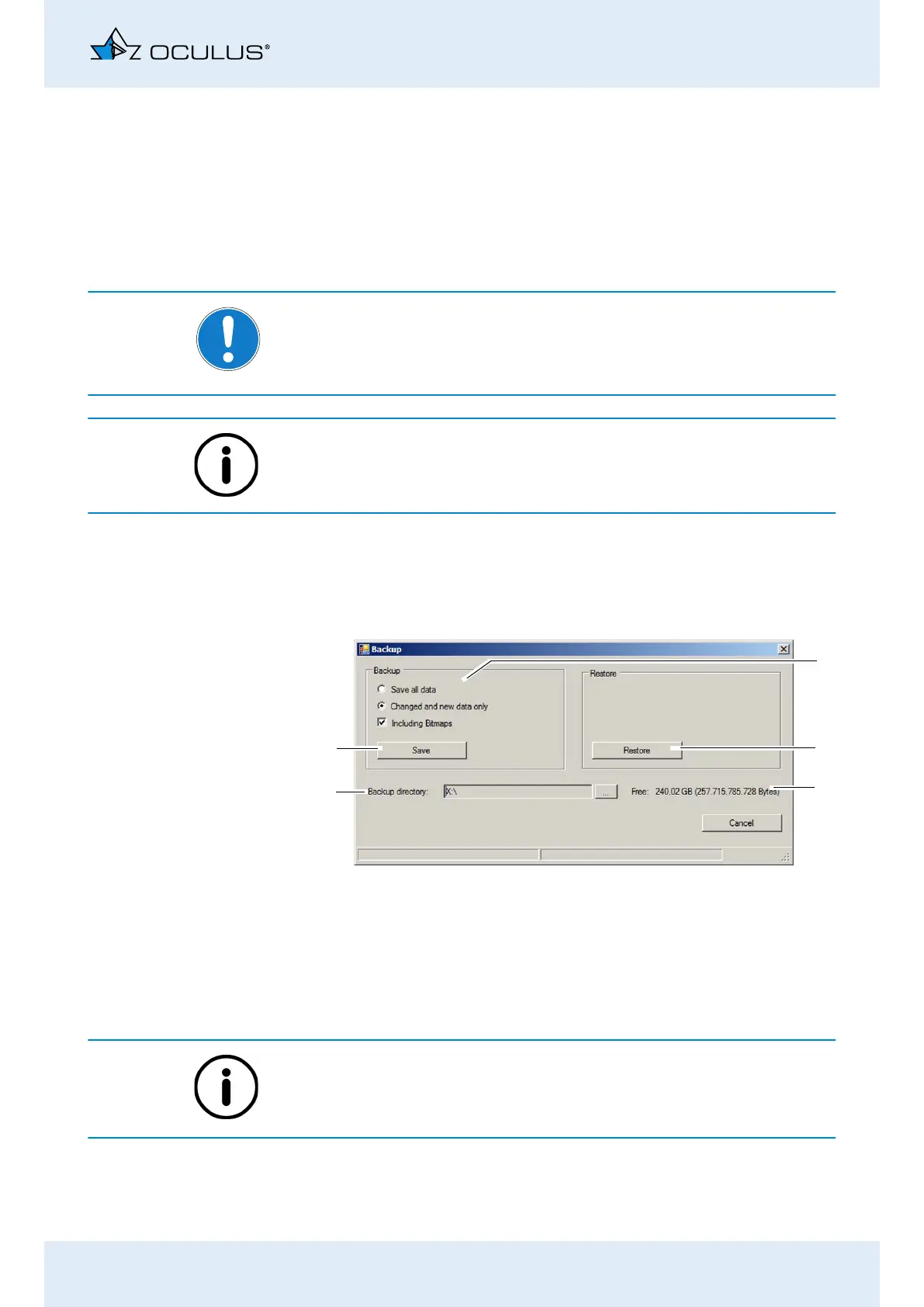
face, press the [Backup] button. The following dialog is displayed:
Select whether all of the data or only changed data should be
backed up.
The Patient Data Management system internally tags all saved data re-
cords.
If you select the option “Changed and new data only”, only the data re-
cords that were not saved during a previous backup will be backed up.
Press the [...] button to the right of the “Backup directory” field.
Fig. 20-3: “Backup” dialog
2
3
5
4
1
1 Backup data selection
2 [Restore] button
3 Display free storage space
4 Backup directory and [...] button
5 [Save] button



 To Next Page