20 Patient Data Management
78 / 106 Instruction Manual Keratograph 5M (G/77000/XXXX/EN – Rev05)
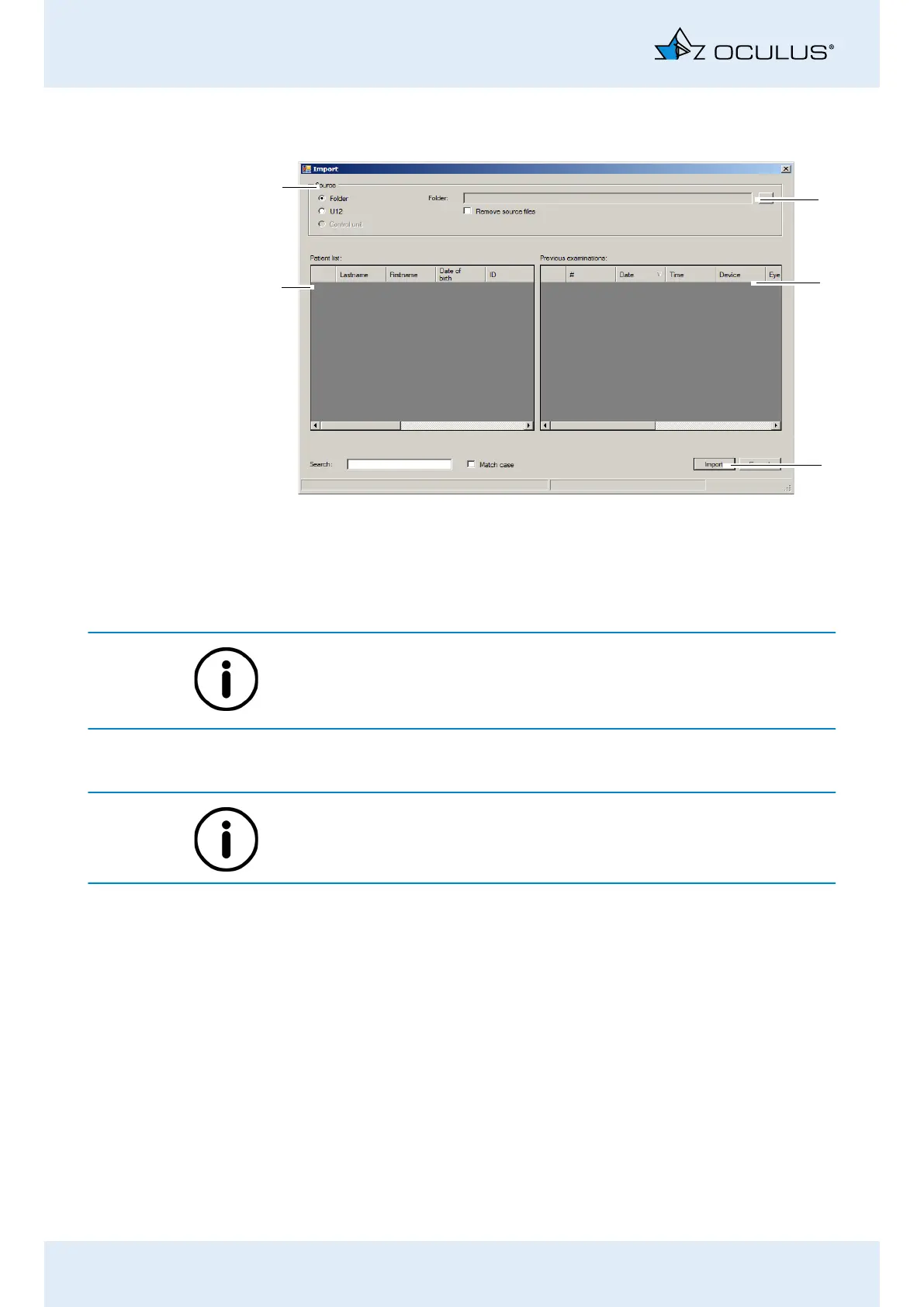
Press the [Import] button. The following dialog is displayed:
The default options for import and export of data are configured in the
“Settings” field, see also the User Guide.
Depending on the settings, you may not have to perform all of the
following steps (e.g. selection of the directory).
Select the option where the source data are contained (“Folder” or
“U12”).
Recommendation: Import the patient data using the “Single file (U12)”
option.
Press the [...] button.
In the dialog box, select the directory or the file where the patient
data are located.
Confirm your selection with [OK] or [Open].
The patients and the associated examinations that are found are
displayed in the lower part of the dialog.
To import the data, press the [Import] button.
The data is then available in the user interface for “Patient Data
Management”.
Fig. 20-2: “Import” dialog
5
2
3
4
1
1 Select data source
2 [...] button
3 Previous examinations
4 [Import] button
5 Patient list



 To Next Page