10 Fundamentals of working with the Keratograph
Instruction Manual Keratograph 5M (G/77000/XXXX/EN – Rev05) 35 / 106
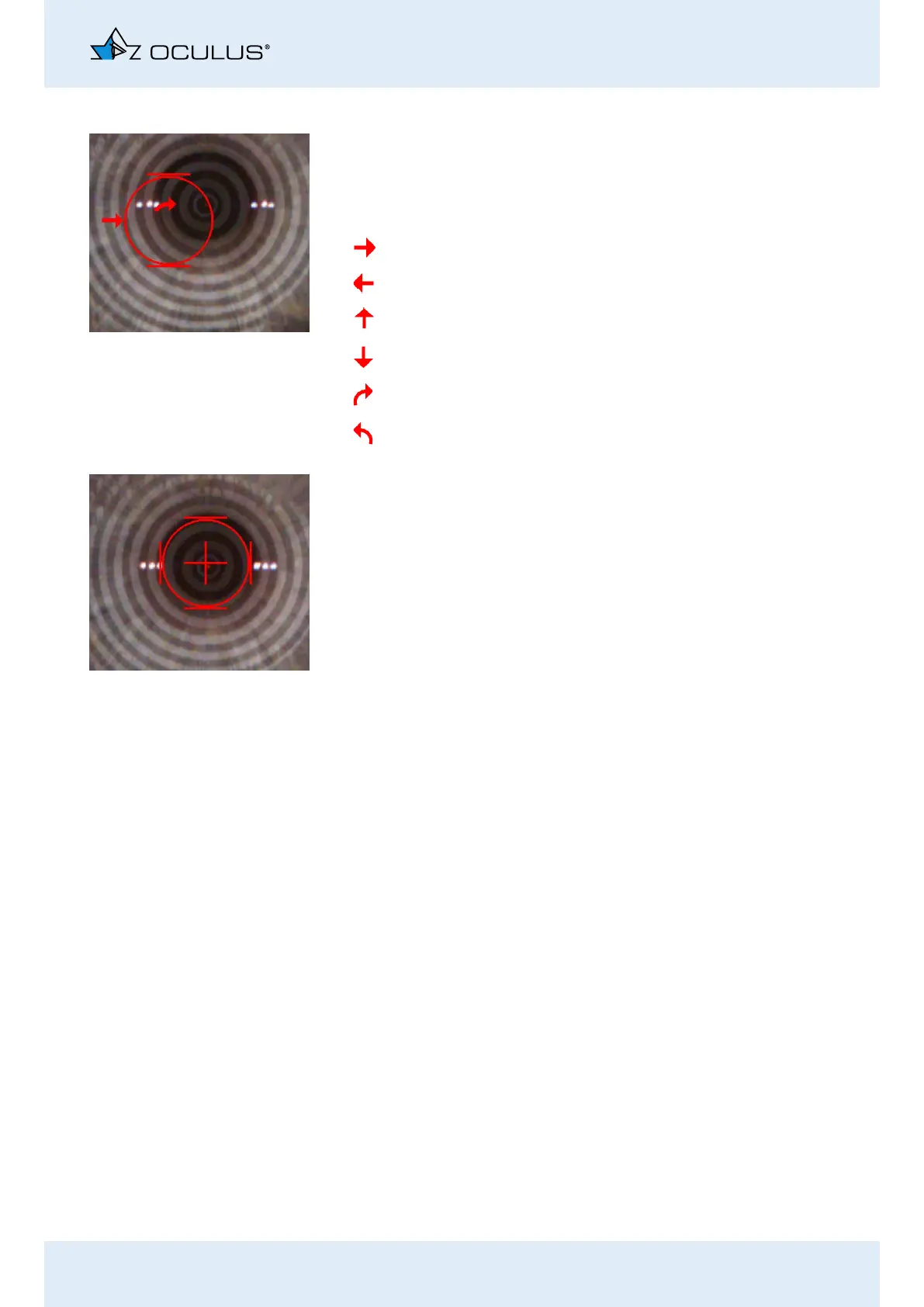
Example:
Move the joystick to the right.
Turn the joystick clockwise.
When the position has been approximately reached, a cross appears in
the center of the ring that is bordered by four bars.
The Keratograph 5M will automatically begin measuring.
Arrow Camera movement Joystick movement
right Move the joystick to the right
left Move the joystick to the left
forward Move the joystick toward the patient
back Move the joystick away from the patient
up Rotate the joystick clockwise
down Rotate the joystick counter-clockwise



 To Next Page