21 Cleaning, disinfection and maintenance
86 / 106 Instruction Manual Keratograph 5M (G/77000/XXXX/EN – Rev05)
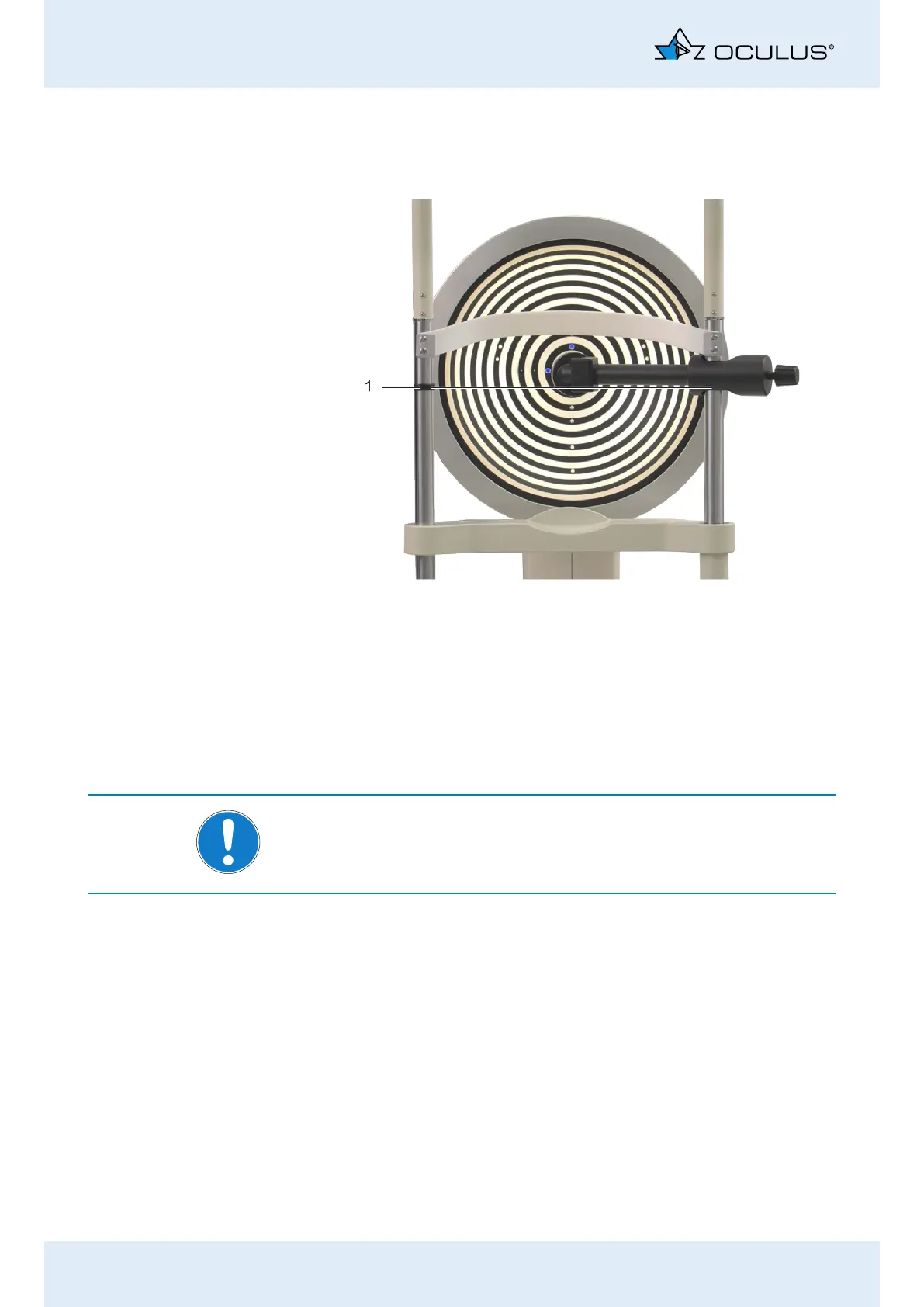
Align the sphere holder vertically so that the reference sphere is at
the same height as the black marking (ring) on the left vertical
brace of the head-chin rest.
Ensure that the reference sphere is still aligned parallel to the
device.
In the [Settings] menu, select the [Reference Measure] menu item.
Perform a measuring operation with the reference sphere
(Chap. 10.6, page 34).
Confirm the question “Calibration ok” with [OK].
Note
If the error message “Reference sphere not completely measured!” ap-
pears, the sphere must be carefully cleaned and the measuring opera-
tion repeated.
The system is now ready for operation. The reference data is stored di-
rectly on the device, so that the measuring head is not dependent on a
particular computer or laptop.
Fig. 21-5: Align the height of the reference sphere
1 Marking for height alignment



 To Next Page