1-8 MicroHAWK Engine Integration Guide
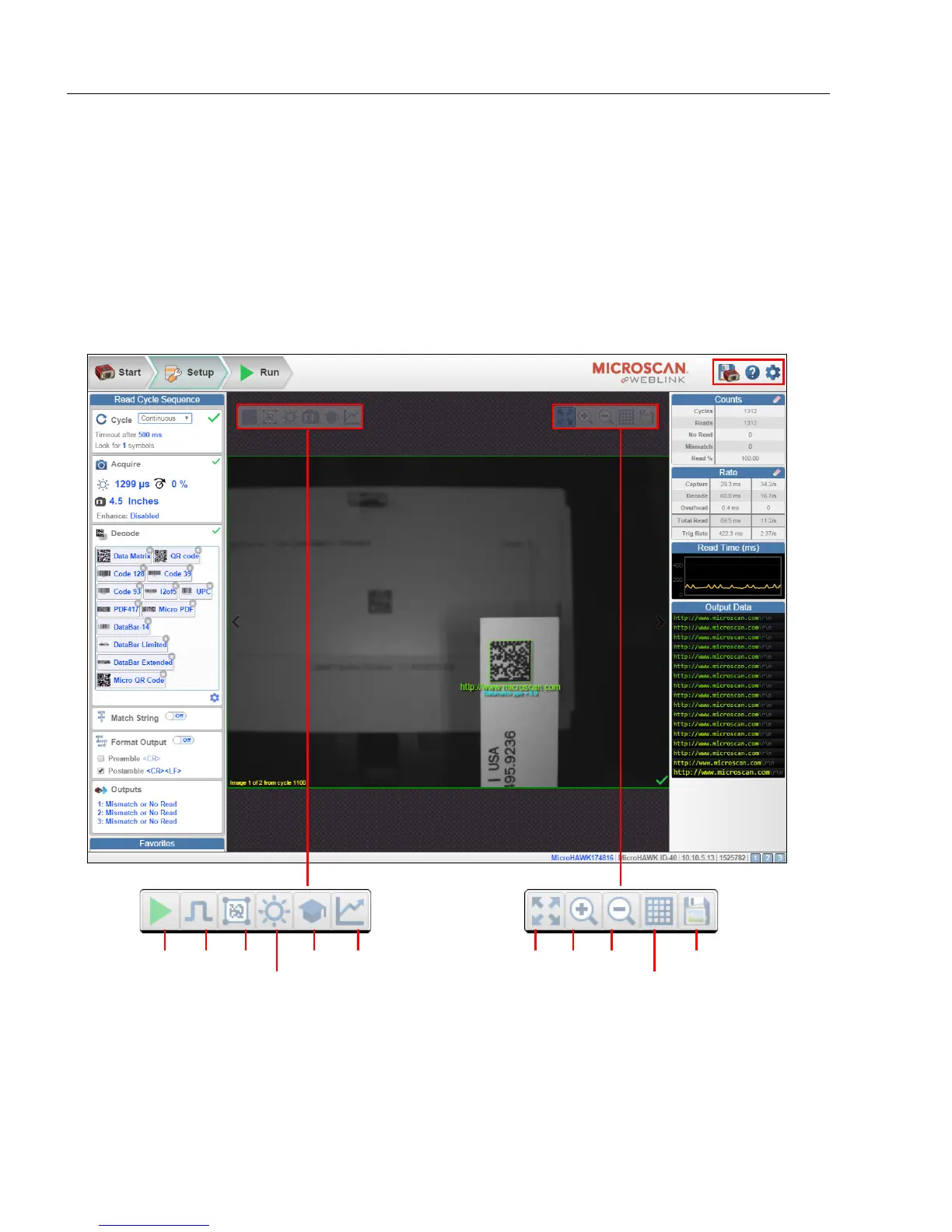
Explore the Setup View
Step 7 — Explore the Setup View
The Setup view allows you to configure all aspects of a setup. Multiple discrete sections of
the interface give you the ability to set Cycle, Acquire, Decode, Match String, Format
Output, Output parameters, and Favorites.
Clicking the Save icon at the upper right saves current settings to the reader’s flash
memory so the settings will be available when the reader is rebooted.
The question mark icon at the upper right opens WebLink Help.
The gear icon at the upper right brings up the Application Settings menu.
Start
and
Stop
Trigger
(Only
shown
when in
Trigger
Mode)
WOI
Auto
Photometry
Optimize Resize
image to
fit image
area
Zoom
In
Zoom
Out
Show All
Images from
Read Cycle
Save full-size image
Train














 To Next Page