MicroHAWK Engine Integration Guide 1-15
Quick Start
Step 12 — Configure Output 1, 2, and 3 Settings
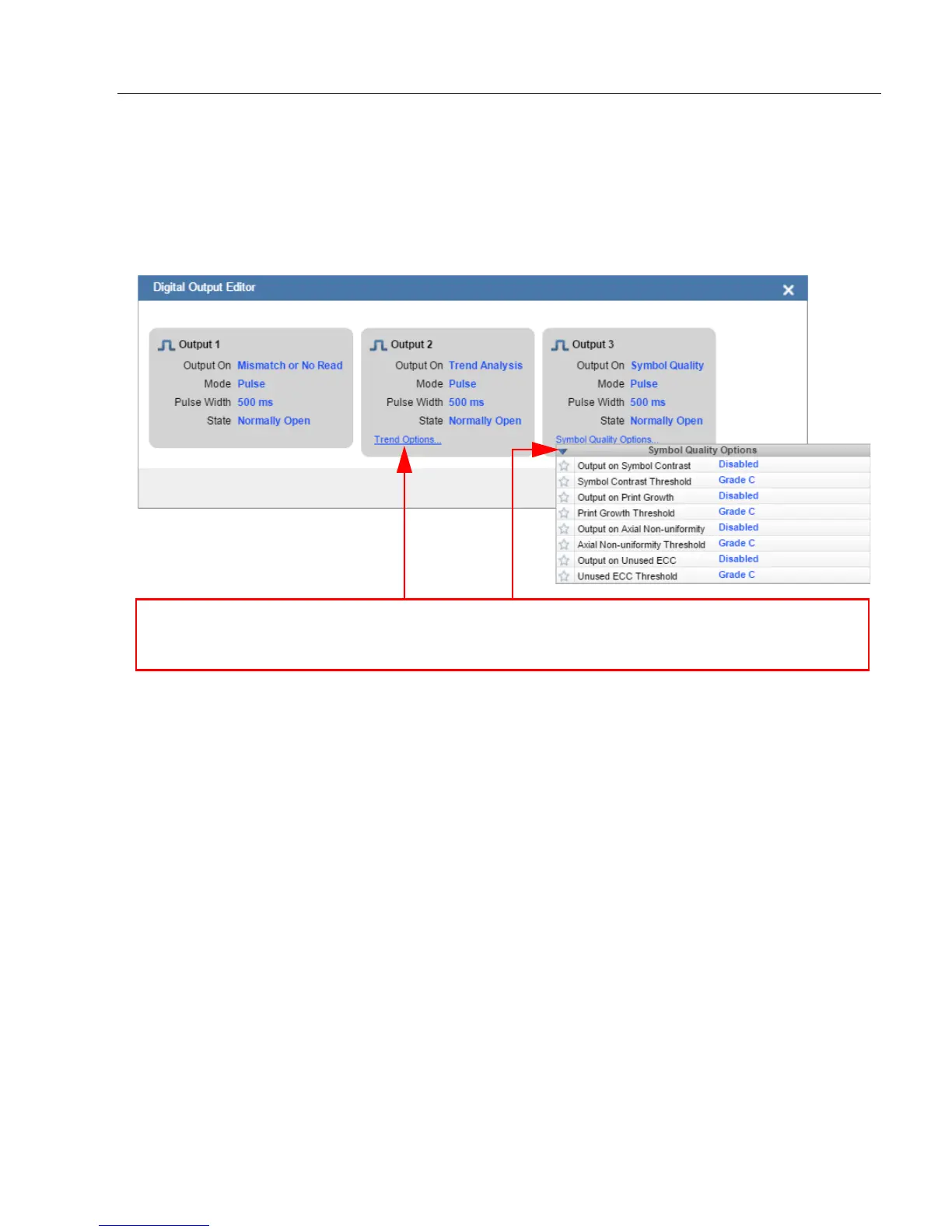
Bring up the Output 1, Output 2, and Output 3 dialogs by clicking on the Outputs section
at the lower left of the Setup view. For each output you can determine the Output On
behavior, Mode, Pulse Width, and State. Outputs 2 and 3 also allow you to determine
output behavior based on Trend Options parameters or Verification Options parameters.
This example shows the dialog that appears when you click
Symbol Quality Options
.
A similar dialog would appear for
Trend Options
under
Output 2
.














 To Next Page