MicroHAWK Engine Integration Guide 2-9
Using ESP
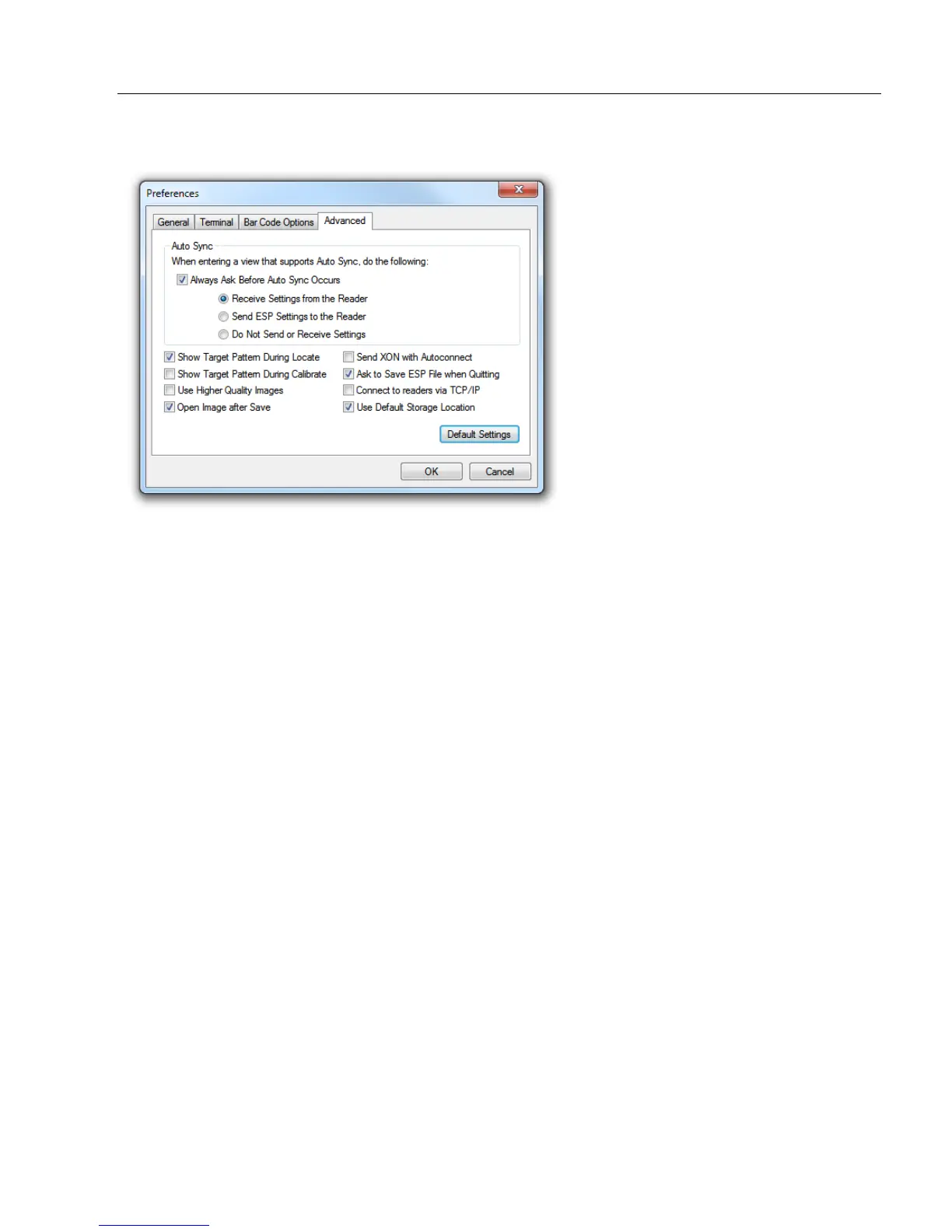
Preferences > Advanced Tab
The Auto Sync options at the top of the Advanced tab allow you to determine whether
Auto Sync will be enabled automatically in sections of ESP where it is used, or if it will ask
you before it enables Auto Sync functions.
Always Ask Before Auto Sync Occurs
If you check this option box, you are then able to determine what specific Auto Sync
functions will be enabled. Receive Settings from the Reader will automatically send the
reader’s settings to ESP when Auto Sync is enabled. Send ESP Settings to the Reader
will automatically send all reader configuration settings chosen in ESP to the reader. Do
Not Send or Receive Settings creates a condition in which Auto Sync will not automatically
send reader settings to ESP, or send ESP settings to the reader.
Show Target Pattern During Locate
Allows you to determine whether the blue LED target pattern will be on or off during the
Locate routine.
Show Target Pattern During Calibrate
Allows you to determine whether the blue LED target pattern will be on or off during the
Calibrate routine.
Use Higher Quality Images
Sets ESP to output images at a higher resolution than standard JPEG format.
Open Image after Save
When Open Image after Save is enabled, ESP automatically opens saved image captures.
Images can be saved from the Evaluation tab in the Camera view, or by right-clicking an
image in any other image capture view and then saving.
Send XON with Autoconnect
Sends an
XON
(
Begin Transmission
) command to the reader before starting
Autoconnect
.














 To Next Page