Operator’s Manual – OPTI CCA-TS 1-5
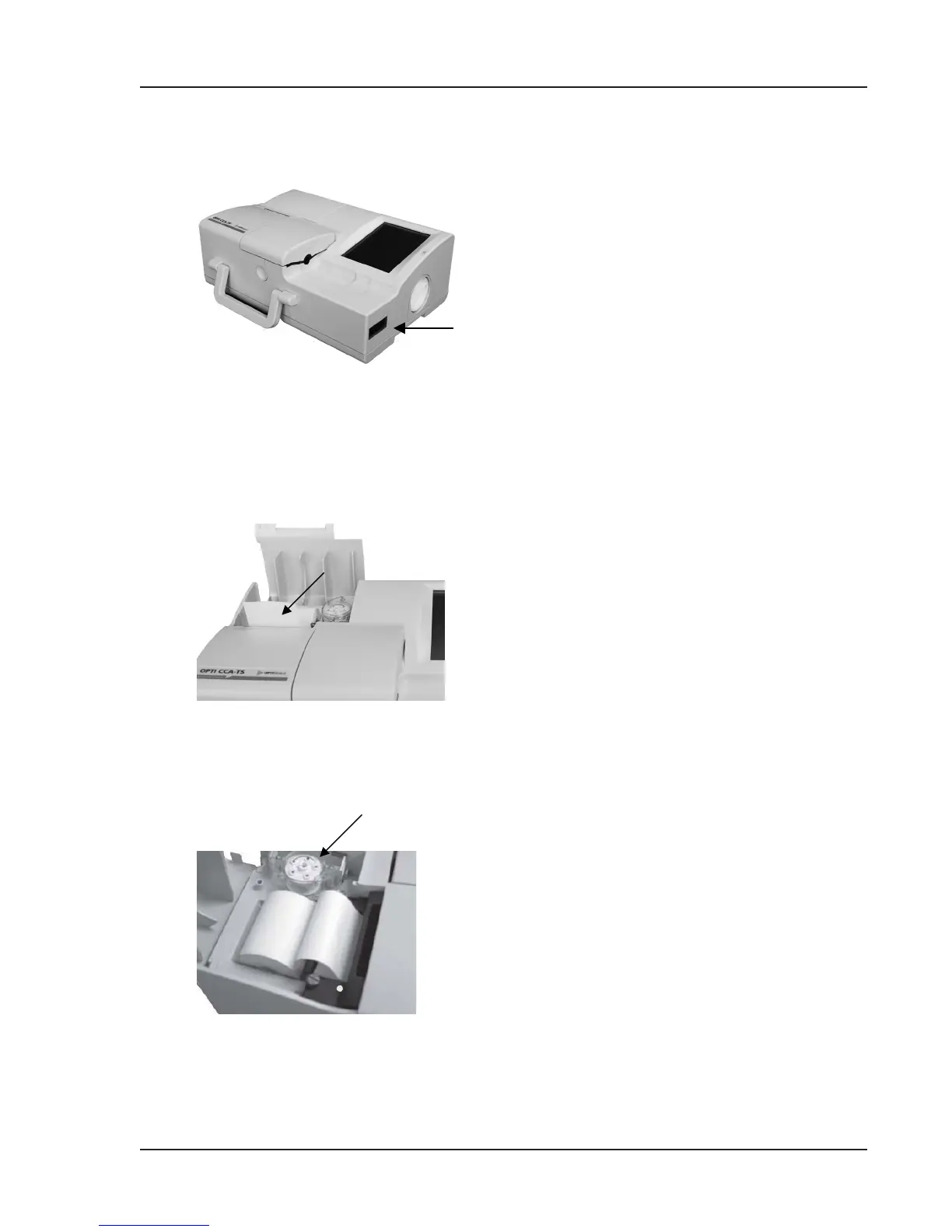
The bar code scanner (Fig. 1-5) or the bar code
reader on the right side of the instrument reads lot,
expiration information, and QC ranges if applicable
from cassettes, controls, SRCs and gas bottles, as
well as user-input bar codes for operator and patient
IDs.
The thermal printer is accessed by raising the door
on the top of the unit (Fig. 1-6). The printer uses
heat-sensitive paper to output information in 27
columns. The analyzer can print measured values,
quality control values, calibration values, as well as
patient and diagnostic information.
Contained within the same compartment is a
peristaltic pump cartridge which is used to
transport liquids and gases (Fig. 1-7). All liquids are
contained within the OPTI Cassette and do not enter
the instrument.
NOTE: The peristaltic pump cartridge is a
replaceable item
(See Maintenance Section 6.4.1).
Fig. 1-5 Bar Code Scanner
Fig. 1-6 Thermal Printer
Fig. 1-7 Peristaltic Pump
Bar Code Scanner
Thermal Printer
Peristaltic Pump



 To Next Page