Chapter 3 - How to...
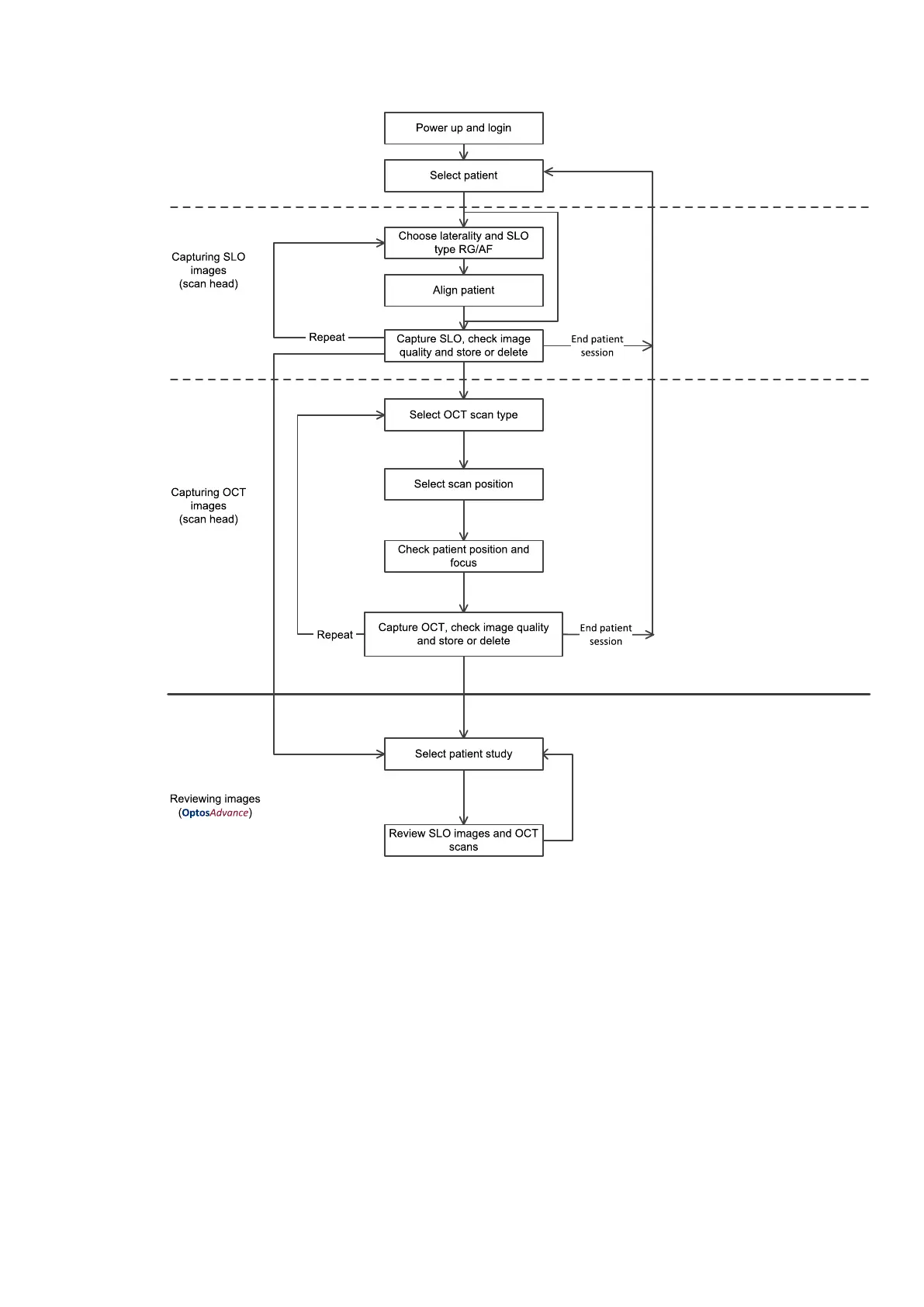
FIGURE 5: Example capture and review workflow
3.2.1 Working with patient details
Before you capture images use the touch screen to add a new patient or select an existing patient.
Search for a patient's details by entering any combination of the patient's first name, last name, birth date and
patient ID. The matching patient records are displayed as you type, see FIGURE 6 on the next page.
For example, to search for John Smith, who was born on 23 May 1987 and who has a patient ID of 456789 you
could enter:
by name:
l Sm 1987
l Smith 23 (birthday on the 23rd day)
Part Number: G108707/8GME Page 35 of 75
Copyright 2018, Optos plc. All rights reserved. English



 To Next Page