Chapter 3 - How to...
3.2.8.2 OCT adjustment controls
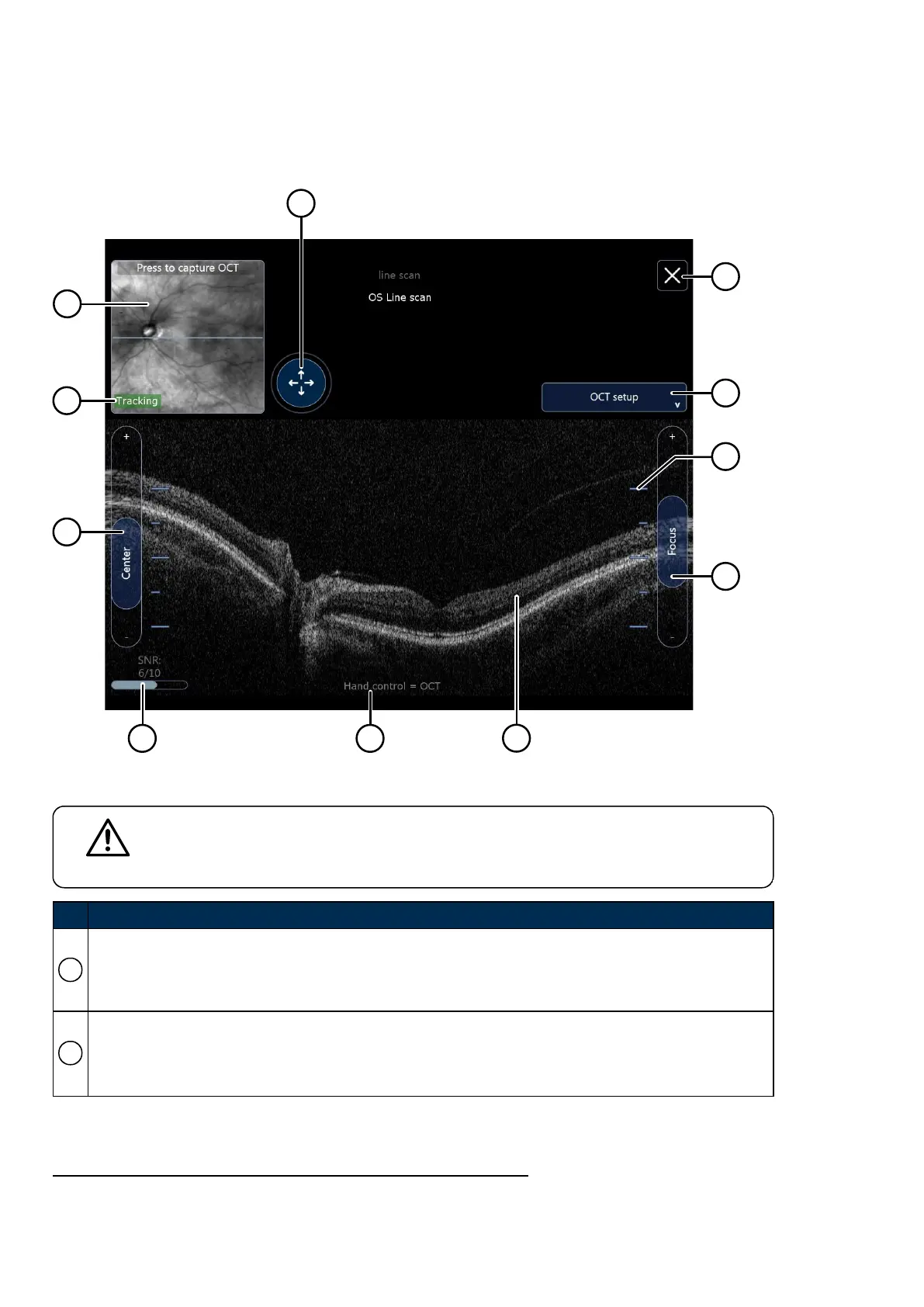
You can adjust the center, focus, and location of the captured OCT images.
FIGURE 14: OCT adjustment controls
CAUTION
Signal to Noise Ratio
SNR
1
has a major impact on OCT image quality and therefore could determine the ability
to distinguish the retinal layers, see SNR and OCT scan quality on page49.
No. Description
1
Live retina view.
l Before capturing a scan this shows the live SLO feed
l After capturing a scan this shows the SLO alignment at time of capture
2
Tracking status.
l
If Tracking is displayed the scan location is consistent with the planned location
l
If Tracking is NOT displayed the scan location is NOT aligned with the planned location
1.
Signal to noise ratio
Page 46 of 75 Part Number: G108707/8GME
English Copyright 2018, Optos plc. All rights reserved.



 To Next Page