Chapter 3 - How to...
3.2.5 How to capture eye steered images
Depending on the features available on your device, you may be able to capture eye steered images.
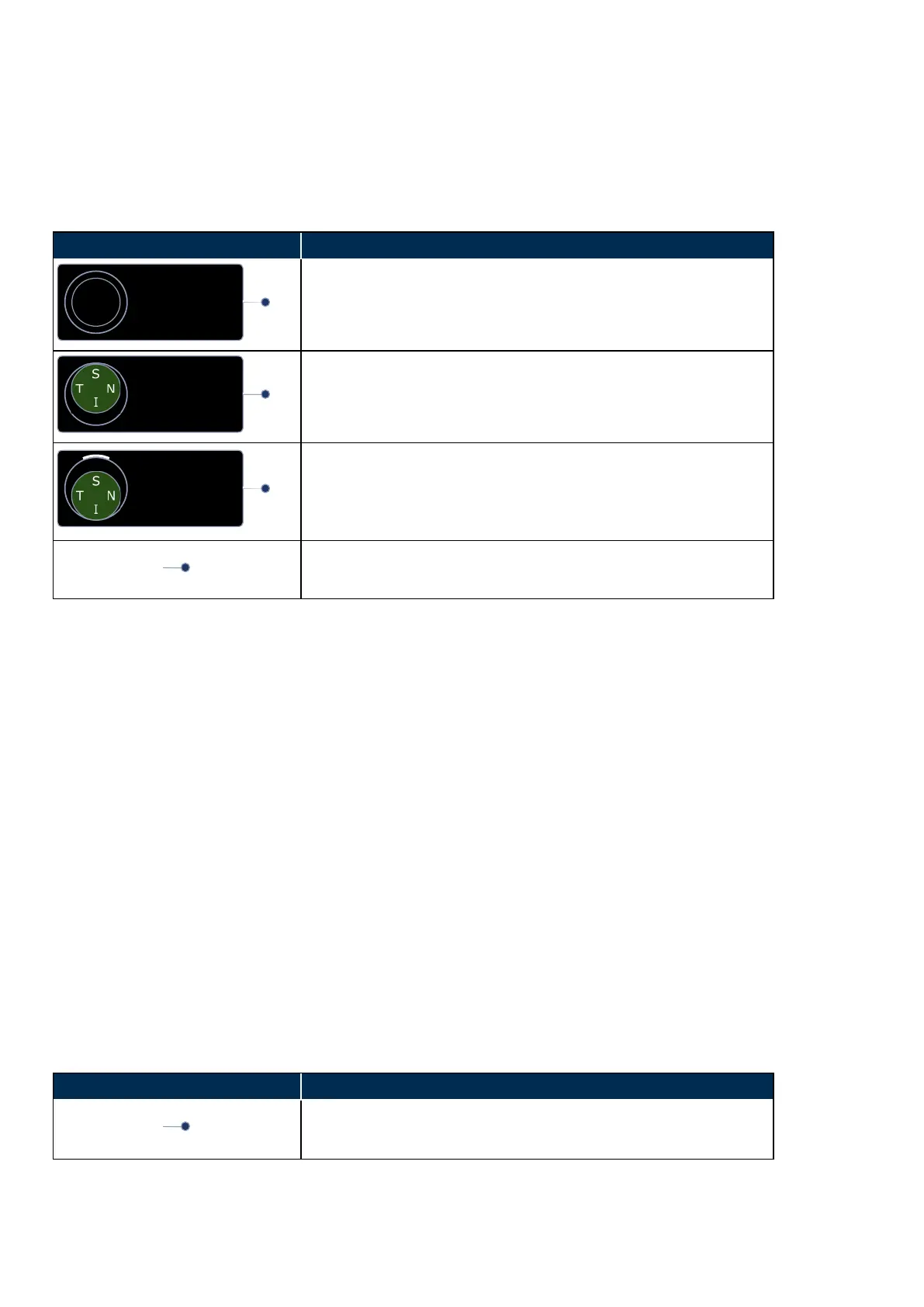
The eye steered options are selected by touching an option or pushing the control in the required direction.
Description
On-axis selected
The next image captured will be an on-axis image.
Eye steering direction selected
In this example, the next image captured will be a Superior eye
steered image.
Eye steering direction captured indicator
In this example, a Superior eye steered image has already been
captured and the next image captured will be an Inferior eye steered
image.
Mode selector
Changes the control to display either eye steering or stereo directions.
1. Position the patient, see How to prepare for image capture on page36.
2. Align the patient, see How to align the patient on page37.
3.
Ask the patient to keep their head still in the standard alignment.
4.
Select the eye steered direction.
5.
Ask the patient to look at the new alignment target, without moving their head. Align the scan head to
the eye steered alignment target. Make sure the patient can see the target, that the target is green
and that the cross hairs are close to the center of the pupil.
6.
Capture the image either manually or using auto-capture.
l
Auto-capture: Auto-capture is enable when Automatic is shown in green on the touch
screen. The system captures an image when the scan head is correctly aligned. You can
press the screen to manually capture the image. Auto-capture is turned off after capturing an
image.
l
Manual capture: Align the scan head into the correct position. Press the screen to capture
the image when the pupil is in the center of the cross hairs and the patient alignment target
is green. You can also capture using the hand control.
7. Check the quality of the images, see What to do after the image is captured on the facing page.
3.2.6 How to capture stereo images
Depending on the features available on your device, you may be able to capture stereo pairs.
The stereo pair options are selected by touching an option or pushing the control in the required direction.
Description
Mode selector
Changes the control to display either eye steering or stereo directions.
Page 40 of 75 Part Number: G108707/8GME
English Copyright 2018, Optos plc. All rights reserved.



 To Next Page