Chapter 3 - How to...
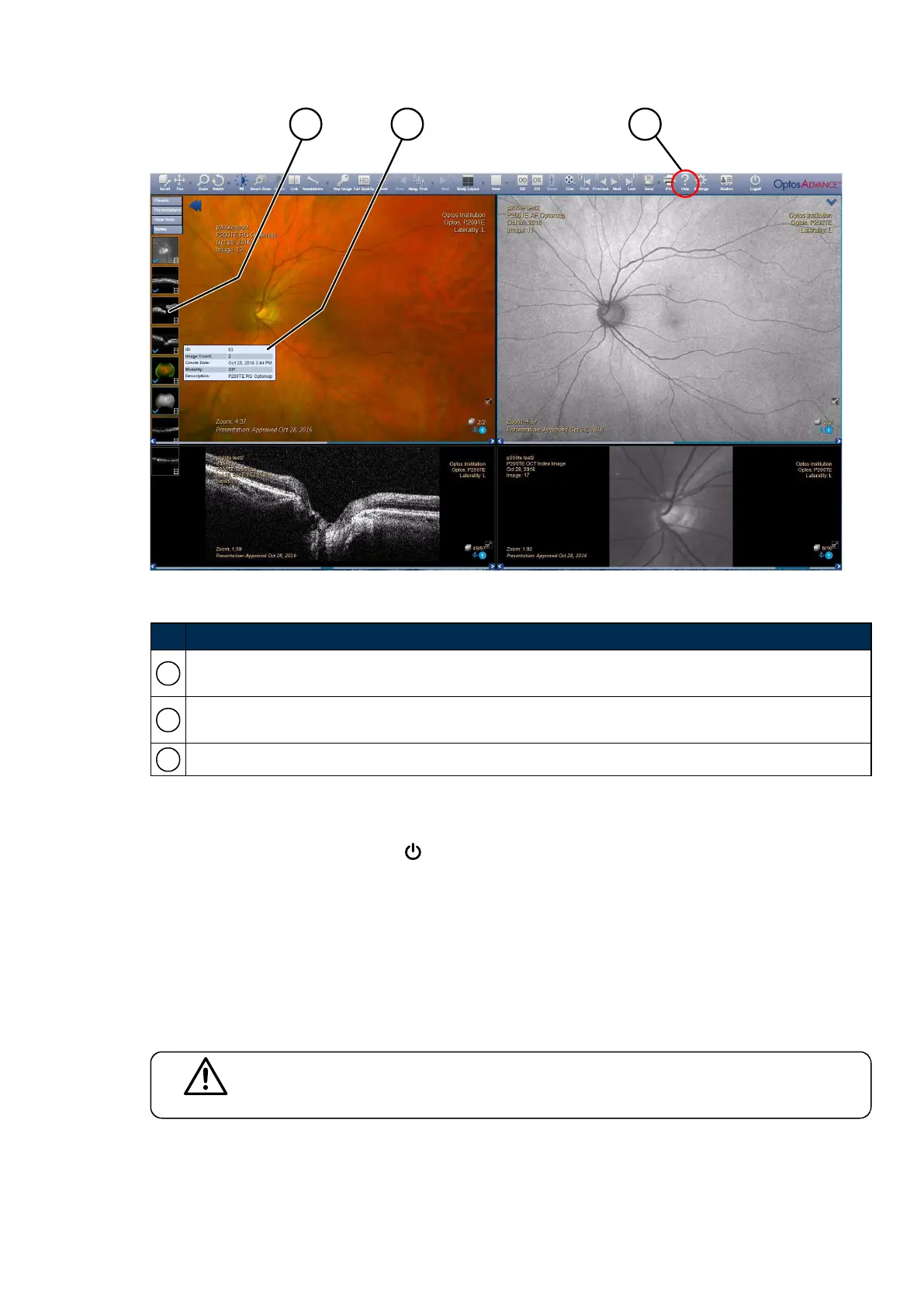
FIGURE 17: OptosAdvance screen layout
No. Description
1
Thumbnails showing the different images and scans for the selected study. Select to open the desired
scan or image series.
2
Details panel showing more information about the highlighted thumbnail. Hover over a thumbnail to
show the panel.
3
Help for more information.
3.3.3 Exiting the review software
To leave OptosAdvance, select Logoff .
3.4 Manage the system
To ensure continuous and efficient operation, you should be familiar with additional features of the system.
Access to the Administration functions is restricted to users with administrative privileges.
3.4.1 Managing user details
CAUTION
You are responsible for the security of user accounts and the maintenance of password
security.
You need a user account on the scan head and on OptosAdvance.
The ability to create a user account is restricted to System Administrators.
Part Number: G108707/8GME Page 53 of 75
Copyright 2018, Optos plc. All rights reserved. English



 To Next Page