Chapter 3 - How to...
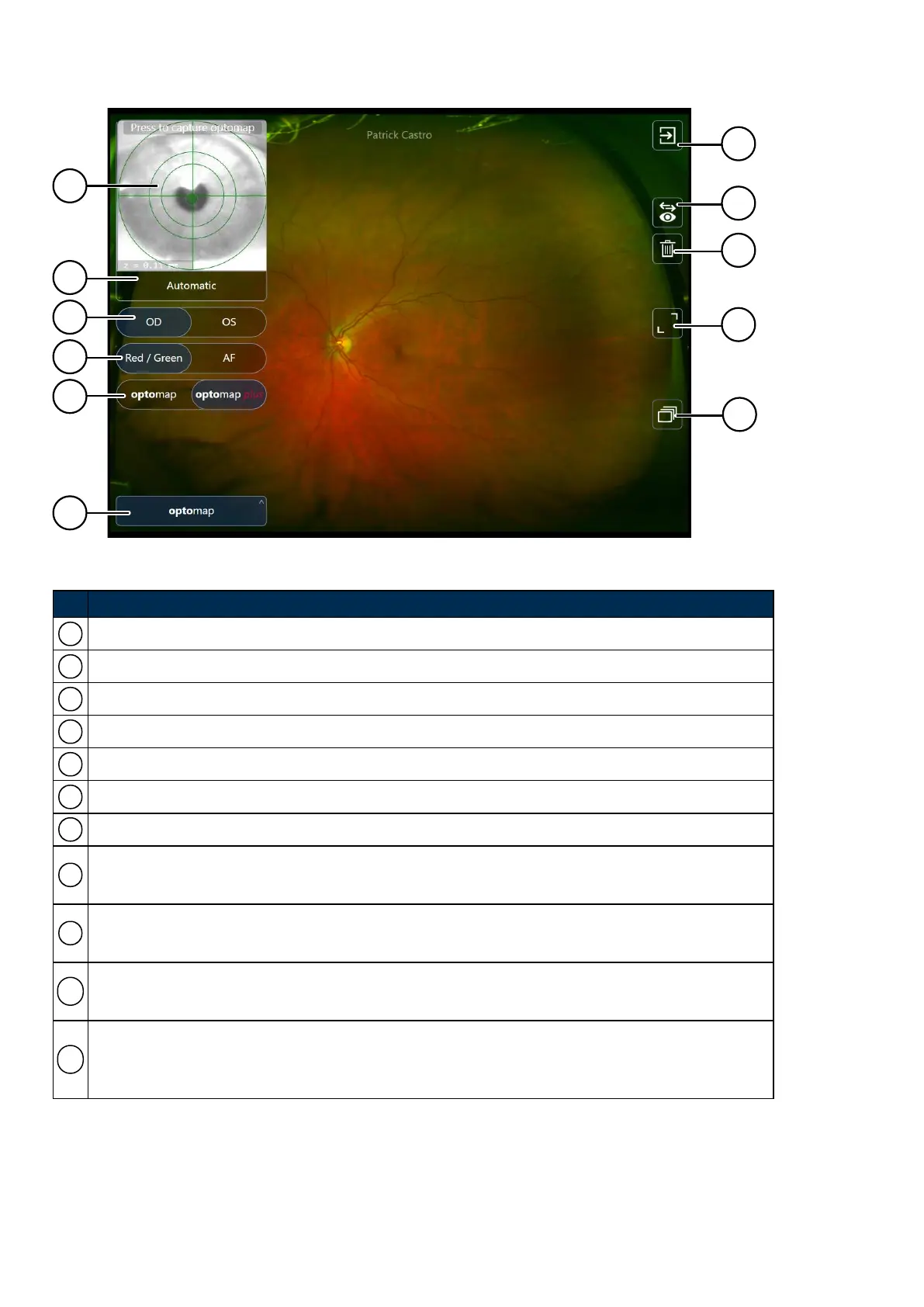
FIGURE 10: SLO image capture options
No. Description
1 Live image showing the patient position
2 Auto-capture control
3 Laterality selection control
4 Light type control
5 Resolution type control
6 Primary mode selection control
7
Finished
8
Change laterality
Changes the laterality of the captured image.
9
Discard
Deletes the current image or scan.
10
Declutter
Removes all icons to show a full sized image or scan. Select the icon again to show all the controls.
11
Image Browser
Displays the images and scan which will be saved at the end of the session. You can change laterality
and delete images and scans.
Page 42 of 75 Part Number: G108707/8GME
English Copyright 2018, Optos plc. All rights reserved.



 To Next Page