Chapter 3 - How to...
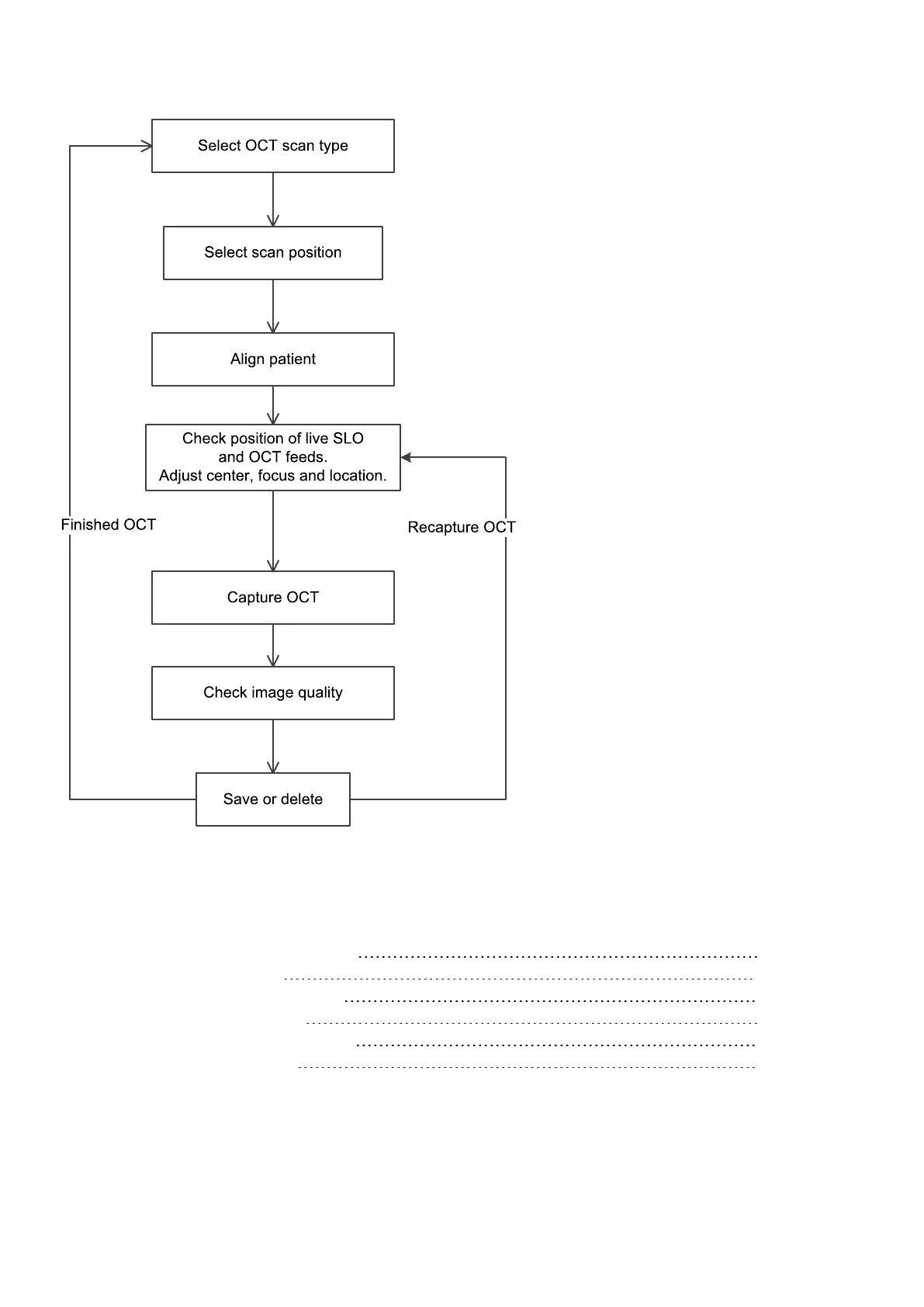
FIGURE 12: OCT capture workflow
Capturing instructions
The patient's view of OCT alignment 45
OCT adjustment controls 46
How to optimize OCT scan quality 47
How to capture OCT images 48
What to do after OCT image capture 48
SNR and OCT scan quality 49
Page 44 of 75 Part Number: G108707/8GME
English Copyright 2018, Optos plc. All rights reserved.



 To Next Page