Make a RAID Volume Bootable Using the LSI MegaRAID Configuration Utility
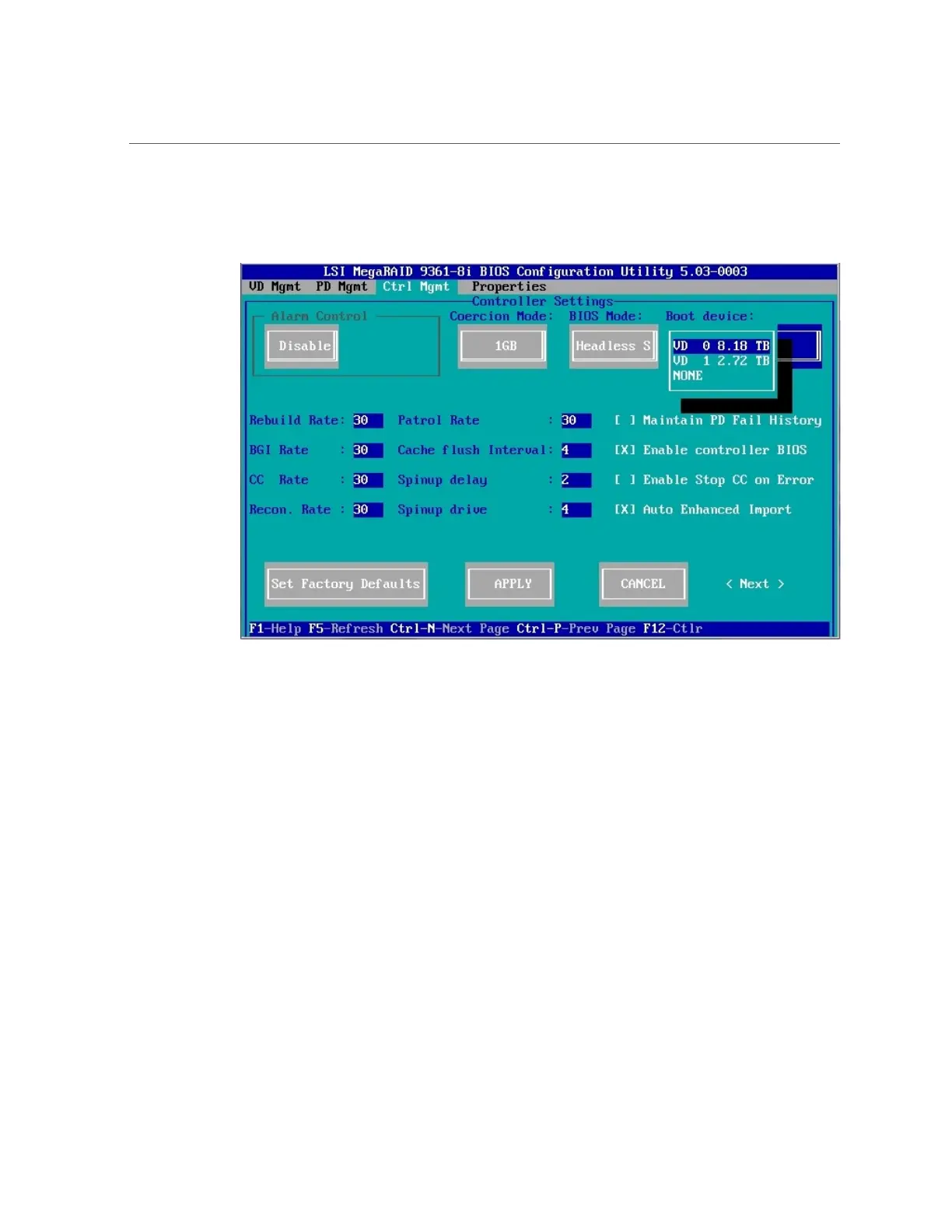
The Controller Settings screen appears.
5.
Use the Down arrow to navigate to the Boot Device field.
6.
Select the virtual drive that you want to make bootable, and then press Enter.
7.
Navigate to the Apply button, and then press Enter.
8.
Press the Esc key to exit the LSI MegaRAID Utility.
130 Oracle Server X5-2 Installation Guide • January 2021












 To Next Page