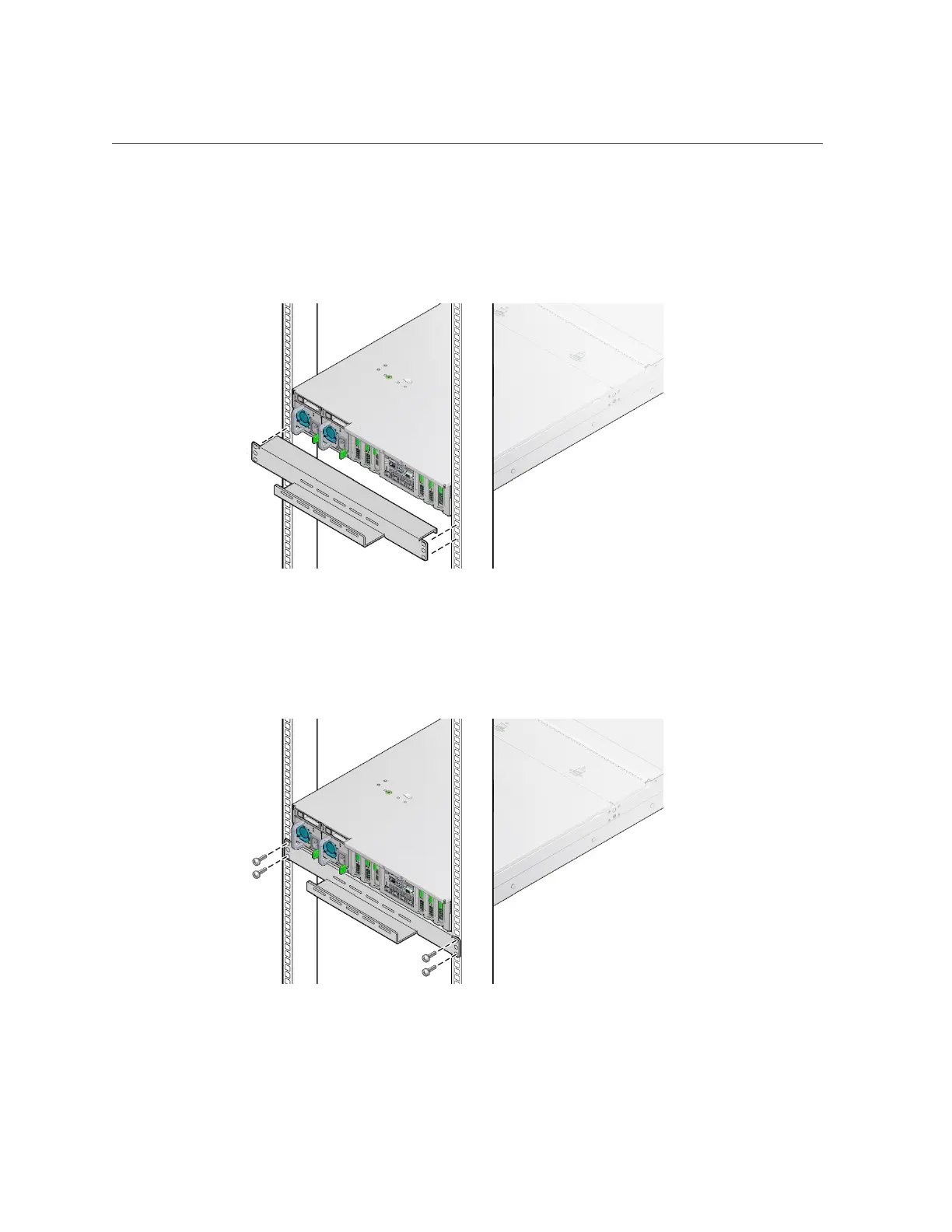
Install the Shipping Bracket With Cable Trough (Optional)
3.
Slide the bracket underneath the rear bottom edge of the server chassis with
the cable trough facing up, aligning the top holes in the bracket with the first rail
holes below the rear panel of the server.
4.
Using a No. 2 Phillips screwdriver, secure the bracket to the rack using four 16-
mm M6 screws.
Ensure that the bracket rests firmly against the bottom of the server chassis.
Installing the Server Into a Rack 57












 To Next Page