V–10
Operation Data Display: No. 00 (
)
The normal (or special) display usually appears, with key operation used to display current data.
1) Normal display (Level 0)
The following data displays are repeated at 2-second intervals with this outdoor unit system.
Display sequence Display contents Display examples Remarks
1 System address, indoor unit count
System 01, 20 indoor units
2Engine operation time
12,345 hours
3 Engine operation count
12,345 times
4 Compressor inlet pressure
1 MPa
5 Compressor outlet pressure
2.0 MPa
2) Total OFF Setting Display (Level 0)
In normal display state, moving the outdoor board STOP switch (S001) to the “STOP” side causes a shutdown
of all units. In the normal display state, Total OFF is normally displayed as
“PAuSE”.
As usual, pressing the SET (S007) key (changing to Level 1) activates the display of operation data.
3) Operation Data Display (Level 1)
In status 1 or 2, pressing the SET (S007) key activates the display of the system data.
Example:
- Pressing the SET (S007) key ->
Pushing the HOME (S004) key for 1 second or more, or with no operation for 10 minutes, activates the
normal display.
Data is displayed by selecting with the UP (S005) and DOWN (S006) keys.
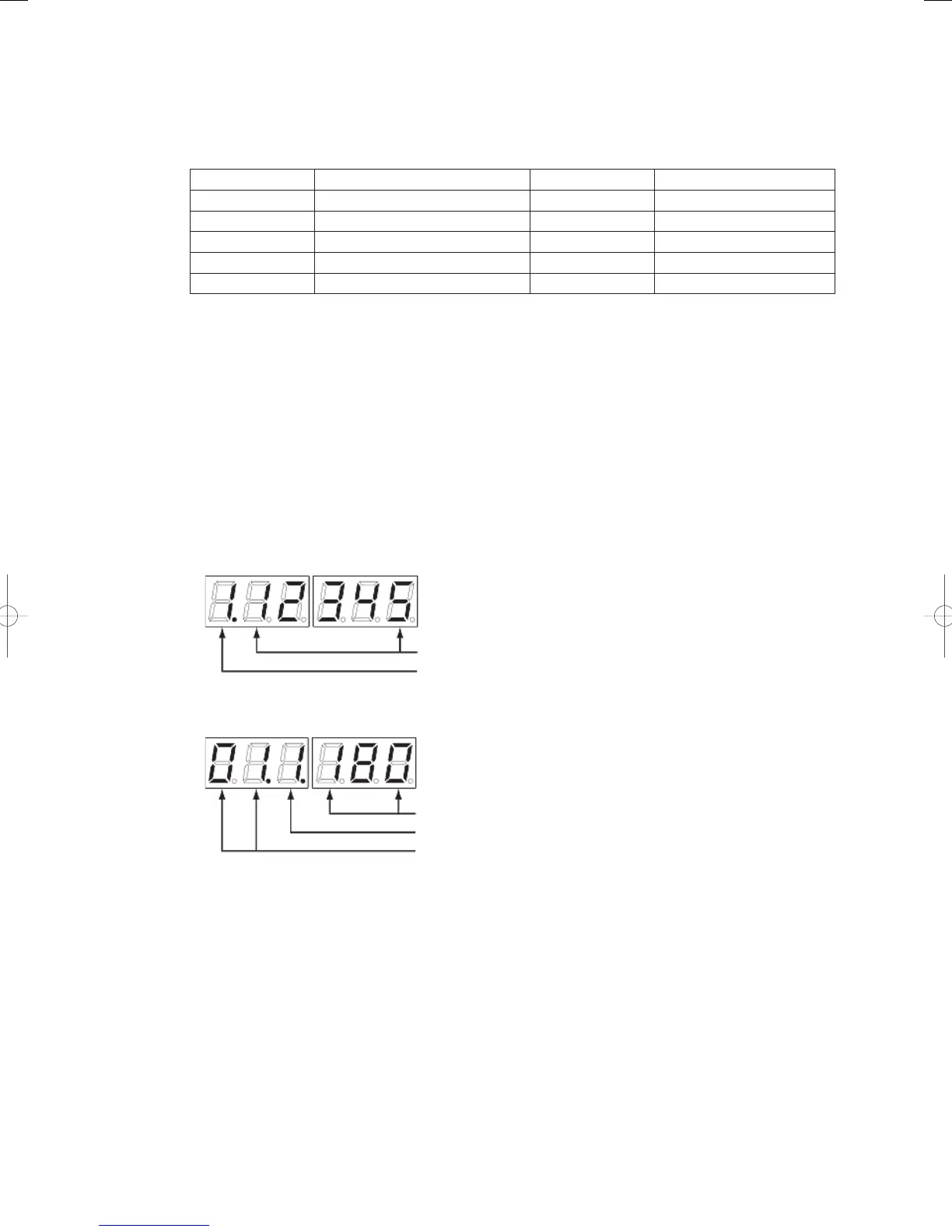
Data display example
Outdoor unit data
Indoor unit data
From this point is data
Data code
From the second point is data
Up to the second point is the data code
Up to the first point is the indoor unit number
4) Forced Setting Release
Pressing the SET (S007) key in the normally displayed status for one second causes all forced set items to be
canceled.
GHPtroubleshooting.indbV‒10GHPtroubleshooting.indbV‒10 2012/11/2611:20:182012/11/2611:20:18















 To Next Page