V–50
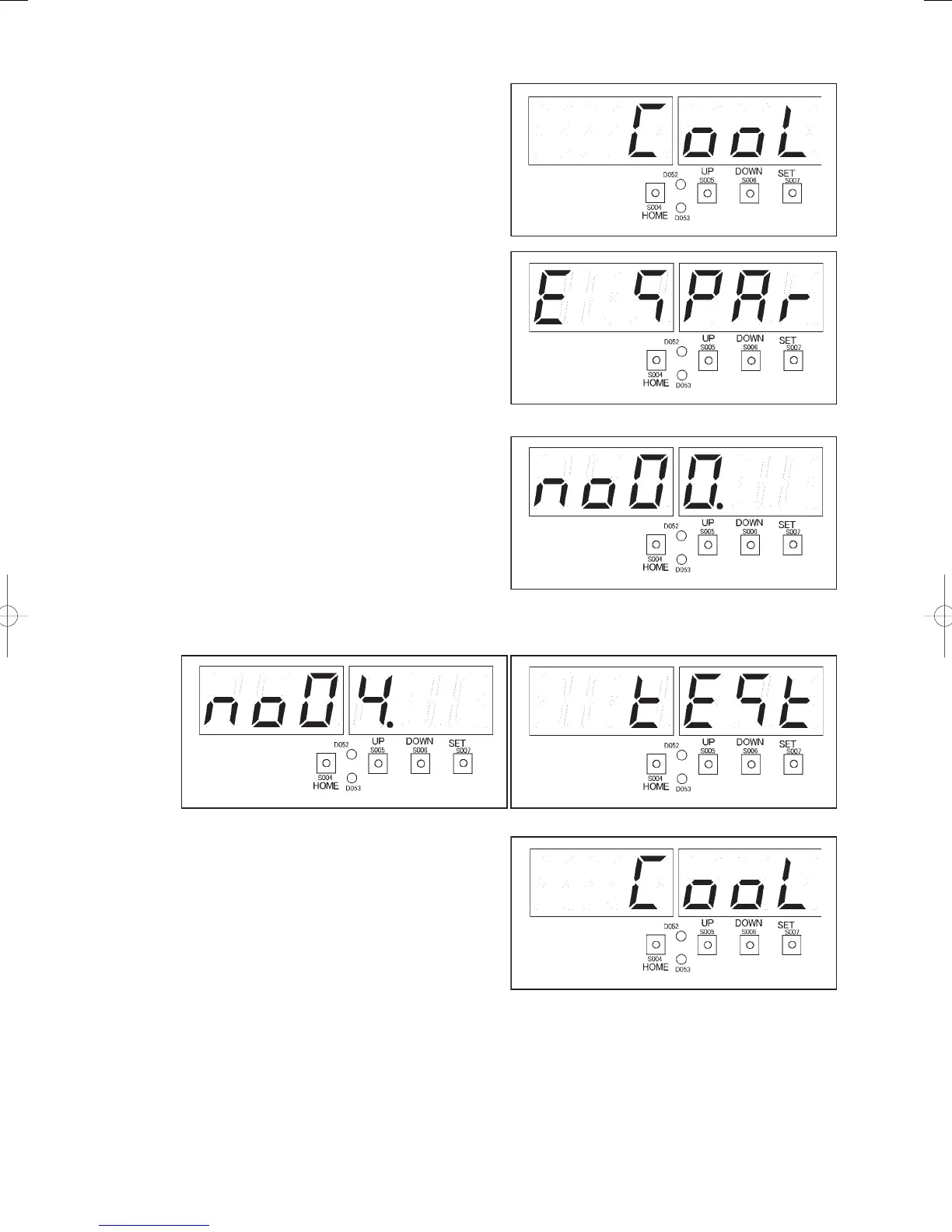
7) Press the SET key (S007). “
” (right fi gure)
will be displayed. The LEVEL LED (D053) and
TEST/WARNING LED (D052) will light.
8) Press the UP (S005) or DOWN (S006) key, to
display “
” (right fi gure). Press the
SET key (S007) for one second or more. The
TEST/WARNING LED (D052) will go out, and
distributor mode will be cancelled.
Stop test run
1) Press the HOME key (S004) for one second or
more.
Menu item number “
” (right fi gure) will
be displayed.
2) Press the UP (S005) or DOWN (S006) key, displaying the menu item numbers. Select menu item “
”
in the fi gure below. The display “
” (fi gure below) will appear.
3) Press the SET key (S007). “
” (right fi gure)
will be displayed. The LEVEL LED (D053) and
TEST/WARNING LED (D052) will light.
4) Press the SET key (S007) for one second or more.
The TEST/WARNING LED (D052) will go out,
and the test run will be stopped.
Running condition check
1) Make sure that no abnormal noise or vibration occurs.
2) Make sure there is no looseness in the fastening parts for each unit.
GHPtroubleshooting.indbV‒50GHPtroubleshooting.indbV‒50 2012/11/2611:20:242012/11/2611:20:24















 To Next Page