V–49
Cancel settings
When ignition timing correction is fi nished, cancel the forced rotational speed setting and the distributor mode.
Make sure to do this.
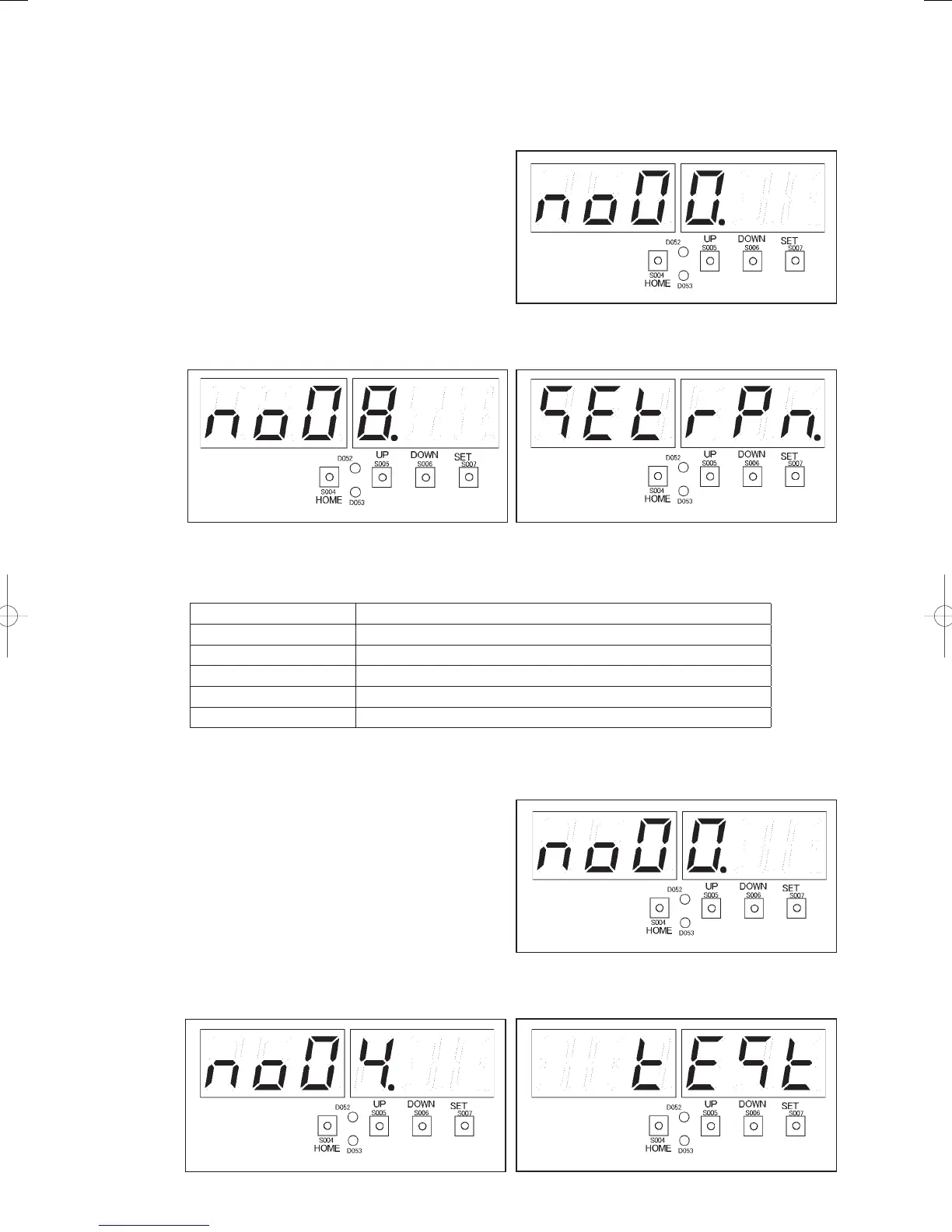
1) Press the HOME key (S004) for one second or
more.
Menu item number “
” (right fi gure) will
be displayed.
2) Press the UP (S005) or DOWN (S006) key, displaying the menu item numbers. Select menu item “
”
in the fi gure below. The display “
” (fi gure below) will appear.
3) Press the SET key (S007). The LEVEL LED (D053) and TEST/WARNING LED (D052) will light, and the
status with the engine rotating at the forced (set) speed will be displayed at one-second intervals, as shown
below.
Display Item
(10.1400) Forced engine rotational speed (example: 1400 min
-1
)
(11.1400) Engine rotational speed (example: 1400 min
-1
)
(12.0.56) Compressor inlet pressure (Example: 0.56MPa)
(13.0.56) Compressor outlet pressure (Example: 0.56MPa)
(15.85.0) Compressor outlet temperature (Example: 85.0°C)
4) Press the SET key (S007) for one second or more. The TEST/WARNING LED (D052) will go out, and the
forced rotational speed setting mode will be canceled.
5) Press the HOME key (S004) for one second or
more.
Menu item number “
” (right fi gure) will
be displayed.
6) Press the UP (S005) or DOWN (S006) key and select menu item number “
” The display “
”
(fi gure below) will appear.
GHPtroubleshooting.indbV‒49GHPtroubleshooting.indbV‒49 2012/11/2611:20:242012/11/2611:20:24















 To Next Page