18 Basic Operation
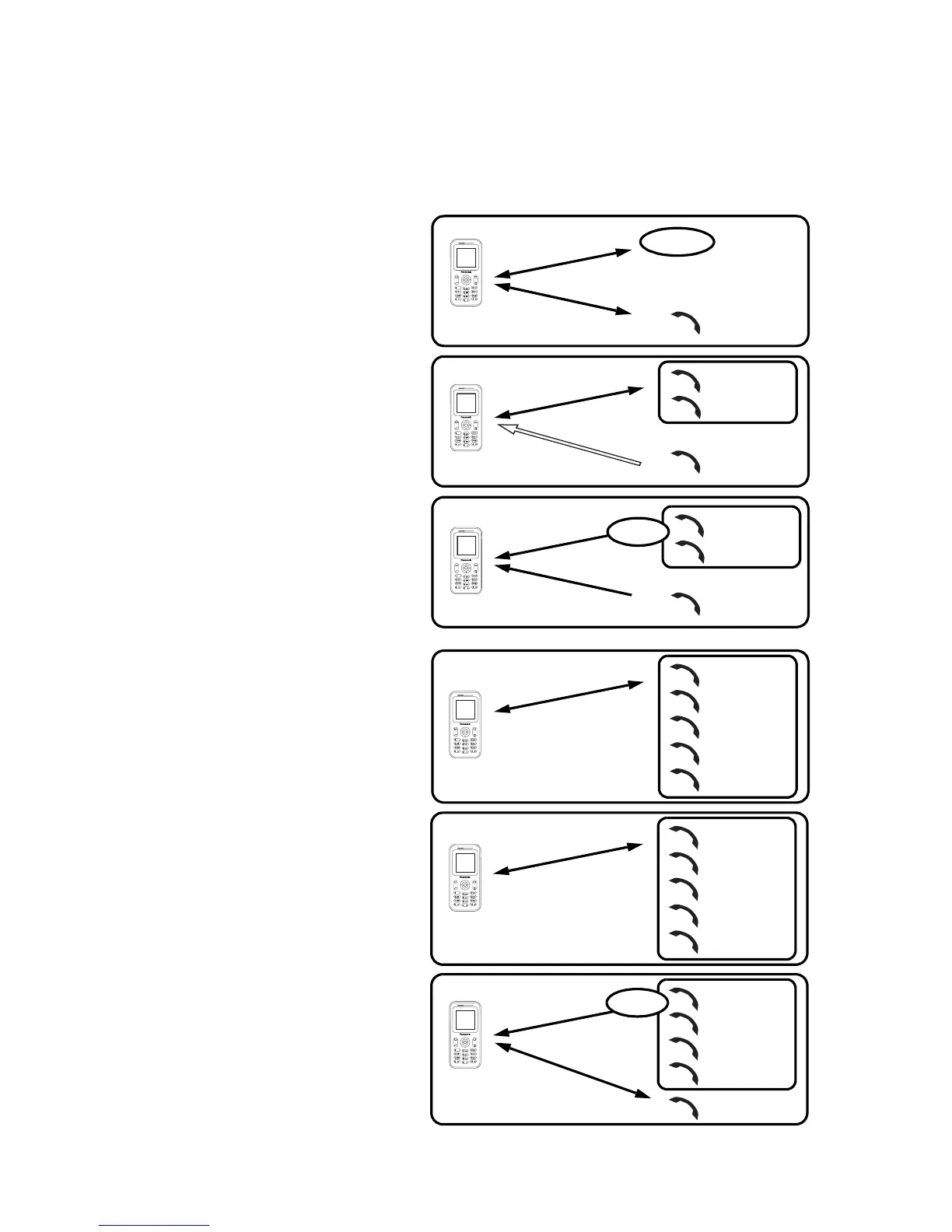
Multi-party call (Conference) F
You can have up to 5 calls on a Multi-party call. You cannot have more than one
Multi-party call at a time.
Making a Multi-party call
While on 2 calls, with 1 call on hold
1. Press < (Menu)
2. 4 move to Conference call
3. Press < (Select)
Adding more callers
You can have up to 5 calls on a
Multi-party call.
While on a Multi-party call
1. Press @ (Hold)
The Conference is placed on
hold.
2. Make another call
OR
Answer an incoming call
3. Press < (Menu)
4. 4 move to Conference call
5. Press < (Select)
Splitting a caller
You can split a call from a Multi-
party call and make it another
connection.
While on a Multi-party call
1. Press < (Menu)
2. 4 move to Private call
3. Press < (Select)
4. 4 move a to required phone
number
5. Press < (Select)
The Multi-party call is kept on
hold.
Call A
C
o
n
n
e
c
t
i
o
n
1
Hold
Call B
C
o
n
n
e
c
t
i
o
n
2
Call A
C
o
n
n
e
c
t
i
o
n
1
Call C
Call B
C
o
n
n
e
c
t
i
o
n
1
Call C
C
o
n
n
e
c
t
i
o
n
2
Call A
Call B
Hold
Call A
C
o
n
n
e
c
t
i
o
n
1
Call C
Call B
Call D
Call E
.
.
.
Call A
C
o
n
n
e
c
t
i
o
n
1
Call C
Call B
Call D
Call E
Call A
Call D
Call B
Call E
Call C
Hold
C
o
n
n
e
c
t
i
o
n
1
C
o
n
n
e
c
t
i
o
n
2














 To Next Page