Getting Started 5
Charging the battery
It is recommended to charge the battery for a minimum of 4 hours before the
first use.
Ensure the battery is correctly in place before connecting the charger.
Connecting the plug
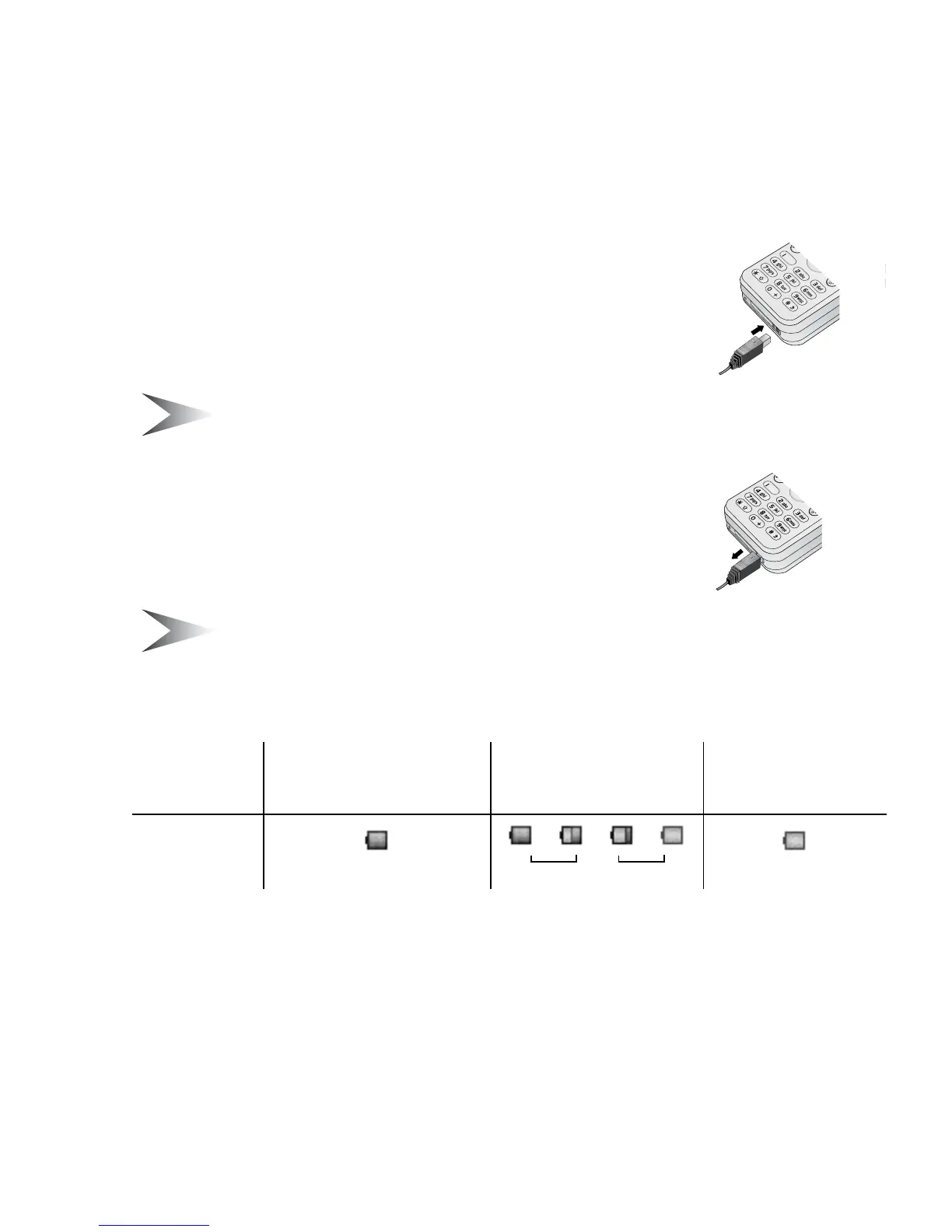
1. Insert the plug arrow side up
2. Push the charger all the way in
3. The battery level indicator will start moving
(see “Battery level indicator” below)
Note: DO NOT force the connector as this may damage the phone
and/or the charger.
Disconnecting the plug
Pull the plug gently from the connector
Note: DO NOT pull the cable as this may damage the phone and/or
the charger.
Battery level indicator
Low battery power warning
When the battery power is low, the battery indicator will be red. If the battery
power is critically low, a warning tone will beep. 2 minutes after the beep,
the power will automatically shut off. Plug in the charger immediately (see
“Charging the battery” above). Calls can be made and received while the phone
is charging.
Charging
completed
While charging Battery low
Indicator
Green
– – –
Red
Green Red














 To Next Page