Basic Operation 15
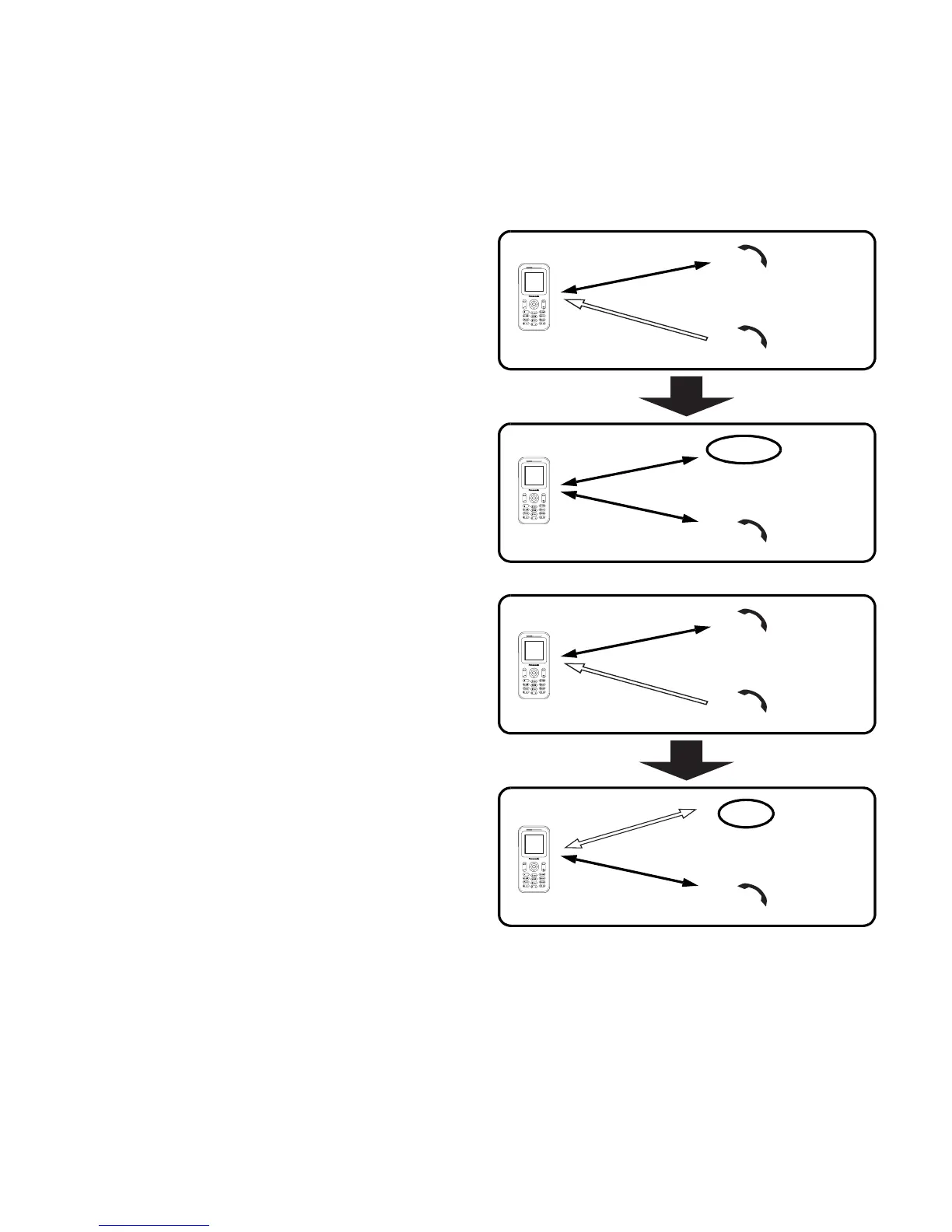
Call waiting
F
If Call waiting is on, you can receive another call or you can make
a Multi-party call.
Hold and answer
You can place a current connection
on hold and answer a new call.
While on a call
1. You hear an incoming call and
the Caller’s ID is displayed
2. Press C (Send)
End and answer
You can end the current connection
and answer a new call.
While on a call
1. You hear an incoming call and
the Caller’s ID is displayed
2. Press D (Power/End)
3. Press C (Send)
Call A
C
o
n
n
e
c
t
i
o
n
1
Call B
Call A
C
o
n
n
e
c
t
i
o
n
1
Hold
Call B
C
o
n
n
e
c
t
i
o
n
2
Call A
C
o
n
n
e
c
t
i
o
n
1
Call B
Call A
End
Call B
C
o
n
n
e
c
t
i
o
n
1














 To Next Page