6 Getting Started
SIM
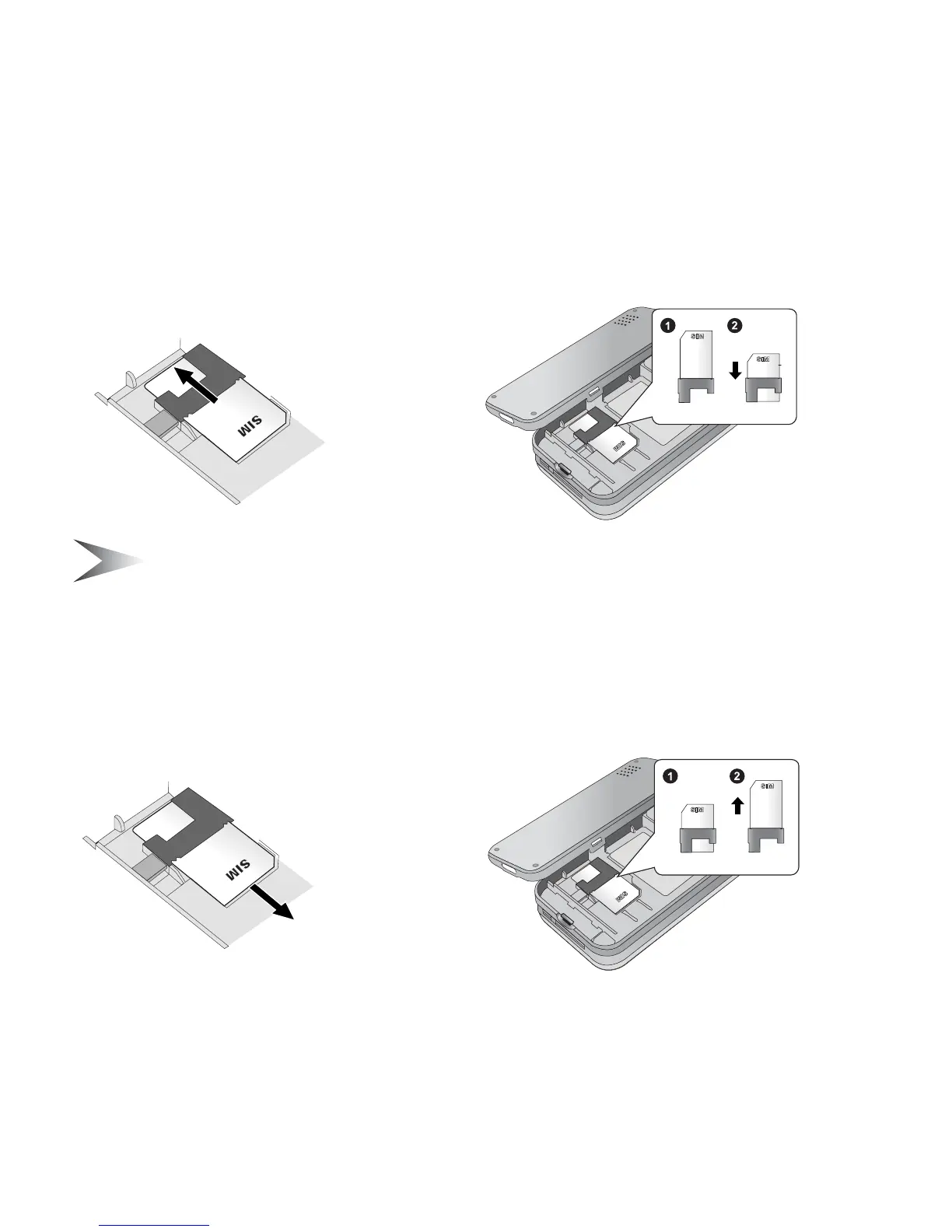
Attaching the SIM
1. Remove the battery cover and the battery
(see “Removing the battery” on page 4)
2. Insert the SIM into the SIM holder
3. Replace the battery and the battery cover
Note: Ensure the gold contacts on the SIM and the phone body are facing
each other.
Removing the SIM
1. Remove the battery cover and the battery
(see “Removing the battery” on page 4)
2. While holding the tab down, gently slide the SIM out
3. Replace the battery and the battery cover














 To Next Page