Contacts 49
Hot key dial
You can quickly dial the numbers which are assigned to each numeric key
$ – , (see “Hot key dial” on page 11). This function is available with
Phone Contacts list only.
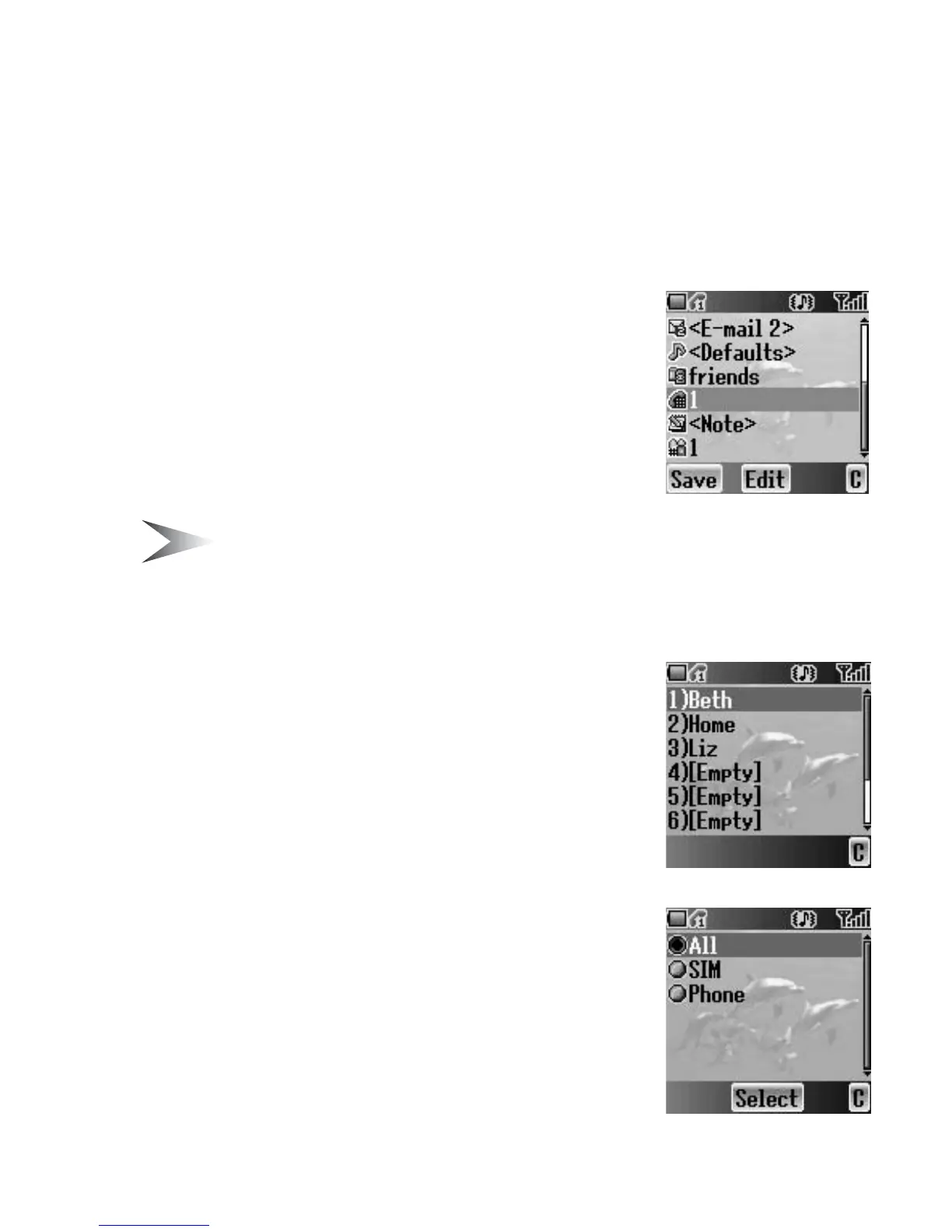
Assigning Hot keys
While editing the Contacts list entry
1. 4 move to <Hot key dial>
2. Press < (Edit)
3. Enter the required number $ – ,
4. Press < (OK)
Note: To clear the Hot key dial assignment of an entry, enter # instead
of the entry’s original Hot key dial number. Then press
< (OK).
Viewing Hot key dial list
From Contacts menu
1. 4 move to Hot key dial
2. Press < (Select)
3. The Hot key dial list is displayed
My Contacts
You can select from All, SIM or Phone to display
the entries in the Contacts list entries.
From Contacts menu
1. 4 move to My Contacts
2. Press < (Select)
3. 4 move to All, SIM or Phone
4. Press < (Select)














 To Next Page