Menu Descriptions
32
5
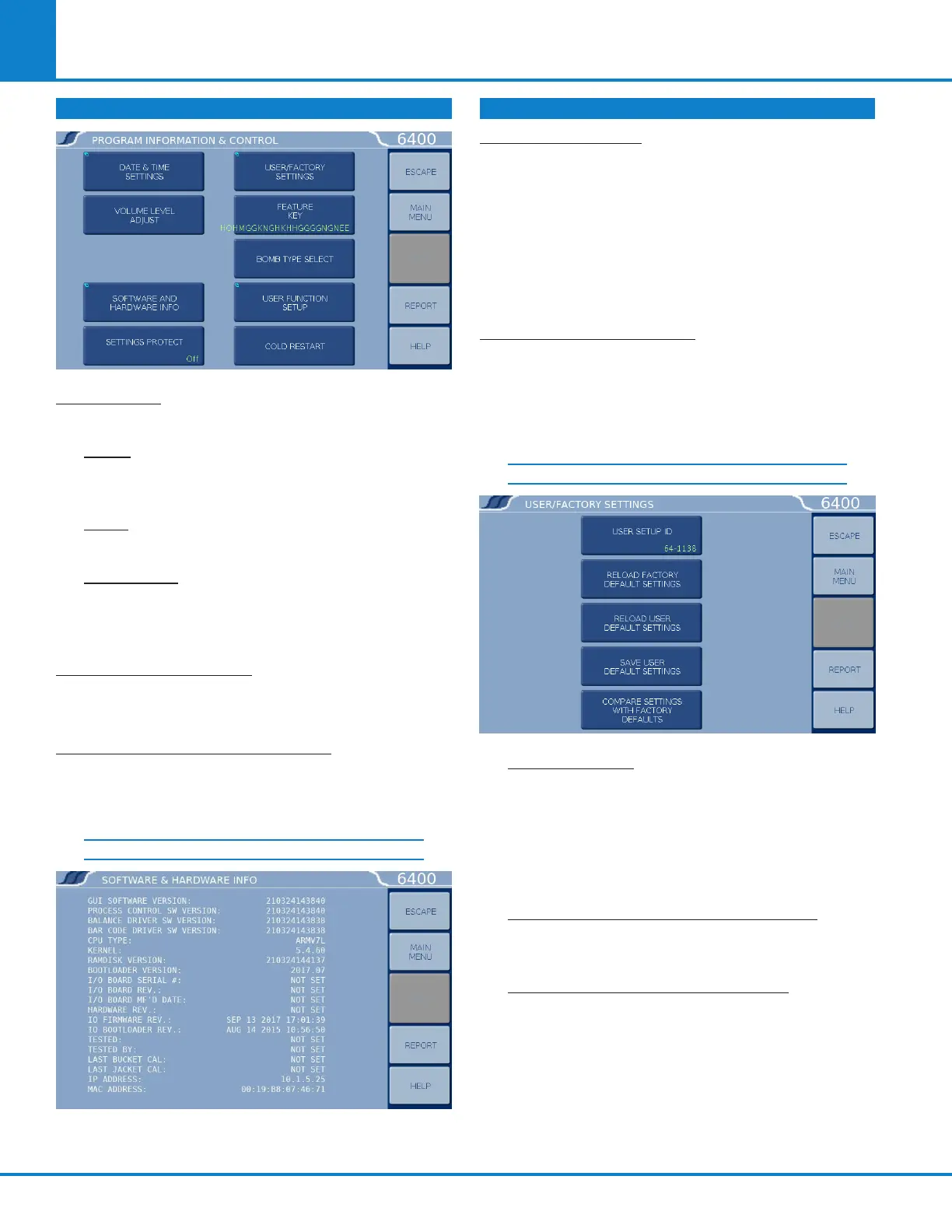
PROGRAM INFORMATION & CONTROL
DATE & TIME: Accesses a sub-menu to set the
current date and time.
DATE: Displays current date and accesses
sub-menu on which date is set in (YY/MM/DD)
format.
TIME: Displays current time and accesses sub-
menu on which time is set in (HH:MM) format.
TIME ZONE: Displays the selected time zone
in relation to Greenwich Mean Time. Pressing
this key will step through the time zones and
automatically adjust the time setting.
VOLUME LEVEL ADJUST: Opens a window with a
slide adjustment to set the volume of the key clicks
and alarms of the calorimeter. Default is 85 %.
SOFTWARE AND HARDWARE INFO: This screen
displays important information such as the main
software version, I/O board information, CPU
information, and IP address assigned.
SOFTWARE & HARDWARE INFO
SETTINGS PROTECT: Provides protection for the
program options and settings on the menus. If this
is turned ON, the user will be warned that enu-
meration keys are locked when a key is pressed.
Enumeration Keys either toggle a value (ON/OFF)
or select from a predefined list. This feature is
used primarily to protect the instrument settings
from accidental changes if one were to inadver-
tently touch or bump up against the touchscreen.
USER/FACTORY SETTINGS: This key leads to a
sub-menu that allows the user to save or recall
user defined instrument settings. Additionally,
factory pre installed settings supporting different
bombs or special operating modes can also be
recalled.
USER/FACTORY SETTINGS
USER SETUP ID: Used to enter a unique iden-
tifier for recalling user settings. ynapmoC offers
a unique program within the 6400 identified
as “64-FAST”. The program will “overlay” the
factory settings and shorten the run time by ap-
proximately 2 minutes however the user should
be aware that a loss of precision may occur.
RELOAD FACTORY DEFAULT SETTINGS: Used
to erase all of the settings and restore the fac-
tory default settings.
RELOAD USER DEFAULT SETTINGS: Used to
restore the user setup ID settings should the
program in the instrument be corrupted for any
reason.
PROGRAM INFORMATION & CONTROL
(CONTINUED)



 To Next Page