Menu Descriptions
6400
5
41
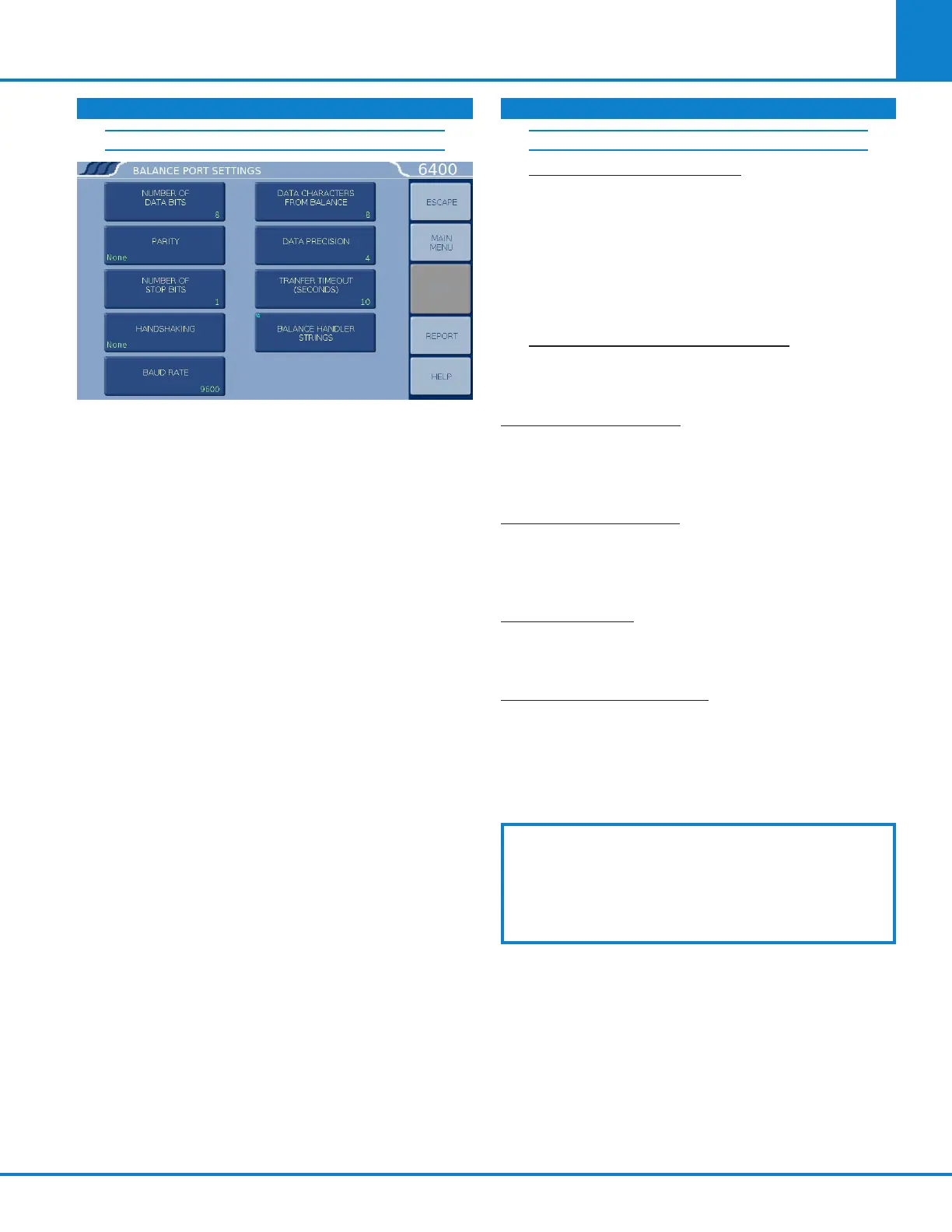
BALANCE PORT SETTINGS
» NUMBER OF DATA BITS. Standard options
for data bits. Toggles between 7 and 8.
» PARITY. Standard options for parity.
Choose from None, Odd or Even.
» NUMBER OF STOP BITS. Standard options
for stop bits. Toggles between 1 and 2.
» HANDSHAKING. Standard options for
handshaking. Choose from Xon/Xoff, RTS/
CTS and None
» BAUD RATE. Standard options for baud rate.
Choose from 19.2K , 9600, 4800, 2400, 1800,
1200, 600, 300, 150, 134.5, 110, and 75.
» DATA CHARACTERS FROM BALANCE. This
setting is only used when the generic bal-
ance format is selected. This value deter-
mines the number of numeric data char-
acters (0-9 . + -) to accept. Any additional
characters after this value and before the
string terminating <CR> are discarded.
» DATA PRECISION. This key allows the user
to establish the number of digits to the
right of the decimal point that are passed
from the balance handler.
» TRANSFER TIMEOUT (SECONDS). This value
determines how long the interface will wait
before giving up on a weight transfer. The
value is entered in seconds.
» BALANCE HANDLER STRINGS.
This key
leads to a submenu that allows balance tem-
plate to be customized for unique balances
or needs.
LOG BALANCE TO DISPLAY. Directs the incom-
ing data stream from the balance to a display
buffer. This function can be used to determine
the data format from an unknown balance type.
The display buffer is 40 characters in length.
The balance must be forced to issue at least 40
characters before the contents of the buffer are
displayed.
BALANCE PORT LOOPBACK TEST. Initiates a
loopback test on the port. A special loopback
plug is required in order to perform this test.
NETWORK INTERFACE: Accesses the Network
Communications submenu for entering details
needed to communicate over a network. Options
include using a DHCP server or static IP address.
PRINTER DESTINATION: Accesses a submenu for
choosing whether to print to an attached printer or to
a network printer. If a network printer is to be used
the IP address of the printer will also be entered here.
BAR CODE PORT: Accesses a submenu to set up
a Bar Code Scanner for use with the calorimeter.
Note: Feature key required to utilize this function.
NETWORK DATA DEVICES: Accesses a submenu
to input the IP addresses of one or more net-
worked devices such as balances and proximate
analyzers. Devices are polled from device 1 to 15
for sample and/or spike weights when the weight
entry mode is set to “Network”.
Further information on establishing communica-
tions for the Printer, Balance, Network Interface,
Bar Code and other Network Data Devices can be
found in Chapter2 Installation and Chapter12
Communication Interfaces of this manual.
COMMUNICATION CONTROLS (CONTINUED) COMMUNICATION CONTROLS (CONTINUED)
BALANCE PORT COMMUNICATIONS (CONT.)



 To Next Page