Menu Descriptions
6400
5
33
SAVE USER DEFAULT SETTINGS: Used to record
the setup to the memory once the user has con-
figured the instrument to their operating require-
ments.
COMPARE SETTINGS WITH FACTORY DEFAULTS:
This button will bring up a screen that will show
the differences in the current settings of the calo-
rimeter with the factory defaults.
FEATURE KEY: This key displays a screen which
allows the user to input a code to access special
calorimeter features such as the bar code capabili-
ties, remote calorimeter operation or Samba server
feature.
BOMB TYPE SELECT: This key toggles through the
different bomb models available for the calorim-
eter. When the user chooses a bomb, the instru-
ment must be re-booted to load the correct version
of the software. (Note that the calorimeter will not
let you exit this function without re-booting the
system). Currently, there is only one bomb selec-
tion for the 6400.
USER FUNCTION SETUP: This key leads to sub-
menus that support the configuration of five
factory/user definable function keys. The function
keys are accessible from the Diagnostics page.
COLD RESTART: This is essentially the same as
cycling power on the unit. All valid test data will
be retained during this cold restart procedure.
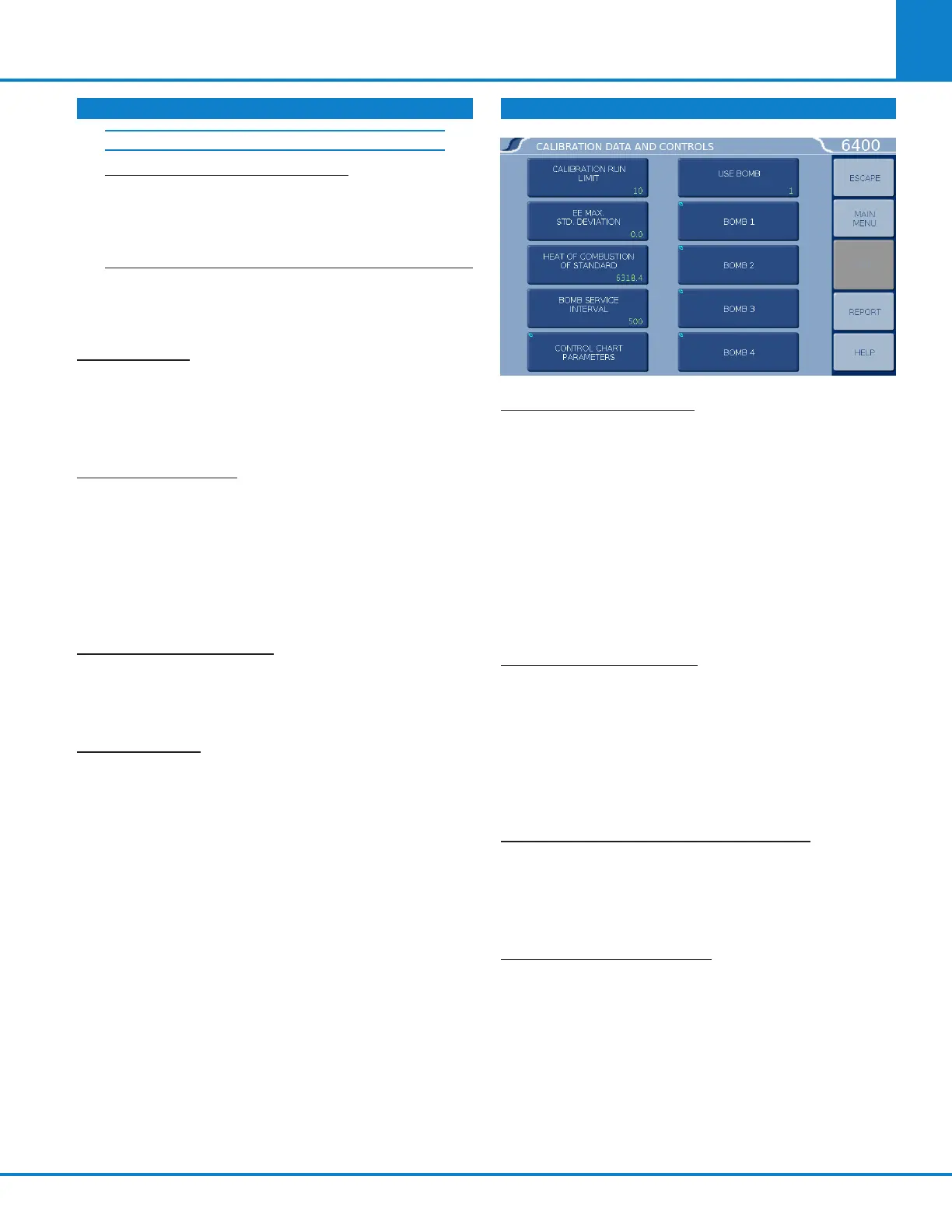
CALIBRATION DATA AND CONTROLS
CALIBRATION RUN LIMIT: Displays the maximum
number of runs that will be included in determining
the EE value of a bomb and bucket combination and
accesses the sub-menu on which this limit is set.
Most test methods suggest 10 tests. Tests in excess
of the most recent ones used are still available but
are not used in the calculation of the EE value. For
example if 11 standardization tests have been run,
the calorimeter will only use the most recent 10. The
11th is still stored in the memory and is available for
viewing or printing. Only runs that are at final status
will be used in this calculation.
EE MAX STD DEVIATION: Displays the maximum
relative standard deviation in percent that will
be permitted for any EE value calculated by the
Calorimeter and accesses the sub-menu on which
this limit is set. If this value is exceeded, the user
will be warned to take corrective action before
proceeding with testing. A setting of zero disables
this check.
HEAT OF COMBUSTION OF STANDARD: Displays
the heat of combustion in cal/g for the material
used to standardize the calorimeter and accesses
the sub-menu on which this value is set. For ben-
zoic acid, this value is 6318.4 cal/g.
BOMB SERVICE INTERVAL: Displays the maxi-
mum number of times a bomb may be fired before
it is flagged as due for service and accesses the
sub-menu on which this limit is set. ynapmoC recom-
mends 500 firings for this service interval. (Parts
may need to be replaced on a more frequent basis
depending upon the nature of the sample).
PROGRAM INFORMATION & CONTROL
(CONTINUED)
USER/FACTROY SETTINGS (CONTINUED)



 To Next Page