Menu Descriptions
38
5
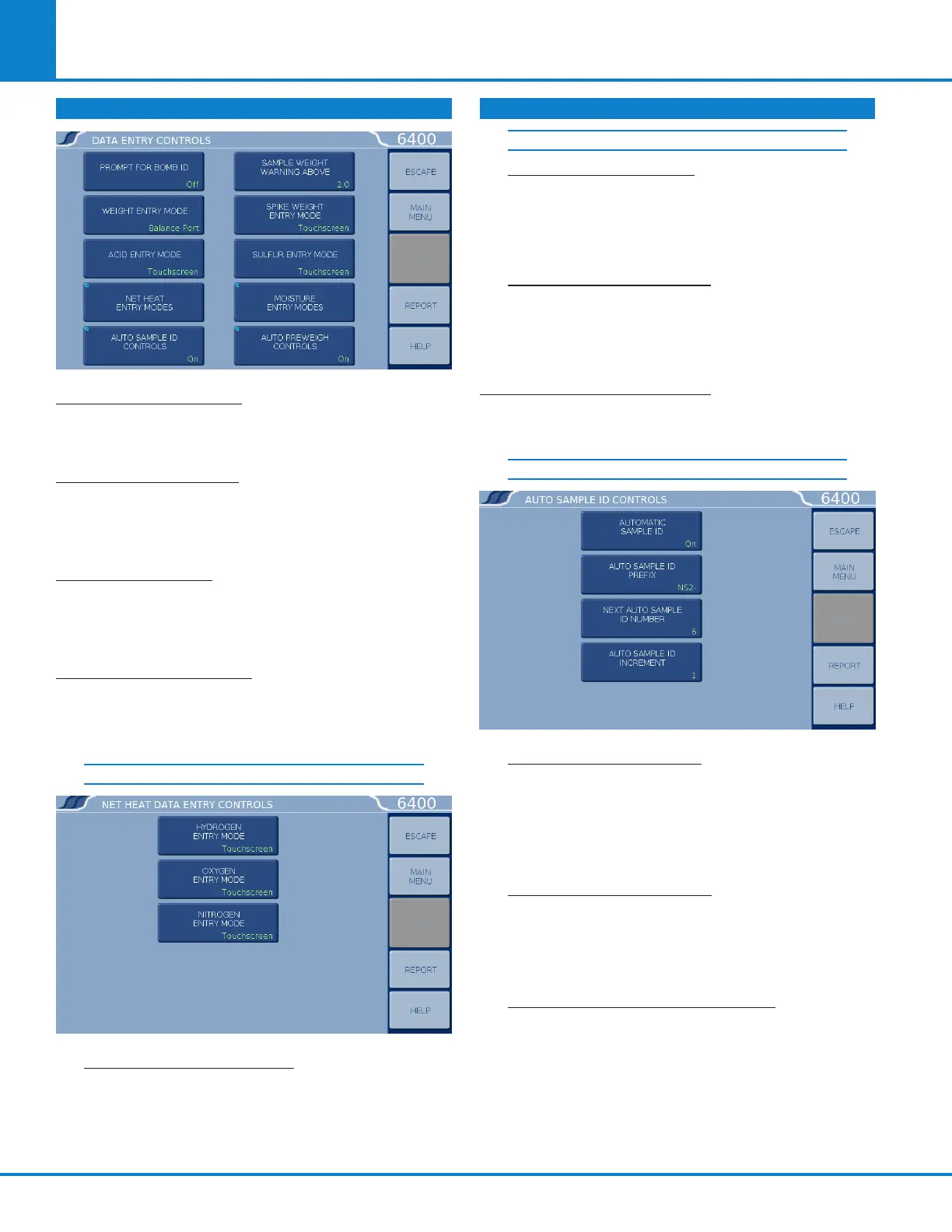
DATA ENTRY CONTROLS
PROMPT FOR BOMB ID: Toggles ON or OFF. In the
ON position the controller will prompt for a Bomb
ID (1-4) when a test is started.
WEIGHT ENTRY MODE: This key steps through the
options for entering sample weights either manu-
ally through the touchscreen, balance (USB) port
or through the network.
ACID ENTRY MODE: This key steps through the
options for entering acid correction value either
manually through the touchscreen or automatically
through the balance (USB) port.
NET HEAT ENTRY MODE: This key accesses a
sub-menu listing options for entering hydrogen,
oxygen, and nitrogen content for calculating the
net heat of combustion.
NET HEAT DATA ENTRY CONTROLS
HYDROGEN ENTRY MODE: This key steps
through the options for entering hydrogen con-
tent for calculating the net heat of combustion
either manually through the touchscreen or
automatically through the balance (USB) port.
OXYGEN ENTRY MODE: This key steps through
the options for entering oxygen content for
calculating the net heat of combustion either
manually through the touchscreen or automati-
cally through the balance (USB) port.
NITROGEN ENTRY MODE: This key steps
through the options for entering nitrogen con-
tent for calculating the net heat of combustion
either manually through the touchscreen or
automatically through the balance (USB) port.
AUTO SAMPLE ID CONTROLS: Accesses sub-menu
for controlling the automatic assignment of sample
identification numbers.
AUTO SAMPLE ID CONTROLS
AUTOMATIC SAMPLE ID: When set to ON the
unit will automatically assign sample identi-
fication numbers in accordance with param-
eters set by the other three keys on this menu.
When set to OFF, the user manually enters each
sample ID when prompted to do so.
AUTO SAMPLE ID PREFIX: An entry here will
be used as a prefix for all sample IDs, if the Au-
tomatic Sample ID is set to ON. Press this key
to access a sub-menu for entering an alphanu-
meric prefix.
NEXT AUTO SAMPLE ID NUMBER: Establishes
the initial sample number for a series of tests
and then shows the next sample ID which will
be assigned. Used when the Automatic Sam-
ple ID is set to ON. Press this key to access a
sub-menu for entering a numeric increment.
DATA ENTRY CONTROLS (CONTINUED)
NET HEAT DATA ENTRY CONTROLS (CONT.)



 To Next Page