Maintenance & Troubleshooting
6400
11
67
Rinse Tank Level May Be Low.
The controller decrements the rinse tank counter
each time the vessel is rinsed. This message will
be issued when the counter is at or below zero
when the vessel rinse sequence is executed. This
message is a reminder that the rinse tank needs
refilling, followed by a manual resetting of the
bomb rinse counter.
Note: To release the pressure inside the rinse
tank turn off the gas supply and open the gas re-
lease lever. Gas will exhaust out of this connec-
tion. Once the pressure has equalized remove
the lid to refill the rinse tank.
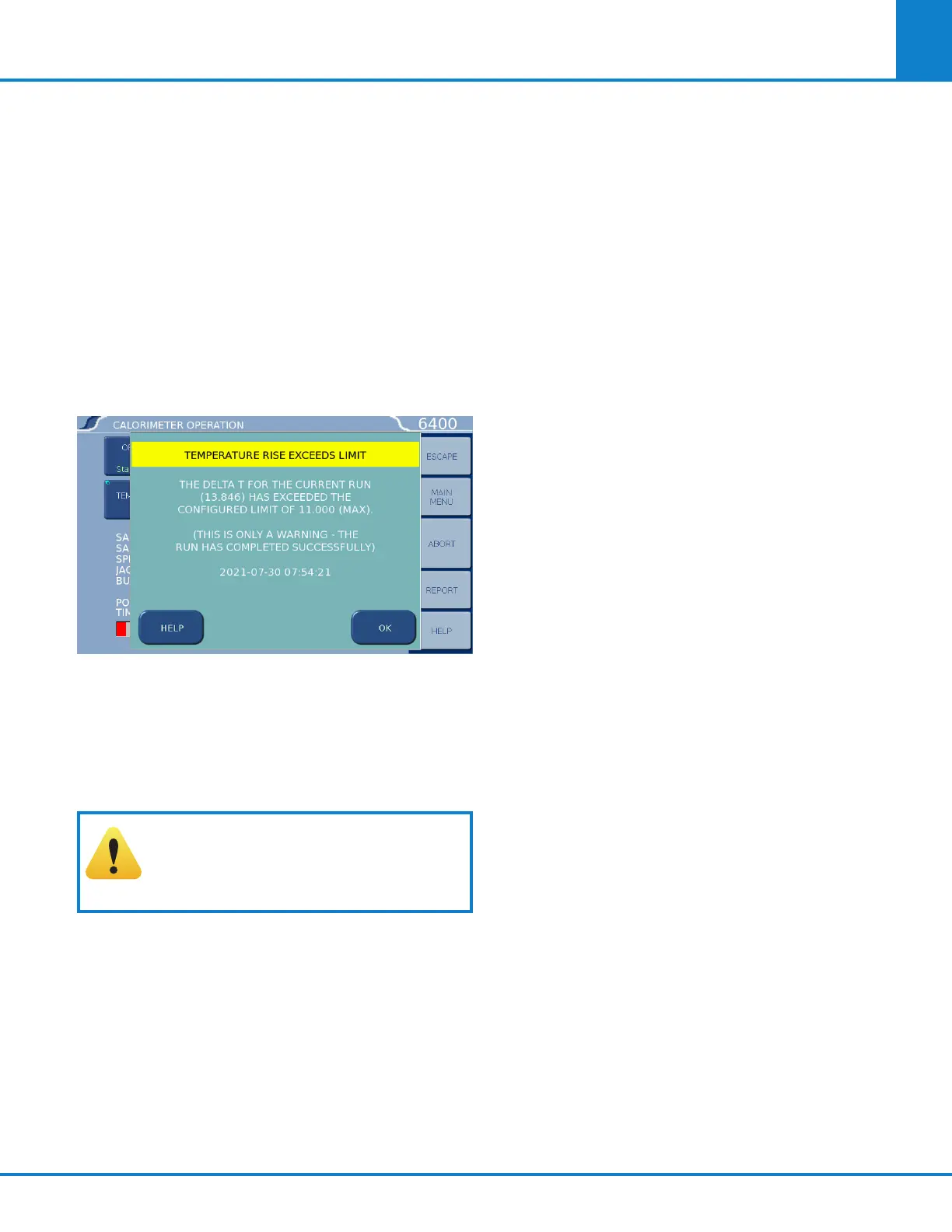
Temperature Rise Exceeds Limit.
By default the TEMP. RISE HIGH WARNING is set
to 8.5°C. This is equivalent to the energy release
expected from 1.0 g of benzoic acid plus 25 %
(33kJ [~7.9 kcal] released). The calorimeter vessel
is rated for a maximum release of 33.5 kJ (8 kcal).
Exceeding 33.5 kJ (8 kcal) is not recommended.
CAUTION! Do not exceed the recom-
mended energy release. Exceeding
33.5kJ (8 kcal) released per test could
result in catastrophic failure.
The heater loop break limit has been detected. The heater
will now be shutdown.
This error means that the calorimeter is trying to
heat the water in the unit for an extended period of
time. When the heater and pump are initially turned
on the heater will be at 100 % power until the jacket
temperature approaches 29.5°C. Once it gets close
the power being applied to the heater will be cut back
to avoid overshooting the target of 30°C.
The calorimeter will turn off the heater and pump if
the heater is at 100 % power for more than 10min-
utes. If the jacket water is approximately 21ºC or less
when the heater and pump is first turned on it is not
unusual to get this error. In this case clear the error
and restart the heater and pump. If the error occurs
again then there could be a problem.
• Check the 2040E Thermostat reset
• Check the water level in the calorimeter
Technical Service
Should you need assistance in the operation or
service of your instrument, please contact the
Technical Service Department.
Any correspondence must include the following
basic information:
• The model and serial # of the instrument.
• Software version(s) shown on the “SOFTWARE
AND HARDWARE INFORMATION” page.
When calling by phone, it is helpful if the person is
close to the instrument in order to implement any
changes recommended by the Technical Service
Department.
Return for Repair
To return the instrument for repair, please call
the Technical Service Department for shipping
instructions and a RETURN AUTHORIZATION
NUMBER. This number must be clearly shown
on the outside of the shipping carton in order to
expedite the repair process.
If you have not saved the original carton and traps,
please request a packaging return kit.
We prefer the calorimeter to be shipped in our
cartons and traps to prevent shipping damage.



 To Next Page