Menu Descriptions
6400
5
39
AUTO SAMPLE ID INCREMENT: Establishes the
increment between sample numbers; used when
the Automatic Sample ID is set to ON. Press this
key to access a sub-menu for entering a numeric
increment.
SAMPLE WEIGHT WARNING ABOVE: This key
displays and leads to a sub-menu used to set the
maximum allowable sample weight (including
spike) in grams. A warning will be given if sample
weights above this value are entered.
SPIKE WEIGHT ENTRY MODE: This key steps
through the options for entering spike weights
either manually through the touchscreen, balance
(USB) port or network.
SULFUR ENTRY MODE: This key steps through
the options for entering the sulfur correction value
either manually through the touchscreen or auto-
matically through the balance (USB) port.
MOISTURE ENTRY MODE: This key steps through
the options for entering the moisture percentage
whether manually through touchscreen or auto-
matically through the balance (USB) port.
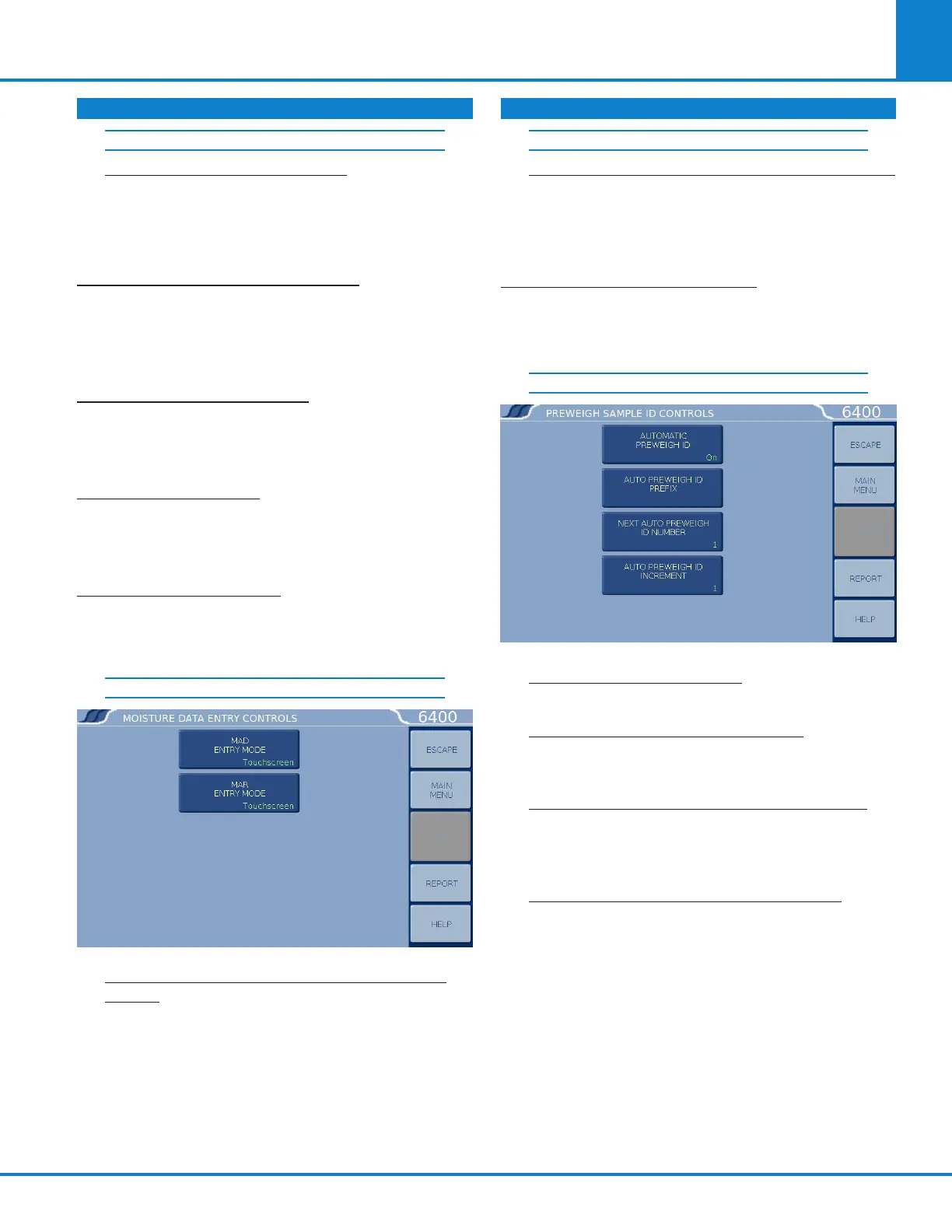
MOISTURE DATA ENTRY CONTROLS
MOISTURE AS DETERMINED (MAD) ENTRY
MODE: This key steps through the options for
entering the moisture as determined correction
value either manually or through the touch-
screen or automatically through the balance
(USB) port.
MOISTURE AS RECEIVED (MAR) ENTRY MODE:
This key steps through the options for entering
the moisture as received correction value either
manually or through the touchscreen or auto-
matically through the balance (USB) port.
AUTO PREWEIGH ID CONTROLS: Accesses
sub-menu, used to automatically assign Sample
ID numbers when a series of samples are pre
weighed ahead of the time they are actually tested.
PREWEIGH SAMPLE ID CONTROLS
AUTOMATIC PREWEIGH ID: ON/OFF toggle for
this feature.
AUTOMATIC PREWEIGH ID PREFIX: An entry
here will be used as a prefix for all pre-weigh
sample IDs.
NEXT AUTOMATIC PREWEIGH ID NUMBER:
Shows the next Sample ID which will be as-
signed and is used to enter the beginning
Sample ID of any series
AUTOMATIC PREWEIGH ID INCREMENT: Es-
tablishes the increment between samples.
DATA ENTRY CONTROLS (CONTINUED) DATA ENTRY CONTROLS (CONTINUED)
AUTO SAMPLE ID CONTROLS (CONTINUED) MOISTURE DATA ENTRY CONTROLS (CONT.)



 To Next Page