Menu Descriptions
42
5
FILE MANAGEMENT
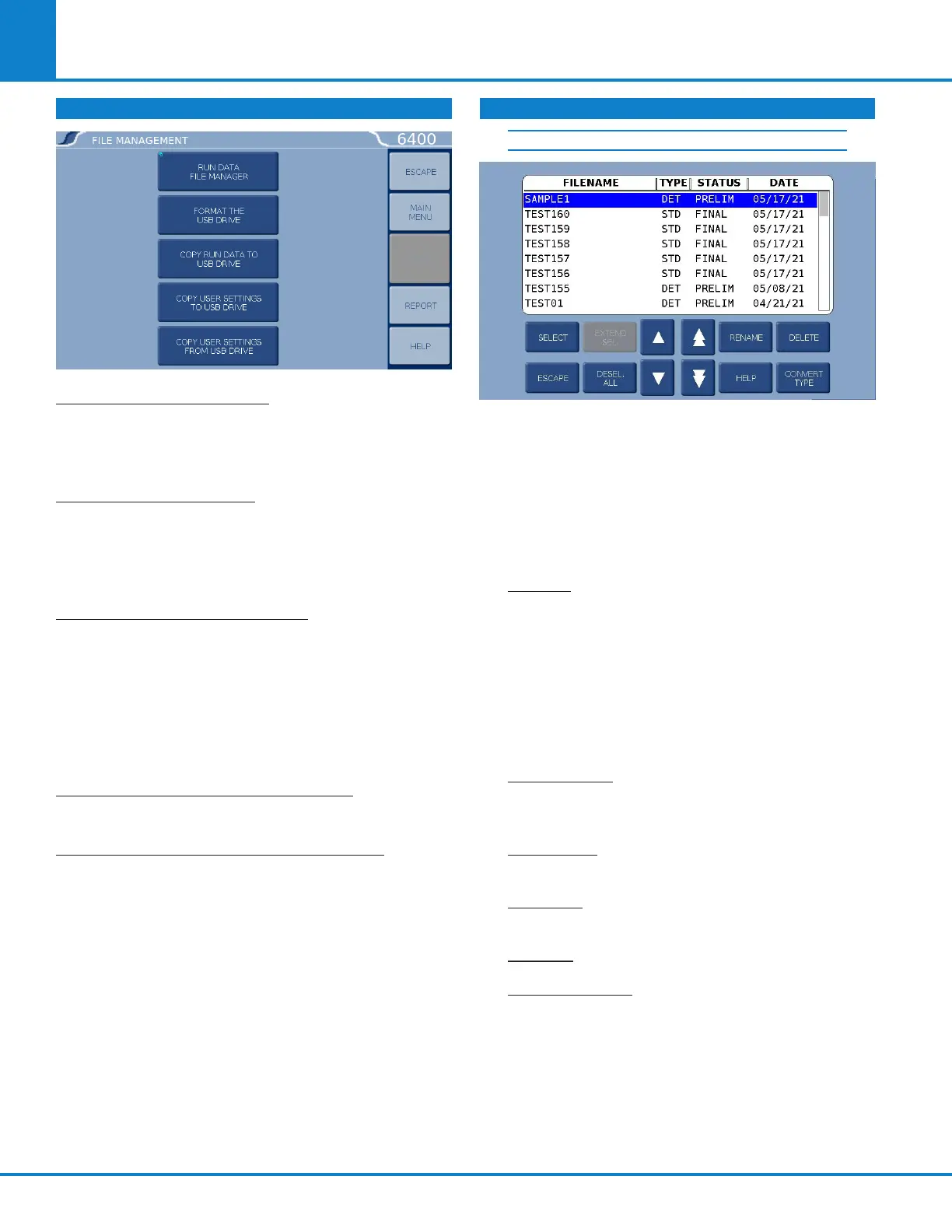
RUN DATA FILE MANAGER: This key activates the
File Manager. The File Manager is used to delete
or rename test report files. It is also used to con-
vert file types.
FORMAT THE USB DRIVE: This key allows the user
to format an installed USB drive in a manner that
is compatible with the calorimeter.
Note: Formatting will erase all files on the drive!
COPY RUN DATA TO USB DRIVE: This key copies
all test data to an USB drive inserted into the rear
of the calorimeter controller. This feature is used
as a means of either archiving data or transferring
it to a PC.
Note: Subsequent use of the same USB drive will
overwrite the data currently on the card.
COPY USER SETTINGS TO USB DRIVE: This key
copies all previously saved user setups to the drive.
COPY USER SETTINGS FROM USB DRIVE: This
key copies all user setups previously saved to the
drive back to the calorimeter controller memory.
This feature can be used to configure multiple
calorimeters in an identical manner.
RUN DATA FILE MANAGER
The white upper portion of the Run Data File Manag-
er screen presents all tests in memory in a scrollable
window. Test attributes include filename (sample
ID), test type, status, and date. Touching anywhere in
the column related to a given test attribute will sort
the file list by that attribute. Successive touches will
toggle between an ascending and descending sort.
SELECT: This key is used to begin the file selec-
tion process. The up/down (single arrow) and
page up/page down (double arrow) keys are
used to scroll up and down the file list. Press-
ing the select key when a file is highlighted
blue will highlight the file with a cyan color.
This indicates that it is selected. Multiple files
throughout the list can be selected in this fash-
ion.
EXTEND SEL: This key selects all files between
the last file selected and the file that is high-
lighted in blue.
DESEL ALL: This key deselects all files previ-
ously selected.
RENAME: This key allows the user to rename
the blue highlighted filename.
DELETE: This key deletes all selected files.
CONVERT TYPE: This key allows one or more
selected tests to be converted from determina-
tions to standardizations and vice versa.
FILE MANAGEMENT (CONTINUED)



 To Next Page