Menu Descriptions
30
5
BUCKET MIN VALUE: Press this key to access
its numeric dialog box to set a minimum bucket
value.
JACKET PLOT SYMBOL: Toggles between
(same as Bucket Plot Symbol, above).
JACKET MIN VALUE: Press this key to access
its numeric dialog box to set a minimum jacket
value.
TIME WINDOW: Sets the time scale for the X-
axis.
TIME UNITS: Toggles between minutes and
seconds.
BUCKET PLOT COLOR: Toggles between -
» Red
» Green
» Yellow
» Blue
» Magenta
» Cyan
» White
» Black
BUCKET MAX VALUE: Press this key to ac-
cess its numeric dialog box to set a maximum
bucket value.
JACKET PLOT COLOR: Toggles between: (same
as Bucket Plot Color, above).
JACKET MAX VALUE: Press this key to access
its numeric dialog box to set a maximum jacket
value.
TIME MINIMUM: Press this key to access its
numeric dialog box to set the least amount of
time for the display.
TIME MAXIMUM: Press this key to access its
numeric dialog box to set the greatest amount
of time for the display.
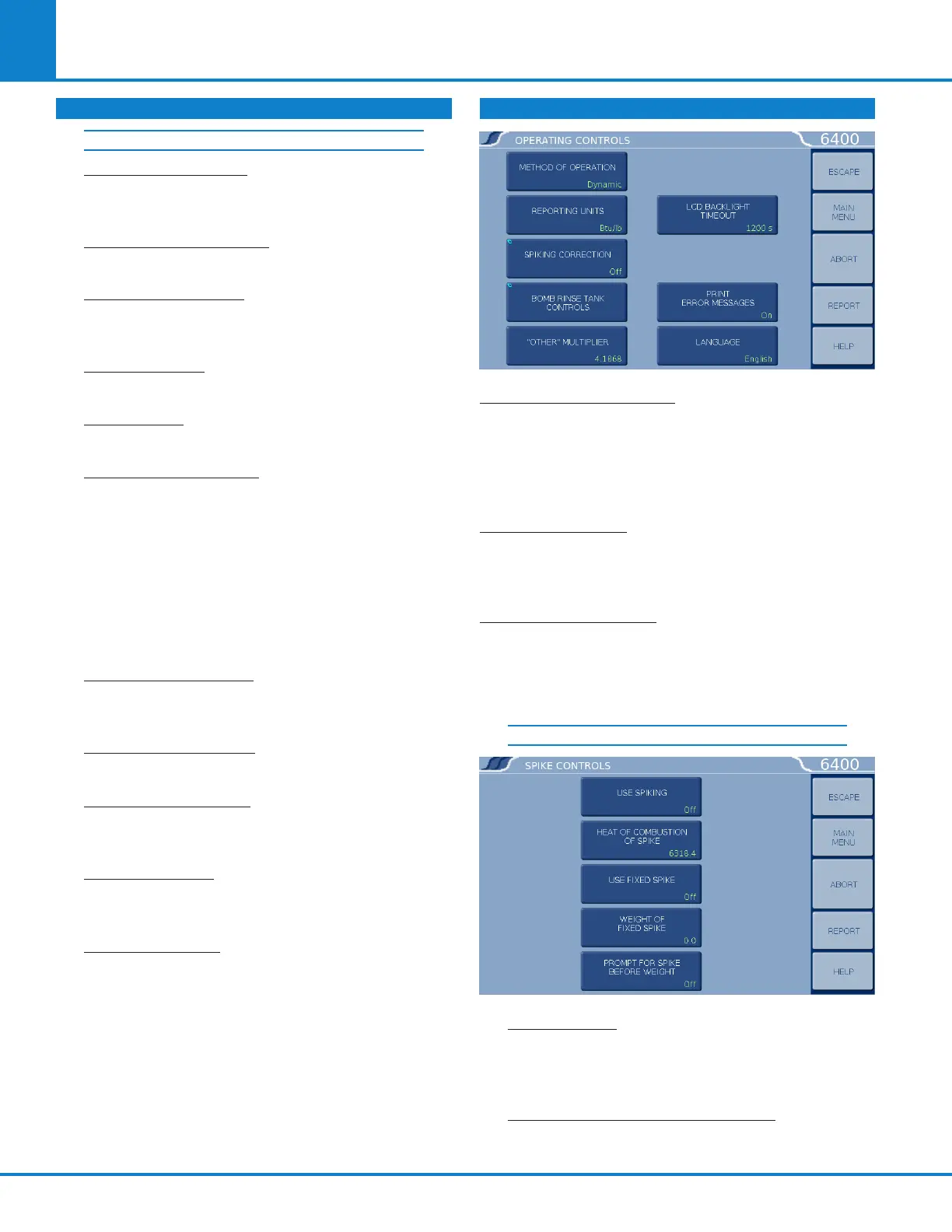
OPERATING CONTROLS
METHOD OF OPERATION: Offers an operating
mode of either dynamic or equilibrium. In most
cases, the dynamic mode with its curve matching
capability will save approximately 3-4 minutes per
test and will produce the same operating precision
as the slower equilibrium mode.
REPORTING UNITS: Offers a choice of BTU/lb, cal/g,
J/kg, or MJ/kg for the reporting units. A user selected
set of reporting units may be chosen by selecting
“other”.
SPIKING CORRECTION: Accesses the Spike Con-
trols sub-menu. “Spiking” is the addition of mate-
rial, such as benzoic acid or mineral oil, to samples
which are difficult to burn in order to drive the
combustion to completion.
SPIKING CONTROLS
USE SPIKING: When set to ON, the calorimeter
will prompt for the weight of the spike added
and will compensate for the heat of combustion
in the calculations.
HEAT OF COMBUSTION OF SPIKE: The heat
of combustion of spike is entered on sub-menu
keyboard in cal/g.
CALORIMETER OPERATION (CONTINUED)
TEMPERATURE PLOT SETUP



 To Next Page